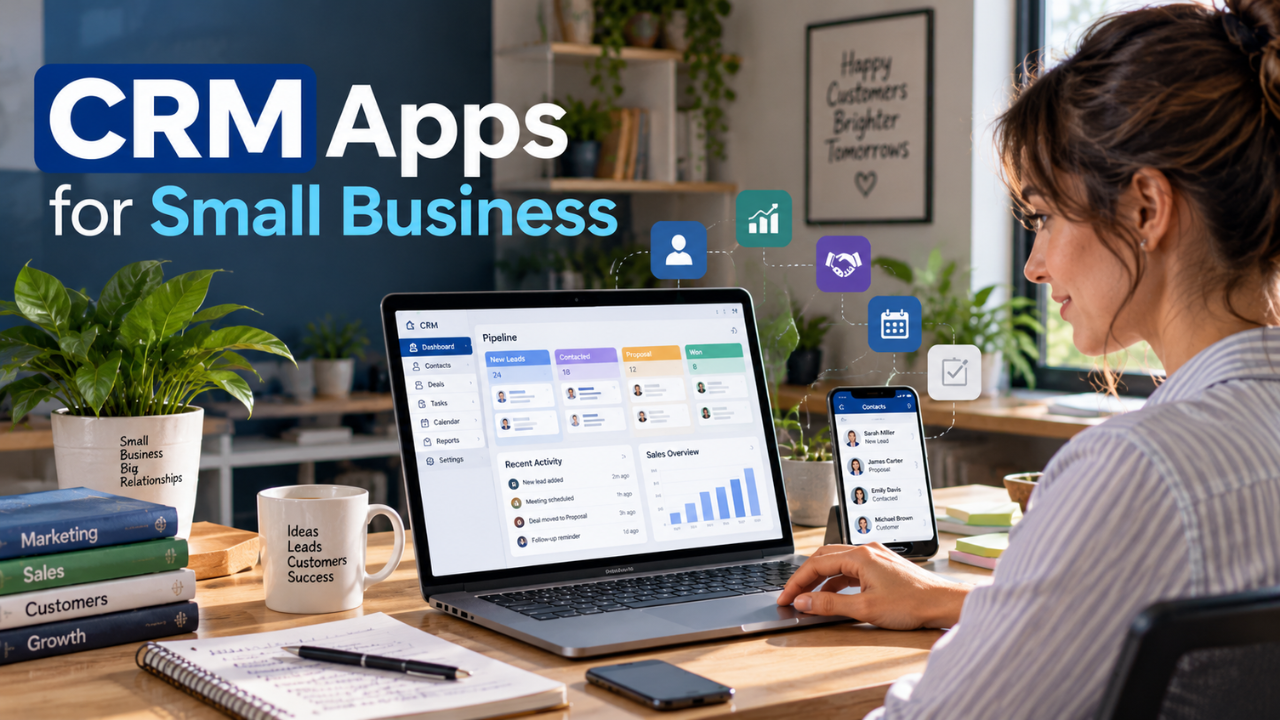
Choosing the right CRM can solve a surprisingly expensive problem for a small business: lost customer information.
When leads are spread across spreadsheets, emails, phone contacts, notebooks, and different apps, it becomes difficult to know who needs a follow-up, which prospects are close to buying, and what a customer was previously told. A good CRM brings that information into one organized place.
The challenge is finding software that is powerful enough to be useful without becoming unnecessarily complicated or expensive.
This guide compares the best crm apps for small business based on practical factors such as contact management, sales pipelines, automation, mobile access, integrations, pricing, ease of use, and scalability. The goal isn’t to identify one universal winner. It’s to help you match the CRM to the way your business actually operates.
What Is a CRM App?
A CRM app is software that helps a business organize customer information and manage interactions with prospects and customers.
CRM stands for customer relationship management. Instead of keeping customer information in separate spreadsheets, email inboxes, notes, and phone contacts, a CRM creates a centralized record.
For example, a small consulting company could use a CRM to keep track of:
- Customer names and contact information
- Companies and organizations
- Sales opportunities
- Previous conversations
- Meeting notes
- Follow-up dates
- Deal values
- Sales stages
- Tasks
- Customer activity
- Important documents
The real advantage isn’t simply storing information. A CRM connects that information to the activities surrounding the customer.
For example, an owner might open a customer’s record and immediately see that the customer requested a proposal, has an open $4,000 opportunity, spoke with a salesperson yesterday, and needs another follow-up next Tuesday.
CRM vs. spreadsheets, email, and notes
A spreadsheet can store a customer list. Email stores conversations. A notes application can store reminders.
But these tools aren’t designed to manage the entire customer journey.
A CRM can connect contacts with leads, deals, tasks, emails, activities, reminders, reports, and automation.
That’s why customer management software becomes increasingly valuable as a business grows.
What Should Small Businesses Look for in a CRM?
The best CRM for small business isn’t necessarily the software with the longest feature list.
The better question is:
Can this CRM manage the important parts of my business without creating more administrative work?
Here are the features that deserve the most attention.
Contact Management
Contact management is the foundation of almost every CRM.
Look for the ability to store customer details, company information, notes, activities, communication history, custom fields, and related contacts.
Duplicate management is also important once your database starts growing.
Lead Management
A CRM should help you understand where prospects are in the buying process.
For example:
New Lead → Contacted → Qualified → Proposal → Negotiation → Won/Lost
This gives your team a clear picture of which opportunities deserve attention.
Sales Pipeline
A visual sales pipeline can be particularly useful for small sales teams.
Instead of relying on individual spreadsheets, managers can see open opportunities in one place and identify deals that have stopped moving.
Tasks and Follow-Ups
A CRM should make it difficult to forget important follow-ups.
Useful capabilities include:
- Task reminders
- Follow-up dates
- Calendar activities
- Notifications
- Assigned tasks
- Recurring activities
Email Integration
Email is still central to many small-business sales processes.
A CRM that connects with Gmail, Outlook, or another email provider can make it easier to keep customer communication associated with the correct contact or deal.
Mobile Access
A CRM with mobile app support is particularly valuable for people who spend time away from a desk.
Salespeople, consultants, contractors, real estate professionals, and business owners may need to update customer information immediately after a meeting or phone call.
Automation
Automation can reduce repetitive administrative work.
Depending on the CRM, automation might be used to:
- Assign new leads
- Create follow-up tasks
- Send notifications
- Update records
- Move deals between stages
- Trigger emails
- Start sales sequences
Reporting
Small businesses don’t necessarily need complex analytics.
But useful CRM reporting should help answer questions such as:
- How many deals are open?
- How much is the pipeline worth?
- Which deals are stuck?
- How many leads were generated?
- Which opportunities were won?
- What revenue is expected?
Team Collaboration
If multiple employees communicate with customers, everyone should be able to understand what has already happened.
Shared customer records reduce the risk of one employee having important information that nobody else can access.
Integrations
Your CRM should work with the software you already depend on.
Depending on your business, that could include:
- Gmail
- Outlook
- Google Calendar
- Microsoft 365
- Accounting software
- Slack
- Zoom
- Website forms
- Email marketing platforms
- Payment tools
Ease of Use
This is one of the most overlooked CRM features.
A sophisticated system is useless if employees avoid updating it.
For many small companies, a simpler CRM with excellent adoption is better than an advanced platform that requires extensive training.
Pricing and Scalability
Don’t look only at the advertised monthly price.
Check:
- Number of users
- Contact limits
- Automation limits
- Storage
- Reporting limits
- Integration availability
- Premium features
- Add-ons
- Contract requirements
A CRM should be affordable today but capable of supporting your business as it grows.
Best CRM Apps for Small Business
1. HubSpot CRM — Best Overall for Many Small Businesses
HubSpot is one of the strongest choices for small businesses that want a CRM capable of growing into a broader sales, marketing, and customer-service platform.
Its free CRM provides core capabilities such as contact management, deal pipelines, CRM imports, task management, reporting, email tools, meeting scheduling, and other foundational features.
HubSpot also provides AI functionality and a large ecosystem of integrations.
Main strengths
- Strong free CRM
- Contact and deal management
- Email tracking
- Meeting scheduling
- Reporting
- AI tools
- Marketing and service capabilities
- Large integration ecosystem
- Mobile access
Main limitation
HubSpot’s free CRM is attractive, but businesses can encounter additional costs as they add users, advanced features, automation, and other paid products.
The platform can also become more complicated as your requirements expand.
Who should use it?
HubSpot is a particularly good fit for:
- Small businesses
- Startups
- Growing companies
- Businesses combining sales and marketing
- Teams wanting a strong free starting point
Who might choose another CRM?
If you only want a basic sales pipeline and don’t need a broader business platform, a simpler CRM could be easier to manage.
2. Bigin by Zoho — Best for Simple Small-Business CRM
Bigin is designed specifically around the needs of smaller businesses rather than trying to reproduce every feature found in large enterprise CRM systems.
It focuses on practical CRM functions such as contact management, pipelines, activities, communication, automation, and customer information.
Bigin offers a free option and relatively inexpensive paid plans, making it an appealing starting point for small teams.
Key strengths
- Designed for small businesses
- Free option
- Affordable paid plans
- Sales pipelines
- Automation
- Mobile access
- Email and communication tools
- Multiple pipelines
Main limitation
Businesses that eventually require extensive enterprise-level customization may outgrow Bigin and need a more advanced CRM.
Best for
Bigin is especially suitable for:
- Freelancers
- Solopreneurs
- Small teams
- Startups
- Businesses replacing spreadsheets
If simplicity is more important than having hundreds of advanced features, Bigin deserves a place on your shortlist.
3. Freshsales — Best for Sales Teams on a Budget
Freshsales combines CRM functionality with communication and sales tools, making it particularly relevant for small sales teams.
The platform provides contact and account management, activity timelines, sales pipelines, workflows, email, phone, chat, and AI-assisted sales capabilities.
Freshsales currently has a free plan for small teams, while paid plans start at a relatively low per-user price compared with many advanced CRM platforms.
Main strengths
- Free plan available
- Affordable entry-level paid plan
- Sales pipeline management
- Email and communication tools
- Automation
- AI features
- Mobile access
- Sales forecasting on higher plans
Main limitation
Businesses that need extremely deep customization or a massive enterprise ecosystem may eventually prefer a larger CRM platform.
Best for
Freshsales makes sense for:
- Small sales teams
- Startups
- Growing service businesses
- Businesses wanting sales and communication features together
4. Pipedrive — Best Sales-Focused CRM
Pipedrive takes a different approach from all-in-one platforms.
Its central focus is sales pipeline management.
The interface is built around leads, deals, contacts, activities, and sales stages, making it particularly appealing to businesses where selling is the primary CRM requirement.
Pipedrive currently starts with a paid Lite plan and offers a 14-day free trial rather than a permanent free plan.
Its higher plans add more sophisticated automation, email capabilities, lead generation, customization, AI tools, and other sales functionality.
Main strengths
- Excellent visual pipeline
- Sales-focused interface
- Lead management
- Deal tracking
- Follow-up management
- Automation on higher plans
- Email functionality
- Large integration ecosystem
- Mobile access
Main limitation
There is no permanent free plan.
It may also be more sales-focused than necessary for a business primarily interested in general customer management.
Best for
Pipedrive is particularly strong for:
- Sales teams
- Agencies
- Consultants
- B2B businesses
- Companies with defined sales pipelines
If sales pipeline visibility is your highest priority, Pipedrive should be near the top of your list.
5. Zoho CRM — Best for Flexibility and Value
Zoho CRM is one of the most flexible options for small businesses that expect their CRM requirements to become more sophisticated.
It offers a free edition for small teams, while its paid plans introduce additional customization, automation, reporting, forecasting, AI, and business-management capabilities.
Zoho also benefits from being part of a larger software ecosystem.
Main strengths
- Free edition
- Strong customization
- Automation
- Reporting
- Mobile app
- AI capabilities
- Broad business ecosystem
- Multiple sales processes
Main limitation
The flexibility comes with a learning curve.
A very small business that only needs contacts and simple follow-ups may find Bigin or another lightweight CRM easier.
Best for
Zoho CRM is particularly useful for:
- Growing businesses
- Small sales teams
- Companies needing customization
- Businesses already using Zoho products
- Organizations expecting more advanced CRM requirements
6. monday CRM — Best for Visual Workflows
monday CRM is a good option for businesses that prefer visual workflows and collaborative workspaces.
Instead of making the CRM feel like a traditional database, monday uses customizable boards, columns, dashboards, workflows, and automations.
It supports lead and deal management, communication, reporting, automation, integrations, AI capabilities, and mobile access.
Main strengths
- Visual interface
- Customizable workflows
- Automation
- Dashboards
- Collaboration
- Mobile access
- AI features
- Flexible data structures
Main limitation
Its flexibility can become a disadvantage for businesses that simply want a straightforward CRM with minimal configuration.
Best for
monday CRM is worth considering for:
- Collaborative teams
- Agencies
- Service businesses
- Businesses with unusual workflows
- Teams already familiar with monday.com
7. Less Annoying CRM — Best for Simplicity
Less Annoying CRM takes a deliberately straightforward approach.
Its pricing structure is simple, and the product focuses on the CRM fundamentals rather than trying to become an enormous business software suite.
Features include contact management, companies, pipelines, tasks, email logging, custom fields, and mobile access.
Main strengths
- Straightforward pricing
- Simple interface
- Contact management
- Unlimited pipelines
- Task management
- Email logging
- Mobile access
- Focus on small businesses
Main limitation
It isn’t intended for companies looking for sophisticated marketing automation, extensive AI functionality, or complex enterprise customization.
Best for
This CRM is particularly appealing to:
- Freelancers
- Consultants
- Small service businesses
- Small companies that dislike complicated software
If your main concern is finding CRM software that employees will actually use, simplicity can be a significant advantage.
8. Close — Best for Outbound Sales
Close is built around sales communication.
Rather than treating calling, email, and messaging as separate activities, the platform combines them with CRM records, sales pipelines, workflows, and reporting.
It provides calling, SMS, email, automation, AI features, and mobile access.
Main strengths
- Calling
- SMS
- Sales pipelines
- Workflows
- Reporting
- AI features
- Mobile application
- Strong outbound-sales orientation
Main limitation
A service business with only occasional sales activity may not need this level of sales communication functionality.
Best for
Close is particularly suitable for:
- Outbound sales teams
- B2B sales
- Startups
- Sales-heavy small businesses
- Teams doing frequent calls and follow-ups
9. Salesforce — Best for Small Businesses Planning to Scale
Salesforce is much more powerful than most small businesses need at the beginning.
However, its Starter offering makes the platform more accessible to smaller organizations that already anticipate complex sales and customer-management requirements.
Salesforce provides lead, account, contact, and opportunity management alongside automation, AI, customization, reporting, and a large ecosystem.
Main strengths
- Powerful CRM
- Lead management
- Opportunity management
- Automation
- Extensive customization
- Large ecosystem
- Advanced reporting
- Strong scalability
Main limitation
Complexity.
A five-person business with a simple sales process may get more value from a simpler platform.
Best for
Salesforce makes more sense for:
- Fast-growing businesses
- Companies with complex processes
- Businesses expecting substantial expansion
- Teams requiring advanced customization
If you’re a small company today but expect enterprise-level CRM requirements later, Salesforce is worth evaluating early.
10. Copper CRM — Best for Google Workspace Users
Copper is particularly interesting for businesses that rely heavily on Google Workspace.
The CRM is designed around relationship management, pipelines, tasks, projects, and customer information while fitting into a Google-oriented workflow.
Its paid plans provide different levels of automation, reporting, customization, and contact capacity.
Main strengths
- Google Workspace orientation
- Pipeline management
- Contact management
- Task automation
- Project management
- Contact enrichment
- Reporting
- Mobile access
Main limitation
Copper’s pricing can be harder to justify for businesses that only need basic CRM features.
Best for
Copper is a strong candidate for:
- Google Workspace users
- Consultants
- Agencies
- Relationship-driven businesses
- Teams combining CRM and project workflows
CRM Apps for Small Business Comparison
| CRM | Best for | Free plan | Starting paid plan | Mobile app | Automation | Ease of use | Best feature |
|---|---|---|---|---|---|---|---|
| HubSpot CRM | Overall CRM | Yes | Check current pricing | Yes | Yes | Easy | Broad ecosystem |
| Bigin by Zoho | Small teams | Yes | Check current pricing | Yes | Yes | Easy | Simple pipelines |
| Freshsales | Sales teams | Yes | Check current pricing | Yes | Yes | Easy | Sales + communication |
| Pipedrive | Sales pipeline | No permanent free plan | Check current pricing | Yes | Yes | Easy | Visual pipeline |
| Zoho CRM | Flexibility | Yes | Check current pricing | Yes | Yes | Moderate | Customization |
| monday CRM | Visual workflows | Trial available | Check current pricing | Yes | Yes | Easy–Moderate | Custom workflows |
| Less Annoying CRM | Simplicity | Trial available | Check current pricing | Yes | Basic | Very easy | Straightforward CRM |
| Close | Outbound sales | Trial available | Check current pricing | Yes | Yes | Moderate | Calling/email/SMS |
| Salesforce | Scaling businesses | No permanent free plan | Check current pricing | Yes | Yes | Moderate–Advanced | Scalability |
| Copper | Google Workspace | Trial available | Check current pricing | Yes | Yes | Easy–Moderate | Google integration |
Pricing note: CRM vendors frequently change prices, billing structures, promotions, user requirements, and feature limits. Always check the provider’s current pricing page before purchasing.
How to Choose the Right CRM App for Your Small Business
Instead of asking which CRM is objectively the best, start with your business process.
Start With Your Sales Process
Write down what happens from the moment someone contacts your business until the deal is finished.
For example:
Website inquiry → Qualification → Sales call → Proposal → Negotiation → Customer
Your CRM should make this process easier to manage.
If the software forces you to create complicated workarounds for a simple process, it probably isn’t the right fit.
Consider Your Team Size
A freelancer might only need:
- Contacts
- Notes
- Tasks
- Follow-ups
- A simple pipeline
A small sales team might additionally need:
- Lead assignment
- Email tracking
- Automation
- Reporting
- Multiple pipelines
A growing organization may need:
- Advanced permissions
- Forecasting
- Custom objects
- Complex automation
- Detailed reporting
Consider Your Contact Volume
Think beyond the number of customers you have today.
Check whether the CRM limits:
- Contacts
- Companies
- Deals
- Email sends
- Automation
- Storage
- Reports
A plan that works with 500 contacts may become restrictive when your database reaches 10,000.
Evaluate Automation Needs
If you only need reminders, almost any good CRM can work.
If you want automatic lead assignment, email sequences, follow-ups, notifications, record updates, and workflow triggers, pay closer attention to the automation available on each pricing tier.
Check Integrations
Make a list of your essential software before choosing your CRM.
If your business relies heavily on Google Workspace, for example, you should specifically verify Gmail and Google Calendar integration.
If accounting software is important, verify the exact integration rather than assuming it exists.
Think About Mobile Requirements
If employees meet customers outside the office, mobile functionality can be essential.
A useful mobile CRM should let employees quickly:
- Find contacts
- Review customer history
- Update deals
- Add notes
- Create tasks
- Schedule activities
Free CRM vs. Paid CRM
A free CRM for small business can be surprisingly capable.
For a freelancer or very small team, a free CRM may provide everything necessary to organize contacts and manage a basic sales pipeline.
Free plans commonly include some combination of:
- Contact management
- Deal management
- Tasks
- Notes
- Basic reporting
- Limited automation
- Mobile access
- Email tools
However, free doesn’t mean unlimited.
Common restrictions include:
- Number of users
- Number of contacts
- Automation limits
- Advanced reporting
- Storage
- Integrations
- AI features
- Marketing tools
When a free CRM is enough
A free CRM may be enough if:
- You have a very small team
- Your customer database is manageable
- You need basic contact management
- You have a straightforward sales process
- You don’t need sophisticated automation
- Basic reporting is sufficient
When paying for CRM software makes sense
A paid plan becomes more valuable when:
- Your team grows
- Follow-ups need automation
- You need more reporting
- You require advanced integrations
- Multiple sales pipelines are necessary
- You need sophisticated permissions
- Your business depends heavily on CRM automation
Don’t pay for enterprise-level functionality simply because it is available.
CRM Apps for Different Types of Small Businesses
CRM for Freelancers
Freelancers generally don’t need a complicated sales system.
Prioritize contacts, follow-ups, notes, tasks, proposals, and a simple pipeline.
Bigin, HubSpot, and Less Annoying CRM are worth considering.
Businesses specifically interested in this use case can also compare options in a dedicated CRM for freelancers guide.
CRM for Consultants
Consultants often depend on long-term relationships and repeat business.
Look for:
- Detailed contact records
- Meeting notes
- Tasks
- Calendar integration
- Proposal tracking
- Deal stages
- Communication history
CRM for Startups
Startups usually need affordable software that can grow with the company.
HubSpot, Bigin, Freshsales, and Zoho CRM are useful starting points.
Don’t choose purely based on today’s employee count. Consider what your sales process could look like after the business begins acquiring customers consistently.
CRM for Small Sales Teams
Sales teams should focus on:
- Lead management
- Pipeline management
- Email tracking
- Follow-ups
- Automation
- Reporting
- Mobile access
Pipedrive, Freshsales, and Close are especially relevant here.
CRM for Service Businesses
Service companies may care less about aggressive outbound sales and more about customer history and follow-up.
Prioritize:
- Contact records
- Communication history
- Tasks
- Appointments
- Customer notes
- Repeat-business tracking
CRM for Agencies
Agencies often manage multiple clients simultaneously.
They should look for:
- Multiple pipelines
- Custom fields
- Team collaboration
- Tasks
- Client history
- Reporting
- Project integrations
monday CRM and HubSpot can be particularly useful where collaboration matters.
CRM for Local Businesses
A local business may not need a complex enterprise CRM.
A simple system that stores customer information, tracks interactions, reminds staff about follow-ups, and provides basic reporting may be enough.
Common CRM Mistakes Small Businesses Should Avoid
Choosing Too Many Features
A longer feature list doesn’t automatically mean a better CRM.
If your business only needs contacts, deals, tasks, and email, buying an extremely complicated platform can create unnecessary work.
Ignoring Usability
Employees need to actually use the CRM.
If entering information takes too long, employees may stop updating records.
Adoption should be treated as a core buying criterion.
Not Planning Data Migration
Don’t blindly import every spreadsheet into your new CRM.
Before migration:
- Remove duplicate contacts.
- Delete outdated records.
- Standardize important fields.
- Decide which information actually matters.
- Create a clean import structure.
Moving messy data into a new CRM doesn’t solve the underlying data problem.
Choosing Only Based on Price
The cheapest subscription isn’t necessarily the cheapest CRM.
Consider the full cost of:
- User licenses
- Add-ons
- Integrations
- Training
- Migration
- Implementation
- Premium support
Failing to Train Employees
Even simple CRM software requires basic operating rules.
Everyone should understand:
- When to create a contact
- How to update a deal
- Where to record notes
- How to assign tasks
- When a deal becomes won or lost
Not Maintaining Customer Data
A CRM requires ongoing maintenance.
Schedule periodic checks for:
- Duplicate contacts
- Incomplete records
- Outdated information
- Stalled opportunities
- Incorrect deal stages
Buying Software Before Understanding Your Sales Process
This is one of the biggest mistakes small businesses make.
Don’t begin with:
“Which CRM should I buy?”
Begin with:
“How does a prospect become a customer in my business?”
Once that process is clear, finding the right CRM becomes much easier.
Frequently Asked Questions
What is the best CRM app for a small business?
There isn’t one CRM that is best for every business.
HubSpot is a strong general-purpose choice, Bigin works well for simplicity, Freshsales is attractive for sales teams, Pipedrive is excellent for pipeline-focused businesses, and Zoho CRM offers considerable flexibility.
The best choice depends on your workflow, team size, budget, and integrations.
Is there a free CRM for small business?
Yes. Several CRM providers offer free plans or free editions, including HubSpot, Bigin, Zoho CRM, and Freshsales.
Free plans can be sufficient for very small teams, but check user, contact, automation, and feature limits before making one your long-term system.
Do small businesses really need a CRM?
Not every small business needs one immediately.
If you have only a handful of customers and manage relationships easily through email and spreadsheets, a CRM may not be necessary yet.
However, once leads start getting lost, follow-ups are missed, or several employees need access to customer information, a CRM can become extremely valuable.
What should I look for in a CRM?
Focus on the features your business will actually use.
The most important areas are usually:
- Contact management
- Lead management
- Sales pipeline
- Tasks
- Email integration
- Mobile access
- Automation
- Reporting
- Integrations
- Ease of use
- Pricing
What is the easiest CRM for a small business?
Bigin and Less Annoying CRM are strong choices for businesses that prioritize simplicity.
HubSpot is also approachable for businesses that want a broader set of features while starting with a free CRM.
The easiest CRM is ultimately the one that matches your workflow and doesn’t require unnecessary configuration.
Can a small business use a CRM for free?
Yes.
A free CRM can work well for a freelancer, startup, or small team with straightforward requirements.
The key is understanding what happens when your business grows beyond the free plan’s limits.
How much does CRM software cost for a small business?
CRM costs range from free plans to significantly more expensive per-user subscriptions.
Entry-level plans from popular providers can start in the single digits or low tens of dollars per user each month, while advanced CRM platforms can cost substantially more.
The advertised starting price isn’t the complete picture. Always check the plan’s user limits, features, automation, add-ons, and billing terms.
What is the difference between CRM software and customer management software?
The terms often overlap.
Customer management software generally focuses on organizing customer information and interactions. Modern CRM platforms usually go further by adding sales pipelines, automation, reporting, integrations, forecasting, communication tools, and other business capabilities.
Final Thoughts
The best crm apps for small business depend on what your company actually needs to accomplish.
HubSpot CRM is a strong overall choice for businesses wanting a broad platform and a useful free starting point.
Bigin by Zoho is a better fit when simplicity and affordability are priorities.
Freshsales makes sense for sales teams that want CRM and communication features together.
Pipedrive is particularly strong when managing a sales pipeline is the central requirement.
Zoho CRM is a good option for businesses that want flexibility and customization.
monday CRM is worth considering for teams that prefer visual workflows and collaboration.
Less Annoying CRM is ideal for businesses that want straightforward customer management without unnecessary complexity.
Close is a strong candidate for businesses heavily involved in outbound calls, email, and sales follow-ups.
Salesforce makes more sense when a small company expects complex CRM requirements and significant growth.
Copper deserves consideration when Google Workspace is already central to the business.
The smartest approach isn’t to immediately buy the most powerful CRM. Shortlist two or three options, recreate your actual sales process, test them with real sample data, and see which one makes customer management easier.
A CRM should reduce the amount of information your team has to remember—not create another system everyone has to maintain.