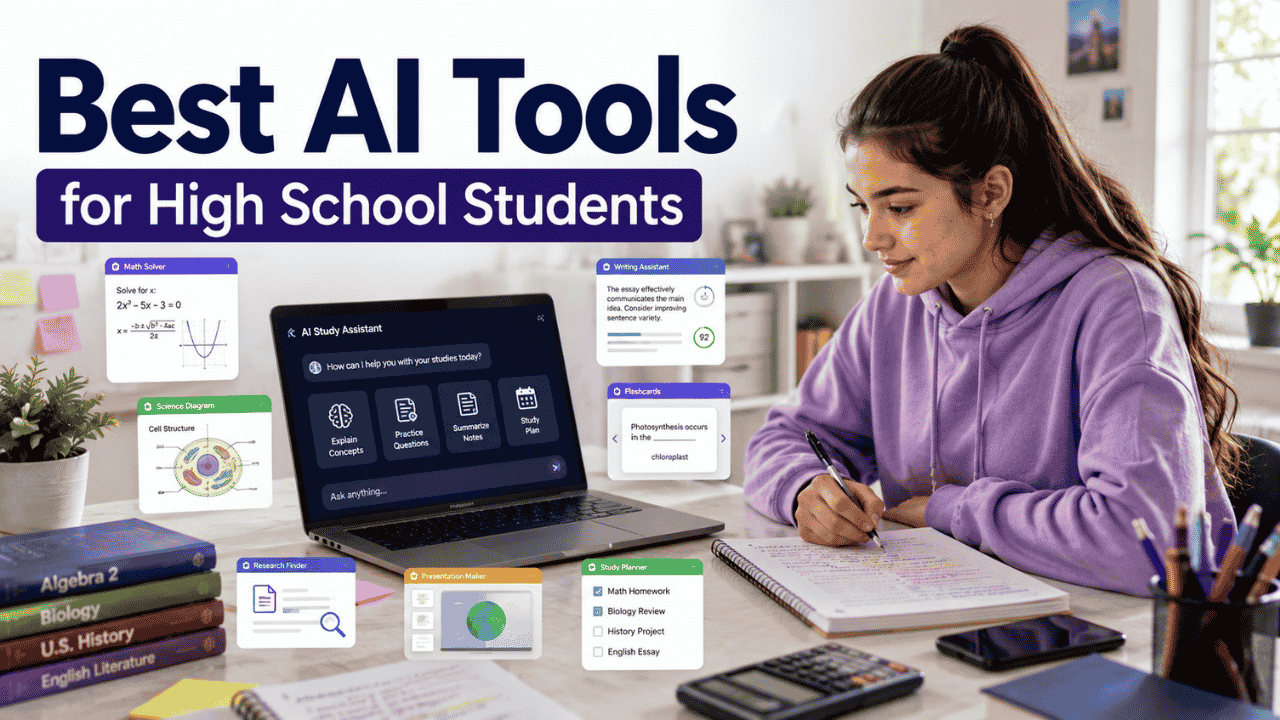
A tenth-grade student gets home at 4:30 p.m. after classes, soccer practice, and a long bus ride. There is a math worksheet due tomorrow, a history project due Friday, an English paragraph that still needs editing, and a biology test coming up. The problem isn’t a lack of effort. There simply isn’t enough time to figure everything out from scratch.
That is where the Best AI Tools for High School Students can make a real difference. The useful ones do not simply produce answers. They explain difficult concepts, create practice material, help organize information, improve writing, and give students another way to work through a problem when a teacher or tutor isn’t immediately available.
The key is choosing the right tool for the task and using it as a learning aid rather than an answer machine.
1. A Real High-School Student’s Day
Consider a student taking algebra, biology, English, U.S. history, and Spanish.
During algebra, the student understands the first few problems but gets stuck when equations become more complicated. Instead of immediately asking an AI tool to solve the worksheet, the student can use a tutoring-focused tool to identify where the reasoning went wrong.
Later, biology notes are difficult to organize. An AI study tool can turn those notes into questions or a structured review guide.
For English, a writing assistant can point out grammar problems or unclear sentences. For a history project, a research assistant can help the student understand a topic and identify questions that still need investigation.
By evening, there are still assignments to finish. An organization tool can help turn the remaining work into a realistic list instead of one overwhelming block.
That is the practical role of AI in high school: less friction between “I don’t understand this” and “I know what to do next.”
2. Where AI Helps Most in High School
AI is most useful when a student needs explanation, practice, organization, or feedback.
Understanding difficult concepts
A student can ask for an explanation at a simpler level, request another example, or ask the AI to explain why a particular answer is wrong.
For example:
“Explain photosynthesis as if I understand basic biology but keep getting confused about where the energy comes from.”
That is much more useful than asking:
“Give me the answer to my biology homework.”
The first prompt encourages understanding. The second encourages dependency.
Practicing math
Math is one of the strongest use cases because students can work through a problem, receive an explanation, and then attempt a similar problem independently.
A good workflow is:
Try → Get a hint → Understand the method → Solve independently → Check
Tools such as Photomath are particularly useful when a student wants to see the steps behind a photographed math problem.
Reviewing class notes
Students often have pages of notes but no idea how to study them.
AI can help turn notes into:
- Key concepts
- Short summaries
- Practice questions
- Flashcards
- Vocabulary lists
- Topic-by-topic review guides
Quizlet can transform uploaded notes and other study material into study guides, flashcards, and practice tests.
Researching school projects
AI can help a student understand a complicated topic before beginning a research project. It can also help generate research questions, explain unfamiliar terminology, and suggest areas that deserve further investigation.
The student should still locate and verify the original sources.
For students doing larger school projects, our guide to Best AI Research Tools for Students can help with the research stage before the writing begins.
Improving writing
A writing assistant can identify grammar errors, awkward sentences, unclear wording, and problems with readability.
That makes it useful for:
- Essays
- Book reports
- Lab reports
- Scholarship writing
- Email drafts
- Project descriptions
The goal should be improvement, not having AI replace the student’s voice.
Preparing presentations
AI can help students brainstorm presentation structures, organize ideas, create visuals, and turn research into a clearer sequence.
Canva is especially useful for the visual side of school projects, while a general AI assistant can help with brainstorming and organization.
Organizing assignments
A student with six assignments due during the same week can use AI to break the workload into smaller tasks.
Instead of:
History project — due Friday
the system might become:
- Monday: choose topic
- Tuesday: collect sources
- Wednesday: create outline
- Thursday: prepare slides
- Friday: proofread and submit
That small change can make a large assignment feel manageable.
3. AI Tools by School Subject
Different subjects require different kinds of assistance. The best choice for math may be completely different from the best choice for an English essay.
Math
For mathematics, students should prioritize tools that show reasoning rather than simply producing an answer.
Photomath is designed around solving photographed or entered math problems and showing step-by-step explanations. Its free Basic plan includes step-by-step explanations, while Photomath Plus adds features such as custom visual aids and additional “how” and “why” explanations.
Khanmigo is another option for students who want a tutoring-style experience. It is designed to guide learners through problems rather than simply hand them a final answer.
For a student struggling with quadratic equations, the best use is not:
“Solve all 20 questions.”
A better request is:
“Help me understand how to recognize which quadratic method I should use. Give me one example and then let me try.”
That creates actual practice.
Science
Science students can use AI to explain complicated processes, compare concepts, create revision questions, and review notes.
For example, a student studying cell biology could ask for a comparison between:
- Mitosis
- Meiosis
- DNA replication
- Protein synthesis
AI can also create practice questions after the student has studied the original material.
For diagrams and visual presentations, Canva can be useful for turning information into a clearer visual format.
English
English assignments benefit most from AI when the student remains the writer.
A writing assistant can identify:
- Grammar problems
- Repeated words
- Awkward sentences
- Punctuation errors
- Unclear phrasing
A student can also ask AI for brainstorming help before writing.
For example:
“Give me three possible arguments about the theme of responsibility in this novel. Don’t write the essay.”
That preserves the student’s responsibility for the actual work.
Students who regularly write essays can also use our guide to Best AI Writing Tools for Students to compare broader writing-support options.
History and Social Studies
History assignments often involve research, chronology, source interpretation, and remembering large amounts of information.
AI can help students build timelines, explain historical events in simpler language, compare political ideas, and create practice questions.
But historical claims need checking. AI can make mistakes about dates, names, events, and interpretations.
For a research project, the original source should always remain the authority.
Languages
AI can help with:
- Vocabulary
- Grammar
- Translation
- Conversation practice
- Pronunciation
- Sentence construction
A student learning Spanish, for example, could ask an AI tutor to conduct a five-minute conversation using only vocabulary from the current lesson.
That is much better practice than repeatedly translating isolated words.
Computer Science
Students learning coding can use AI to understand error messages, explain unfamiliar syntax, and debug their own code.
A useful prompt is:
“Here is my Python code. Don’t rewrite the whole program. Explain why this function isn’t returning the expected result.”
That teaches debugging instead of encouraging copy-and-paste programming.
4. Quick Decision Guide
Before looking at individual tools, this table gives a practical starting point for different school needs.
| Student Need | Strong Options | Why |
|---|---|---|
| Homework explanations | Khanmigo, ChatGPT | Step-by-step explanations and tutoring |
| Math practice | Photomath, Khanmigo | Math-focused problem support |
| Study materials | Quizlet, ChatGPT | Notes can become questions and study guides |
| Research | Perplexity, ChatGPT | Useful for exploring topics and questions |
| Writing help | Grammarly, ChatGPT | Editing, feedback, brainstorming |
| Presentations | Canva, ChatGPT | Visual design plus planning |
| Organization | ChatGPT, Google tools | Planning and task breakdown |
| Free starting point | ChatGPT, Canva, Quizlet | Useful free access is available |
| Structured tutoring | Khanmigo | Designed around guided learning |
| Coding | ChatGPT, Khanmigo | Explanations, debugging, practice |
The Best AI Tools for High School Students depend heavily on whether the student needs tutoring, practice, research, writing support, or organization.
5. Tool Reviews by Student Need
Homework & Learning
ChatGPT
ChatGPT is one of the most flexible options because it can switch between subjects and types of schoolwork.
A student can use it to explain a difficult concept, generate practice questions, analyze uploaded files, brainstorm a project, or work through a problem step by step.
The free version provides access to chat and several tools, including file and image uploads, web search, data analysis, and image creation, although usage limits apply.
For high school students, the biggest advantage is flexibility. A single conversation can move from explaining a chemistry concept to generating five practice questions about it.
Best for: General homework support and explanations.
Strengths
- Works across many subjects
- Can explain concepts at different levels
- Supports files and images
- Useful for practice questions and study guides
- Free tier available
Limitations
- Can produce incorrect information
- Free usage has limits
- Students must check school AI policies
- It should not replace independent work
Student example: Upload class notes and ask for ten practice questions, then answer them without looking at the notes.
Khanmigo
Khanmigo takes a more tutoring-focused approach.
It is built around Khan Academy’s educational content and can provide guided help in areas including math, science, coding, history, and humanities. It also offers writing support and coding feedback.
The current individual learner plan costs $4 per month or $44 per year in the United States. Students under 18 need a parent or guardian to sign up and add them to the account.
Best for: Students who want tutoring rather than a general-purpose chatbot.
Strengths
- Designed specifically around learning
- Strong fit with Khan Academy content
- Guided problem solving
- Useful for math and science
- Writing and coding support
Limitations
- Individual access for minors involves a parent or guardian
- Paid learner access
- Not as broad as a general AI assistant for every type of task
Student example: Ask for help with an algebra problem and request hints instead of the final answer.
Math & STEM
Photomath
Photomath is built specifically for mathematics. Students can enter problems manually or use the camera to capture them.
The Basic plan is free and includes step-by-step explanations. Photomath Plus is currently listed at $9.99 per month or $69.99 annually and adds features such as custom visual aids and extra explanations.
It supports areas including algebra, geometry, trigonometry, statistics, and calculus.
Best for: Checking mathematical work and understanding solution steps.
Strengths
- Math-focused interface
- Step-by-step explanations
- Camera-based problem entry
- Free Basic plan
- Useful for checking work
Limitations
- Focused on mathematics
- Students can misuse it by copying answers
- A displayed solution does not guarantee the student understands the method
Student example: Solve an equation independently, scan it afterward, and compare the method rather than copying the displayed result.
Writing & Research
Grammarly
Grammarly is most useful after a student has already written something.
Its free plan is currently $0 and provides core writing assistance plus a limited amount of generative AI usage. The Pro plan is listed at $12 per member per month when billed annually, with monthly billing listed at $30.
For high school students, the free version can be enough for basic grammar and writing checks.
Use it after writing a paragraph or essay to catch errors and improve clarity.
Best for: Grammar and writing improvement.
Strengths
- Easy to use
- Useful for grammar
- Free plan available
- Works across common writing environments
- Helpful for editing drafts
Limitations
- Should not rewrite an assignment until it no longer sounds like the student
- Some advanced features require Pro
- Editing suggestions still need human judgment
Student example: Write an essay independently, run the final draft through Grammarly, and review every suggested change before accepting it.
Perplexity
Perplexity is particularly useful during the early research stage.
Its free Standard plan provides basic searches, limited file uploads, and a limited number of more advanced research features. The current Education Pro plan is available to verified students and educators at $10 per month.
For high school research, the useful role is exploration: understanding a topic, finding possible sources, identifying terminology, and developing questions for deeper research.
It should not become the final authority for a research project.
Best for: Research exploration.
Strengths
- Search-focused experience
- Useful for researching unfamiliar topics
- Provides source-oriented answers
- Free plan available
- Education pricing exists
Limitations
- Research answers still need verification
- Search results should not replace reading original sources
- Advanced features have usage limits
Student example: Use it to understand the major arguments around a historical topic, then open the original sources before writing.
Studying & Exams
Quizlet
Quizlet is especially useful when a student already has notes and wants to turn them into active study material.
Its AI tools can create study guides, flashcards, and practice tests from notes, slides, PDFs, and other materials.
The current free experience includes some AI functionality, while more advanced study features are included with paid plans. Quizlet Plus is listed at $2.99 per month when billed annually, while Plus Unlimited is $3.75 per month when billed annually.
Best for: Exam preparation and active recall.
Strengths
- Flashcards
- Practice tests
- Study guides
- Works with uploaded study material
- Useful for many subjects
Limitations
- Some advanced features require a subscription
- AI-generated questions still need review
- Students should not assume every generated card is correct
Student example: Upload biology notes, generate a practice test, take it without notes, and spend the next session reviewing only missed concepts.
NotebookLM
NotebookLM is useful when a student wants to work with a defined collection of study materials.
Students can use source material to ask questions, understand documents, summarize information, and organize learning around those sources.
This makes it particularly useful for situations where the student wants answers grounded in a specific set of class materials rather than a completely open-ended conversation.
Best for: Studying from a collection of provided materials.
Strengths
- Source-focused study
- Useful for documents and notes
- Good for asking questions about supplied material
- Helpful for reviewing large collections of information
Limitations
- Output still needs checking
- Availability and limits can change
- It works best when source material is organized and reliable
Student example: Add a unit’s class notes and reading materials, then ask for a list of concepts you should be able to explain before the exam.
Projects & Presentations
Canva
Canva is particularly useful when a high school assignment requires visual communication.
Students can create:
- Presentations
- Posters
- Infographics
- Videos
- Reports
- Study visuals
Canva has a free individual plan. Eligible primary and secondary school students can also use Canva for Education through their school or teacher, where available.
Best for: Presentations and visual school projects.
Strengths
- Easy visual editor
- Large template library
- Presentation tools
- Collaboration
- AI-assisted creative features
- Education access for eligible K–12 students
Limitations
- Some premium assets and features require paid access
- Good design does not fix weak research
- Students should still create original academic content
Student example: Turn a completed history outline into a ten-slide presentation, then use the original research sources to verify every factual claim.
6. How to Use AI for Homework Without Copying Answers
This is where many students get AI wrong.
Suppose you have a difficult algebra problem.
The fastest approach is:
Paste problem → Get answer → Copy answer
It is also the least useful for learning.
A better approach looks like this:
Try the problem yourself
↓
Ask AI for a hint
↓
Understand the explanation
↓
Solve it independently
↓
Check your answer
↓
Review the concept
For example:
“I think I should factor this equation, but I’m not sure. Give me one hint without solving it.”
If you still cannot continue:
“Show me the first step and explain why it works. Stop there.”
This forces the student to participate.
The same idea works in history, science, English, and coding. Ask for guidance before asking for finished work.
7. A High-School Exam Preparation Workflow
A strong AI study routine can turn ordinary class material into active practice.
Class notes
Start with the material your teacher actually provided.
Study summary
Ask an AI tool to organize the main concepts without adding unrelated information.
Practice questions
Generate questions at different difficulty levels.
Flashcards
Convert definitions, formulas, vocabulary, and key facts into cards.
Weak-topic identification
Take the practice test without looking at your notes.
Targeted practice
Spend most of the next study session on questions you missed.
Final review
Return to the original notes and textbook before the exam.
For students who rely heavily on memorization, a dedicated flashcard system can make this process easier. Our guide to Best AI Flashcard Generators for Students covers tools designed specifically for this stage.
The important part is that AI creates the practice environment. The student still does the remembering.
8. School Rules, Privacy, and Responsible Use
There is no single AI policy that applies to every high school.
One teacher may allow AI for brainstorming. Another may prohibit it for a particular assignment. A school may have additional rules about student accounts, data, or AI-generated work.
Students should check the instructions for each class before using an AI tool.
Privacy matters too.
Do not upload:
- Private student records
- Passwords
- Personal identification documents
- Sensitive family information
- Private conversations
- Confidential school information
Think about what the AI tool actually needs.
If you only need help understanding a math question, there is no reason to upload an entire document containing unrelated personal information.
Age requirements also differ between services. For example, ChatGPT has specific rules for younger users and additional protections for teens, while Gemini’s access requirements depend on account type and age. Khanmigo’s individual access for users under 18 requires a parent or guardian to sign up.
Check the current requirements before creating an account for a minor.
9. Free vs Paid Tools
Students do not need eight paid AI subscriptions.
In many cases, a free combination is enough.
| Tool | Free Access | Paid Option | Worth Paying For? |
|---|---|---|---|
| ChatGPT | Yes | Go, Plus and other plans | Useful for frequent users |
| Khanmigo | No individual free learner plan | $4/month or $44/year | Good for students wanting structured tutoring |
| Photomath | Yes | Plus | Useful for advanced math explanations |
| Quizlet | Some AI features | Plus / Plus Unlimited | Useful for frequent exam preparation |
| Grammarly | Yes | Pro | Useful for heavier writing needs |
| Canva | Yes | Pro | Useful for advanced design work |
| Perplexity | Yes | Pro / Education Pro | Useful for research-heavy students |
| NotebookLM | Yes | Availability and limits vary | Useful for source-based study |
A good rule is simple:
Do not pay until the free version has become a real limitation.
If you only need grammar checking twice a month, a free writing assistant may be enough. If you study every day and repeatedly hit usage limits, paying for one tool can make sense.
10. Best Tools by Student Type
Students transitioning into high school
Keep the system simple.
Start with a general AI assistant for explanations and a basic study tool for practice. There is no need to build a complicated AI workflow.
High school freshmen
Focus on learning how to study independently.
Quizlet can help with active recall, while ChatGPT or Khanmigo can help explain difficult concepts.
Students preparing for exams
Quizlet is particularly useful for turning notes into practice tests and flashcards. ChatGPT can help create additional questions or explain weak areas.
Students struggling with math
Photomath is useful for checking steps, while Khanmigo can provide a more tutoring-oriented approach.
Students working on research projects
Perplexity can help explore a subject and identify useful directions. ChatGPT can help organize research questions and explain difficult material.
The actual sources should still be read and checked.
Students preparing college applications
Writing assistants can help with grammar and clarity, while general AI tools can help brainstorm ideas.
The final application should represent the student’s actual experiences and voice.
Students on a budget
Start with free versions.
ChatGPT, Canva, Grammarly, Quizlet’s free experience, and Perplexity’s Standard plan can cover many basic needs without requiring several subscriptions.
Students learning a second language
Use AI for conversation, vocabulary practice, grammar explanations, and translation exercises. The student should still practice producing the language without assistance.
11. A 7-Day AI Study Experiment
Instead of immediately subscribing to several tools, test AI for one week.
Day 1 — Organize assignments
List every assignment, project, quiz, and exam coming up.
Ask AI to help divide large assignments into smaller tasks.
Day 2 — Review a difficult topic
Choose one concept you genuinely struggle with.
Ask for an explanation at your level, then explain the concept back in your own words.
Day 3 — Practice questions
Generate ten questions from your current class material.
Answer them without looking at the answers.
Day 4 — Research a school project
Use an AI research tool to understand your topic and identify questions worth investigating.
Then open the original sources.
Day 5 — Improve study notes
Turn one set of messy notes into a cleaner outline or study guide.
Compare it with the original notes to make sure important details were not lost.
Day 6 — Test weak areas
Take another practice test.
Don’t spend equal time on every topic. Focus on the concepts you still miss.
Day 7 — Review what actually helped
Ask yourself:
- Did I understand more?
- Did I save time?
- Did I remember the material?
- Did AI create confusion anywhere?
- Which tool was actually useful?
- Which tool did I barely use?
Keep the tools that improved your learning. Drop the rest.
12. Mistakes High-School Students Should Avoid
Copying AI answers
If AI completes the assignment and you submit it, you may have completed the task without learning the material.
Use AI for guidance instead.
Submitting AI-generated essays unchanged
Even when the information is correct, the writing may not represent your own thinking or voice. It may also conflict with your teacher’s rules.
Trusting explanations automatically
AI can sound confident while being wrong.
Check formulas, historical facts, quotations, scientific claims, and important definitions.
Using AI without checking sources
A research project should be based on sources you can actually inspect.
Don’t treat an AI-generated reference as proof that a source exists.
Using too many apps
You don’t need a separate AI app for every subject.
A simple setup might be:
One general AI assistant + one study tool + one specialized tool
That is often enough.
Depending on AI for every subject
If AI explains every difficult concept before you attempt it yourself, your independent problem-solving ability can weaken.
Try first.
Ask for help second.
Ignoring teacher instructions
The teacher’s rules for a particular assignment take priority over general advice about AI.
Uploading sensitive information
Think before uploading school documents, personal information, or private communications.
13. Frequently Asked Questions
What are the Best AI Tools for High School Students?
There is no single winner for every student. ChatGPT is useful for broad academic assistance, Khanmigo for guided tutoring, Photomath for mathematics, Quizlet for exam preparation, Grammarly for writing, Canva for presentations, and Perplexity for research exploration.
Can high school students use ChatGPT for homework?
Yes, subject to ChatGPT’s age requirements and the school’s or teacher’s rules. It is best used for explanations, hints, practice questions, and feedback rather than copying finished answers.
Is Khanmigo free for high school students?
Individual learner access is currently a paid service at $4 per month or $44 per year in the United States. Students under 18 need a parent or guardian to sign up and add them.
Is Photomath free?
Photomath has a free Basic plan with step-by-step explanations. Photomath Plus is a paid option with additional explanation and visual features.
Which AI tool is best for high school math?
Photomath is a strong choice when you want step-by-step help with a math problem. Khanmigo is useful when you want a tutoring-style interaction. The better option depends on whether you need solution checking or guided instruction.
Can AI help with AP exam preparation?
Yes. Students can use AI to create practice questions, explain difficult concepts, organize notes, and identify weak topics. It should supplement official course material and practice resources rather than replace them.
Can AI write my high school essay?
AI can help brainstorm, outline, explain concepts, and review writing, but whether it can generate any part of an assignment depends on the teacher’s rules. Students should not assume AI-written work is permitted.
What is the best free AI tool for high school students?
ChatGPT’s free tier is a strong general-purpose option. Quizlet, Grammarly, Canva, Perplexity, and other tools also have free access with different limits.
Can AI check my homework without giving me the answer?
Yes. This is actually one of the better ways to use AI. Ask it to identify the step where your reasoning went wrong and give you a hint instead of the final answer.
Should students use AI for research projects?
AI can help with topic exploration, terminology, brainstorming, and organizing questions. Students should verify claims and use original sources when completing research.
Can AI make flashcards from class notes?
Yes. Quizlet can turn uploaded notes, slides, and other materials into flashcards and other study resources.
Can AI help with presentations?
Yes. AI can help organize a presentation, brainstorm slide structures, summarize material, and suggest visual ideas. Canva can then be used to build the presentation itself.
Are AI tools safe for teenagers?
Safety and age requirements differ between services. Students and parents should check the current rules for the specific product, use appropriate privacy settings, and avoid sharing sensitive personal information.
Should parents pay for AI tools for high school students?
Not automatically. Start with free tools and identify a specific problem first. A paid subscription makes sense when a student repeatedly needs a feature or usage level that the free version cannot provide.
Can AI replace a high school teacher?
No. AI can provide explanations and practice at any hour, but teachers provide course-specific instruction, assessment, context, mentorship, and human judgment.
14. Final Recommendations
The Best AI Tools for High School Students are not necessarily the tools with the most features. They are the ones that solve a student’s actual problem without taking over the learning process.
For general homework help, ChatGPT is the most flexible starting point.
For guided academic tutoring, Khanmigo is worth considering, particularly for students who want help working through problems rather than simply receiving answers.
For math, Photomath is a practical choice for step-by-step problem support.
For exam preparation, Quizlet stands out because it can turn existing study material into flashcards, study guides, and practice tests.
For writing and grammar, Grammarly is a useful editing layer after the student has written the work.
For research exploration, Perplexity can help students investigate unfamiliar topics and develop better research questions.
For presentations and visual projects, Canva is a natural fit for high school assignments.
The smartest setup is usually small. Pick one general-purpose AI tool, add one study-focused tool if needed, and use a specialized app only when it solves a problem the others cannot.
Most importantly, keep the order right:
Think → Try → Ask → Learn → Practice → Check
AI should make that process easier. It should not remove the thinking from it.