You finally finished your research paper. The argument is solid, the paragraphs are edited, and the conclusion is done. Then you look at your source list and realize you still have 15 journal articles, websites, books, and reports that need to be cited correctly.
That is where the Best AI Citation Generators for Students can save hours of repetitive formatting. These tools can turn a URL, DOI, ISBN, article title, or other source information into a formatted citation or bibliography. The useful ones also help you organize sources and work across styles such as APA, MLA, Chicago, and Harvard.
But there is an important distinction: a citation generator can format a source without proving that the source information is correct. You still need to check the author, date, title, DOI, URL, and source itself before submitting your paper.
What an AI Citation Generator Actually Does
An AI citation generator or automated citation tool takes information about a source and turns it into a format required by an academic citation style.
Depending on the platform, you may be able to enter:
- A webpage URL
- DOI
- ISBN
- Article title
- Book title
- Author
- Journal information
- Newspaper article
- Video URL
- Manually entered source details
The tool then identifies the source and formats the available information according to the selected style.
For example, a student researching psychology might enter a journal article DOI, choose APA 7, and receive a formatted reference. A literature student might paste a webpage URL, choose MLA 9, and receive a Works Cited entry.
The automation removes much of the repetitive punctuation, capitalization, ordering, and formatting work.
Citation Generator vs. AI Writing Tool
These aren’t the same thing.
A dedicated citation generator is primarily concerned with reference formatting and source organization. A general AI assistant may be able to format a citation when asked, but that does not make it a dedicated reference-management system.
This difference matters because academic citations contain precise metadata.
A tool may format:
Smith, J. (2025). Example article title. Journal Name, 12(3), 20–35.
But you still need to determine whether:
- Smith is actually the author.
- 2025 is correct.
- The journal volume and issue are correct.
- The pages are accurate.
- The article actually exists.
- The source supports the statement in your paper.
The Best AI Citation Generators for Students are therefore most useful as formatting and organization assistants rather than replacements for source verification.
Citation Style Cheat Sheet
Your instructor’s required style should always come first. Don’t choose APA simply because a generator makes it easy.
| Citation Style | Common Uses | In-Text Approach | Reference Section |
|---|---|---|---|
| APA 7 | Psychology, education, social sciences | Author + year | References |
| MLA 9 | Literature, humanities, languages | Author + page | Works Cited |
| Chicago | History, humanities, some sciences | Notes or author-date | Bibliography/References |
| Harvard | Many academic disciplines | Author + year | Reference list |
APA
APA 7 is commonly used in psychology, education, social sciences, and related subjects.
A basic in-text citation normally includes the author’s surname and publication year:
(Smith, 2025)
The reference list provides the complete source details.
MLA
MLA 9 is heavily used in literature, languages, and other humanities subjects.
An in-text citation commonly uses the author’s surname and page number:
(Smith 42)
The full source appears in the Works Cited section.
Chicago
Chicago is different because it has two major systems.
Notes and bibliography uses footnotes or endnotes and is common in history and humanities.
Author-date uses parenthetical citations and a reference list and is used in some scientific and social-science contexts.
Harvard
Harvard normally uses an author-date system, but its exact formatting can vary between universities.
This is why students should follow their institution’s Harvard referencing guide when one is provided.
Which Citation Tool Should You Use?
The right citation tool depends on your assignment rather than popularity.
Need Free APA, MLA, or Chicago Citations?
MyBib and Scribbr are strong choices for students who want straightforward browser-based citation generation.
MyBib supports APA, MLA, Chicago, Harvard, and thousands of additional styles. It can create citations from information such as URLs, ISBNs, DOIs, and titles.
Scribbr supports APA, MLA, Chicago, and Harvard and provides automatic source lookup using titles, URLs, DOIs, ISBNs, or keywords.
Managing Dozens or Hundreds of Sources?
Choose Zotero.
Zotero is a reference manager rather than simply a citation website. It lets you collect sources, organize them into libraries, and insert citations into supported word processors.
It becomes much more useful when you’re working on a dissertation, thesis, literature review, or research project containing dozens of sources.
Want Fast Citation Creation?
QuillBot Citation Generator is a practical choice.
It can create citations using source information such as titles, URLs, DOIs, ISBNs, and keywords. It also supports a large collection of citation styles.
Doing Research While Managing Citations?
SciSpace is worth considering for research-heavy students because citation generation is part of a broader academic research workflow.
Need a Simple MLA Works Cited Page?
MyBib or EasyBib can be useful for school assignments where the main task is creating a properly formatted Works Cited page.
Main Tool Comparison
The table below compares several of the Best AI Citation Generators for Students based on what students are actually trying to accomplish.
| Tool | Best For | Citation Styles | Free Option | Ease of Use |
|---|---|---|---|---|
| Zotero | Managing research libraries | Thousands | Yes | Moderate |
| MyBib | Free citation generation | APA, MLA, Chicago, Harvard + more | Yes | Very Easy |
| Scribbr | Student-friendly citations | APA, MLA, Chicago, Harvard + more | Yes | Very Easy |
| QuillBot | Fast citation creation | 1,000+ styles | Yes | Very Easy |
| SciSpace | Research-heavy projects | 9,000+ styles | Yes | Easy |
| EasyBib | School bibliographies | Thousands | Limited | Easy |
| Citation Machine | Quick source formatting | Thousands | Limited | Easy |
Tool-by-Tool Evaluation
Zotero: Best for Managing a Large Research Library
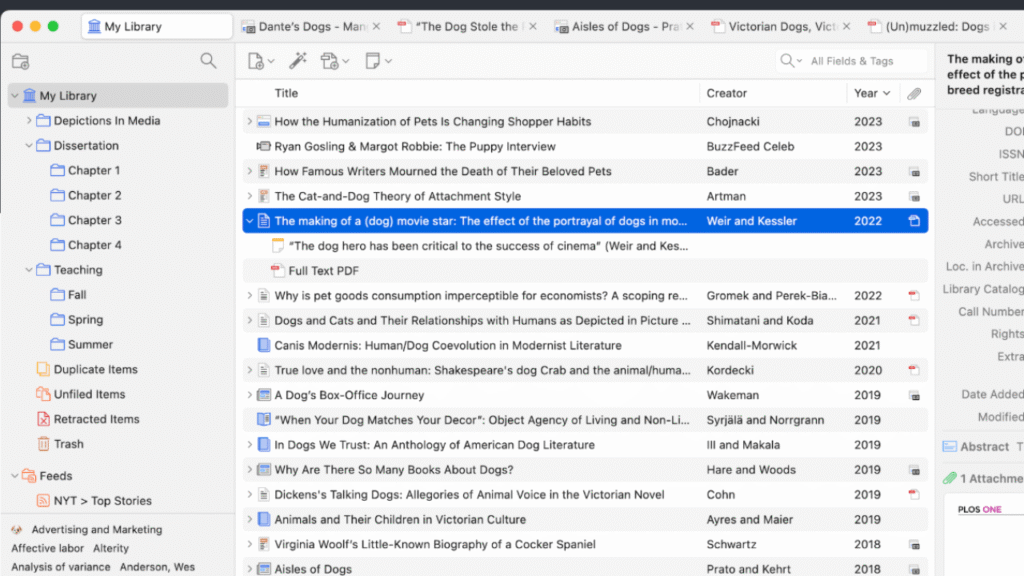
Zotero is the strongest option on this list when citation generation is only one part of the job.
Instead of creating one citation and moving on, you can build an organized library of your research sources. Books, journal articles, webpages, reports, and other material can be stored and categorized for future use.
Zotero also integrates with Microsoft Word, LibreOffice, and Google Docs, allowing students to insert citations while writing and generate a bibliography from those citations.
Citation Styles
Zotero supports thousands of citation styles, including major academic styles such as APA, MLA, and Chicago.
Free Availability
The Zotero software itself is free. Zotero also provides 300 MB of free online file storage. Paid storage plans are available if you need to synchronize larger collections of PDFs and other attachments.
Strengths
- Excellent reference management
- Word integration
- Google Docs integration
- Large style library
- Good for long-term research
- Useful for large bibliographies
Weaknesses
- Takes longer to learn than a simple citation website
- More functionality than most students need for a short assignment
Best For
- Graduate students
- Dissertation writers
- Thesis projects
- Literature reviews
- Students managing many sources
Student Use Case
A graduate student collecting 80 journal articles for a dissertation can store all of them in Zotero and insert citations into a Word document without manually rebuilding the bibliography every time a source is added.
MyBib: Best Free Citation Generator
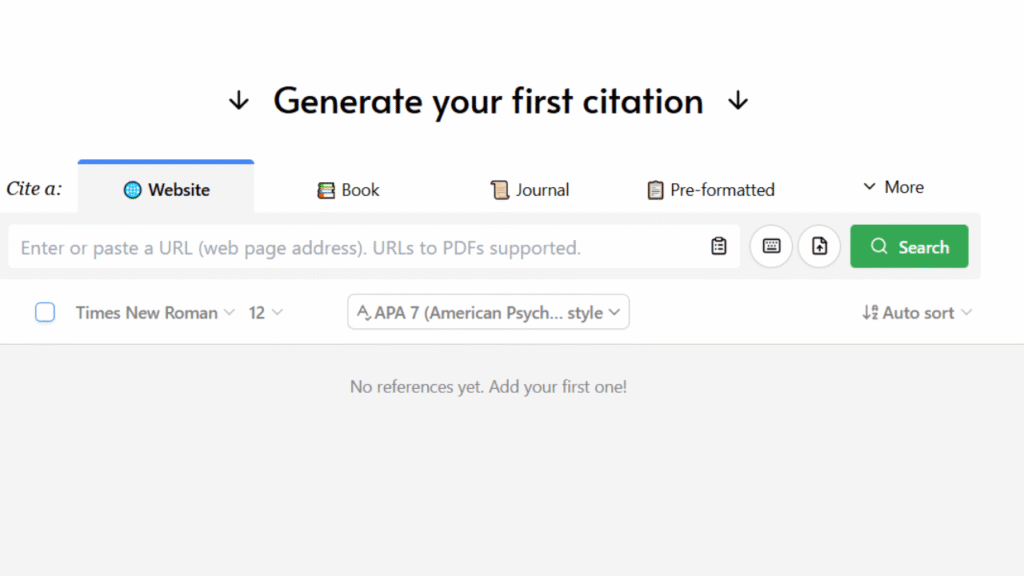
MyBib is built around simplicity.
You choose a source type, search for the source using information such as a URL, title, ISBN, or DOI, review the result, and add it to your project.
It supports major styles including APA, MLA, Chicago, and Harvard, along with a much larger collection of styles.
Why Students Like It
The biggest advantage is that you don’t need to understand every formatting rule before creating a basic reference.
MyBib can handle the formatting while you concentrate on checking whether the source information is correct.
Free Availability
MyBib currently presents its citation and bibliography generator as free, without time limits or advertising restrictions.
Strengths
- Free
- Simple interface
- Many citation styles
- Automatic source lookup
- Good for school assignments
- Supports multiple source types
Weaknesses
- Not a full research-management platform
- Students still need to verify retrieved metadata
Best For
- High school students
- College students
- Short research papers
- Free citation generation
- MLA Works Cited pages
Student Use Case
A high school student writing a history paper can enter the URLs and book information for 10 sources, select MLA, check the generated entries, and build a Works Cited page without manually formatting every source.
Scribbr: Best for Students Who Want Citation Guidance
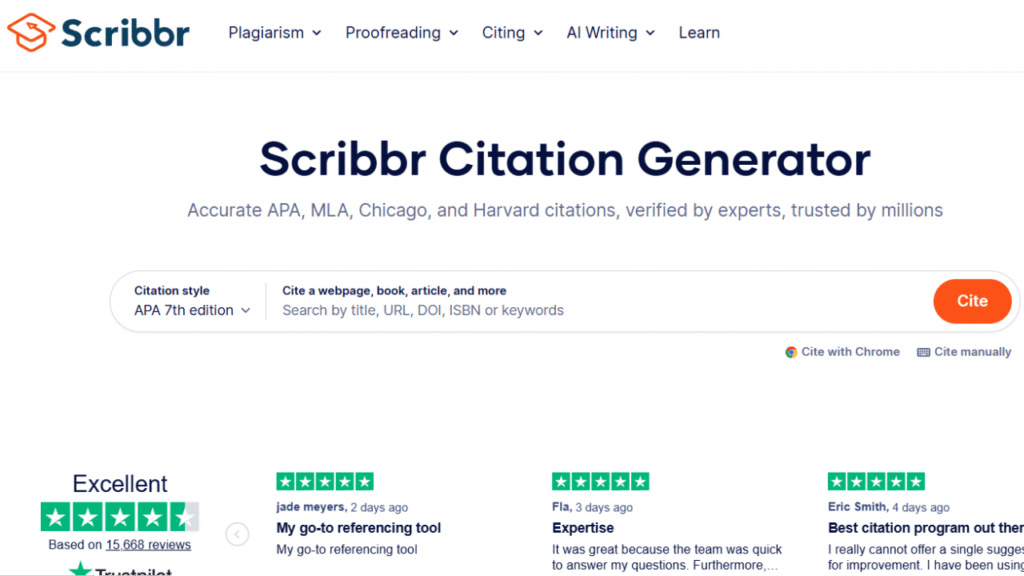
Scribbr’s Citation Generator combines automatic source lookup with citation guidance.
Students can search by title, URL, DOI, ISBN, or keywords. The generator supports APA, MLA, Chicago, and Harvard, among other styles.
It also offers browser extensions for capturing citation information while researching online.
Useful Features
- Automatic citation lookup
- APA support
- MLA support
- Chicago support
- Harvard support
- Word export
- Browser extension
- Multiple reference lists
- BibTeX export
Free Availability
Scribbr states that its Citation Generators are free to use.
Strengths
- Beginner-friendly
- Clear citation guidance
- Good source lookup
- Useful browser extension
- Word export
Weaknesses
- More focused on individual assignments than full reference management
- Students still need to verify source details
Best For
- College students
- APA assignments
- MLA papers
- Students learning citation rules
- Annotated bibliographies
Student Use Case
A college student writing a sociology paper can collect sources while browsing, generate APA references, organize them into a reference list, and export the completed list to Word.
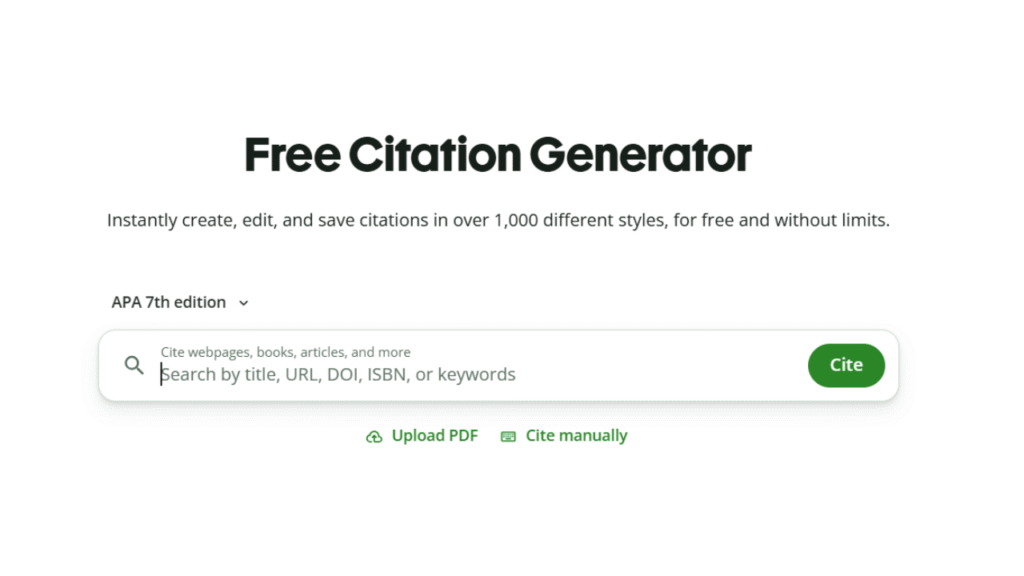
QuillBot Citation Generator: Best for Fast Citation Creation
QuillBot’s Citation Generator is useful when you need a reference quickly and don’t want to set up a full reference-management system.
It can use titles, URLs, DOIs, ISBNs, and keywords to locate source information.
QuillBot currently states that its citation generator supports more than 1,000 citation styles, including APA, MLA, and Chicago.
Free Availability
The online Citation Generator is available for free. An account is not required for basic use, although an account can be useful if you want to save citations.
Strengths
- Fast
- Easy interface
- Large style library
- Free citation generation
- Works with several source types
Weaknesses
- Not as powerful as Zotero for managing a large research library
- Automated metadata still needs checking
Best For
- Quick citations
- College assignments
- Students already using QuillBot
- Bibliography creation
Student Use Case
A student has finished an English essay and realizes that several webpages still need MLA citations. QuillBot can provide a fast starting point for those references.
SciSpace: Best for Research-Heavy Students
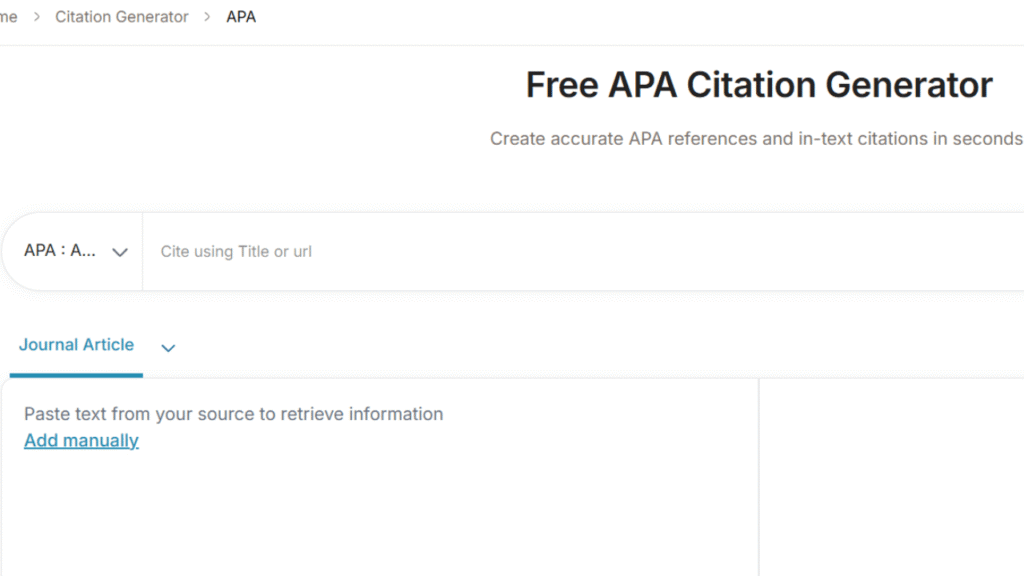
SciSpace is aimed more toward academic research than basic school bibliography creation.
Its citation tools can generate references from titles, DOIs, URLs, and manually entered source information. It supports major styles such as APA, MLA, Chicago, IEEE, and Harvard, along with a much larger collection of styles.
Why It Stands Out
Citation creation is only one part of SciSpace.
Students can use its broader research tools to work with academic literature, research papers, and PDFs. That makes it more attractive for students who are writing serious research projects rather than a short five-source assignment.
Free Availability
SciSpace offers free access to some features, with paid plans available for additional research and writing capabilities.
Strengths
- Research-focused
- Large citation-style library
- Citation generation
- Academic PDF workflow
- Useful for literature-heavy projects
Weaknesses
- More complex than a basic citation generator
- Paid plans are aimed at users who need broader research functionality
Best For
- Research papers
- Graduate students
- STEM students
- Literature reviews
- Academic research
EasyBib: Useful for School Bibliographies
EasyBib is a familiar option for students creating Works Cited pages and bibliographies.
It supports major citation styles and can create references for different source types.
One thing students should watch is the difference between features available for free and features included with EasyBib Plus. MLA citation generation has traditionally been a major part of its free offering, while other advanced styles and features can require a subscription.
Strengths
- Familiar student workflow
- Strong MLA support
- Easy bibliography creation
- Multiple source types
Weaknesses
- Some styles and advanced features require payment
- Less useful than Zotero for long-term reference management
Best For
- High school students
- MLA assignments
- Works Cited pages
- Basic bibliographies
Citation Machine
Citation Machine is another established citation-generation platform aimed at students.
It supports numerous source types and citation styles and can be useful when you want a quick reference without installing dedicated reference-management software.
Best For
- School assignments
- Quick bibliography creation
- MLA and APA projects
- Students who prefer browser-based tools
Watch Out For
Don’t assume that a generated citation is automatically correct. Review the metadata before copying it into your final paper.
Feature Comparison
| Feature | Zotero | MyBib | Scribbr | QuillBot | SciSpace | EasyBib |
|---|---|---|---|---|---|---|
| APA | ✓ | ✓ | ✓ | ✓ | ✓ | ✓ |
| MLA | ✓ | ✓ | ✓ | ✓ | ✓ | ✓ |
| Chicago | ✓ | ✓ | ✓ | ✓ | ✓ | ✓ |
| Harvard | ✓ | ✓ | ✓ | ✓ | ✓ | ✓ |
| DOI Search | ✓ | ✓ | ✓ | ✓ | ✓ | ✓ |
| URL Search | ✓ | ✓ | ✓ | ✓ | ✓ | ✓ |
| Word Integration | ✓ | Export | Export | Export | Export | Export |
| Reference Library | ✓ | Limited | ✓ | ✓ | ✓ | Limited |
| Browser Extension | ✓ | — | ✓ | — | — | — |
| BibTeX | ✓ | — | ✓ | — | ✓ | — |
| Large Research Projects | ✓ | Limited | Limited | Limited | ✓ | Limited |
How to Create a Citation Correctly
A generator is only one part of the process.
Use this workflow every time.
Find the Original Source
Start with the actual source rather than citing the search engine that helped you find it.
If you found a journal article through Google Scholar, for example, the journal article is the source you normally need to cite.
Students who are still collecting papers and academic sources can use Best AI Research Tools for Students before moving into the citation stage.
Once students have gathered their sources, they also need to cite them correctly. Best AI Citation Generators for Students can help create and organize citations in formats such as APA, MLA, and Chicago, making it easier to prepare research papers and assignments.
Identify the Source Type
Determine whether you’re citing:
- Journal article
- Book
- Website
- Newspaper article
- Government report
- Conference paper
- Book chapter
- Video
- Dataset
Source type affects which information belongs in the final citation.
Select the Required Style
Choose the style specified by your teacher or professor.
Don’t assume APA, MLA, or Chicago is correct simply because it’s common in your subject.
Generate the Citation
Enter the URL, DOI, ISBN, title, or other available information.
Let the software handle the initial formatting.
Check the Metadata
Review:
- Author
- Publication date
- Title
- Publisher
- Journal
- Volume
- Issue
- Pages
- DOI
- URL
If anything looks wrong, correct it before adding the source to your final bibliography.
Add the Citation to Your Paper
Depending on the style, this could mean adding:
- Parenthetical citation
- Footnote
- Endnote
- Reference-list entry
- Works Cited entry
Verify Everything Before Submission
The final step is the one that matters most.
Don’t submit a bibliography simply because every entry looks professionally formatted.
AI Citations vs. Manual Citations
| Factor | Automated Citation | Manual Citation |
|---|---|---|
| Speed | Excellent | Slow |
| Formatting | Consistent | More room for mistakes |
| Metadata retrieval | Often automatic | Manual |
| Verification | Still required | Still required |
| Large bibliography | Excellent | Time-consuming |
| Learning citation rules | Limited | Better understanding |
| Best Use | Repetitive formatting | Final checking |
The best approach is usually a combination.
Let software handle repetitive formatting, then manually verify the important details.
That gives you speed without giving up control over the final bibliography.
Common Citation Errors
Missing Author
If the tool cannot find an author, don’t make one up.
Look at the original source and determine whether the author is an individual, organization, institution, or publisher.
Wrong Publication Date
A webpage might show several dates.
For example:
- Original publication
- Last updated
- Copyright year
Check the source carefully and follow the requirements of your citation style.
Incorrect Title
Automated tools can sometimes retrieve incomplete titles or metadata.
Compare the generated title against the original source.
Wrong Capitalization
APA, MLA, and Chicago don’t always capitalize titles in the same way.
Don’t assume that a capitalization style that looks correct for MLA is correct for APA.
Broken URL
A generator may retrieve an outdated or incomplete URL.
Open important links before submitting your assignment.
Missing DOI
For academic journal articles, check whether a DOI exists.
If the generator doesn’t find it, look at the journal’s official page or the database record.
Citing a Secondary Source as the Original
Imagine you read a news article that discusses a scientific study.
If you didn’t read the scientific study itself, don’t write your paper as though you consulted the original research.
Use the appropriate secondary-source citation method required by your style guide.
Fake AI References
This is especially important when using general-purpose AI tools.
An AI chatbot can produce a reference that looks completely legitimate but cannot be found anywhere.
Search for the article title, DOI, journal, author, or book before using an AI-generated reference.
If you cannot verify it through a credible source, remove it.
A Student’s Citation Checklist
Before submitting your assignment, check each box.
Source Check
- I used the original source where possible.
- The author is correct.
- The publication date is correct.
- The title matches the source.
- The DOI or URL works.
- The source actually supports my claim.
Formatting Check
- I used the required citation style.
- My in-text citations match the reference list.
- Every cited source appears in the bibliography.
- Every bibliography entry is actually used in my paper.
- Titles and capitalization follow the required style.
- Punctuation and italics are correct.
Final Check
- I reviewed automatically generated citations.
- I removed duplicate sources.
- I checked important URLs.
- I followed my instructor’s specific instructions.
Best Options by Student Type
High School Students
Best choices: MyBib, Scribbr, and EasyBib
High school assignments often involve MLA Works Cited pages or straightforward APA references.
A simple browser-based tool is usually more practical than a full reference manager.
College Students
Best choices: Scribbr, MyBib, and QuillBot
College assignments can require APA, MLA, Chicago, or Harvard depending on the subject.
These tools are useful when you need individual citations without managing a huge research library.
Graduate Students
Best choice: Zotero
Graduate-level research often involves dozens or hundreds of sources.
At that point, reference management becomes more important than simply generating individual citations.
Research-Heavy Students
Best choices: Zotero and SciSpace
Students writing literature reviews, theses, and research papers benefit from tools that help with both sources and citation organization.
Students on a Budget
Best choices: MyBib and Scribbr
Both provide free citation-generation functionality, making them practical for students who don’t need a paid research platform.
Students Managing Many Sources
Best choice: Zotero
A basic citation generator creates references.
A reference manager helps you collect, organize, search, cite, and reuse those references throughout a long project.
Pros and Cons Comparison
| Tool | Pros | Cons |
|---|---|---|
| Zotero | Powerful reference management, Word/Google Docs integration | Learning curve |
| MyBib | Free, simple, many styles | Limited research-management features |
| Scribbr | Student-friendly, helpful citation guidance | More assignment-focused |
| QuillBot | Fast, easy, large style library | Not a complete reference manager |
| SciSpace | Strong research workflow | More features than basic users need |
| EasyBib | Familiar school workflow, strong MLA use | Some advanced features require payment |
| Citation Machine | Simple browser-based generation | Verification still required |
Best AI Citation Generators for Students by Use Case
Different students should make different choices.
Best Free Citation Generator
MyBib
It is hard to beat when your main requirement is free citation and bibliography generation.
Best for Citation Guidance
Scribbr
It combines generation with explanations and style guidance that can help students understand what they’re doing.
Best for Large Research Projects
Zotero
Its reference-management features make it much more suitable for dissertations, theses, and large research papers.
Best for Quick Citations
QuillBot
It’s convenient when you need a formatted citation quickly.
Best for Research-Heavy Work
SciSpace
Its broader academic research features make it useful when citation creation is only one part of the project.
Best for MLA School Assignments
MyBib or EasyBib
Both are practical for students who primarily need a Works Cited page.
Frequently Asked Questions
1. What are the Best AI Citation Generators for Students?
The strongest options depend on the assignment. MyBib and Scribbr are excellent for free citation creation, Zotero is better for managing large research libraries, QuillBot works well for quick references, and SciSpace is useful for research-heavy projects.
2. Are AI citation generators accurate?
They can produce well-formatted citations, but you should never assume that every piece of retrieved metadata is correct. Check the author, date, title, DOI, URL, and source information yourself.
3. What is the best free citation generator?
MyBib and Scribbr are strong options for students who need free citation generation. The best choice depends on whether you prefer a simple generator or additional citation guidance.
4. Can citation generators create APA 7 citations?
Yes. Major citation tools support APA 7, although students should still check their institution’s specific requirements.
5. Can I create MLA 9 citations automatically?
Yes. MyBib, Scribbr, QuillBot, Zotero, and other citation platforms support MLA citation workflows.
6. Is Chicago the same as APA?
No. They use different formatting rules and citation systems. Chicago also offers both notes-and-bibliography and author-date approaches.
7. Which citation generator is best for research papers?
For a short paper, MyBib or Scribbr may be enough. For a large project, Zotero is more useful because it manages your sources throughout the writing process.
8. Can citation generators use DOI numbers?
Yes. Many modern citation generators can use a DOI to identify an academic article and retrieve its bibliographic information.
9. Can citation tools create a full bibliography?
Yes. Most of the major tools can build a bibliography or reference list from the citations you create. Reference managers such as Zotero go further by maintaining the bibliography as you write.
10. Should I cite Google Scholar?
Usually, no. Google Scholar is a search service used to locate academic sources. You normally cite the journal article, book, conference paper, or other original source you actually used.
11. Can ChatGPT create academic citations?
ChatGPT can help format citations and references, but students should verify every reference independently. General-purpose AI can produce incorrect or nonexistent references.
12. Does Harvard have one universal format?
No. Harvard referencing varies between institutions. If your university gives you a specific Harvard guide, use that guide over a generic citation generator.
13. Can a citation generator tell whether a source is reliable?
Not simply by formatting it. Citation generation and source evaluation are separate tasks. You still need to assess the author’s expertise, publisher, evidence, publication date, and relevance.
14. Should I manually check an AI-generated bibliography?
Yes. Check the bibliography before submission, especially if any references were generated by a general AI chatbot rather than a dedicated citation tool.
15. What should I do if a citation generator cannot find my source?
Use the manual entry option. Collect the correct author, title, publication date, publisher, journal information, DOI, URL, and other required details directly from the original source.
Final Recommendations
The Best AI Citation Generators for Students aren’t all designed for the same job.
If you need a quick and free citation, MyBib is one of the easiest choices. If you want a citation generator with clear explanations and student-focused guidance, Scribbr is a strong option. QuillBot is convenient when you want fast citation creation alongside other writing tools.
For a large research project, Zotero is the better long-term choice because it manages an entire reference library instead of simply producing individual citations.
Students working heavily with academic literature may prefer SciSpace, while EasyBib remains useful for school assignments, particularly when creating Works Cited pages.
The most important point is that a citation generator should save you formatting time, not remove your responsibility for accuracy.
A properly formatted citation can still contain the wrong author, wrong publication date, wrong title, or even a nonexistent source. Always compare important references with the original material before submitting your paper.
Used properly, the Best AI Citation Generators for Students make one of the most tedious parts of academic writing much easier while leaving the actual research, judgment, and verification in your hands.