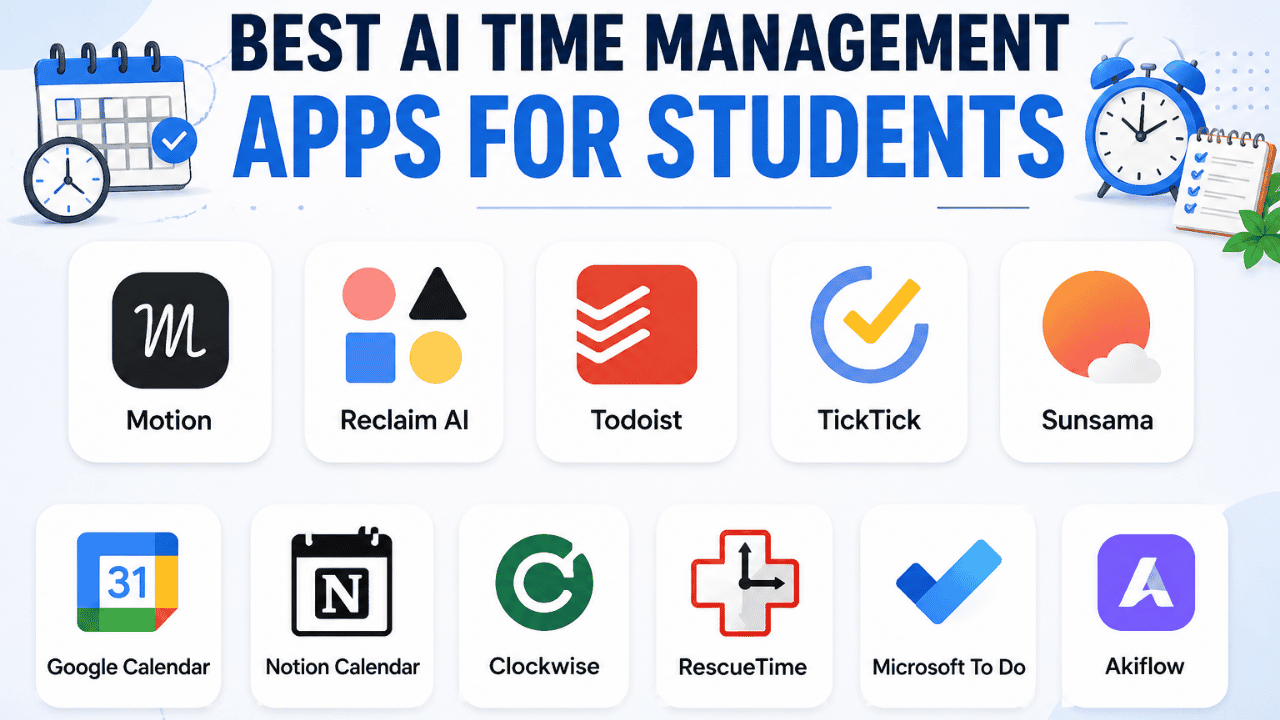
A student can have a full calendar and still feel like there aren’t enough hours in the day. Between classes, homework, exams, research papers, a part-time job, commuting, and personal commitments, even a simple week can become difficult to manage. The Best AI Time Management Apps for Students can help by organizing tasks, finding study time, setting priorities, and adjusting schedules when plans change.
The key is choosing the right type of app. Some tools automatically place tasks on your calendar, while others are better for reminders, focus sessions, time tracking, or simple task management. AI can reduce the amount of planning you have to do, but it cannot decide what matters most in your life without your input.
Why Student Schedules Break Down
Most students don’t have a time-management problem because they lack a calendar. They have a problem because their calendar doesn’t reflect the amount of work they actually need to complete.
A student might enter an exam on Friday and an assignment deadline on Thursday, but forget to reserve time for studying, researching, writing, and proofreading. The calendar looks organized while the workload remains completely unplanned.
Overloaded Calendars
It’s easy to fill every available space with something productive.
Monday might contain classes from 9 AM to 3 PM, followed by homework from 4 PM to 7 PM and exam preparation from 7 PM to 10 PM. That schedule may look efficient, but it leaves no room for dinner, commuting, unexpected work, or simply being tired.
A useful schedule needs empty space.
Poor Prioritization
Not every task deserves equal attention.
“Read chapter 4” and “submit research paper by midnight” should not appear with identical priority. AI task managers can help organize lists, but students still need to tell the system which deadlines and commitments matter most.
Procrastination
Large assignments create psychological resistance.
“Complete economics project” is vague. “Find three sources for economics project” is specific.
Breaking large tasks into smaller actions can make starting easier, and many productivity tools are better at managing smaller actions than vague goals.
Unrealistic Daily Plans
Students often underestimate how long academic work takes.
A task described as “study chemistry” could mean 20 minutes of review or three hours of solving practice problems. If the estimated duration is wrong, an AI schedule can also become unrealistic.
Forgetting Deadlines
A deadline is not the same as a plan.
If an essay is due Friday, the student may need to start researching several days earlier. Time-management software becomes useful when it turns deadlines into work periods instead of simply displaying due dates.
Constant Context Switching
Switching between a lecture, homework, messaging apps, research, and a group project can consume more time than students expect.
A better schedule groups similar activities together when possible.
What AI Can Actually Automate
The phrase “AI time management” covers several different functions. Understanding the difference makes choosing an app much easier.
Scheduling
AI scheduling tools can look at tasks, calendar commitments, available hours, and preferences to determine when work can happen.
Motion and Reclaim are examples of tools built around this approach.
Prioritization
Task-management apps can help organize tasks by deadline, priority, project, or context.
Todoist, TickTick, and similar apps are useful when the main problem is knowing what needs attention.
Reminders
Reminders answer a simpler question:
“When should I be reminded?”
This can be enough for students who mainly forget deadlines or recurring responsibilities.
Time Blocking
Time blocking assigns a specific period to a specific activity.
Instead of saying:
Study biology today.
you might create:
Biology review — 6:00–7:00 PM.
AI scheduling tools can automate some of this process.
Focus Tracking
Focus and time-tracking apps measure how time is actually spent.
RescueTime, for example, focuses heavily on automatic activity tracking and distraction management.
What AI Cannot Reliably Decide
AI does not know everything about your life.
It may not know that you learn better in the morning, that you’re exhausted after a particular class, or that a professor’s assignment will take much longer than the estimated duration.
Treat AI as a planning assistant, not the person in charge of your life.
The Right App Depends on Your Problem
The Best AI Time Management Apps for Students are not necessarily the same for every student. Your choice should start with the problem you want to fix.
| Student Problem | Best Options to Consider | Why |
|---|---|---|
| Automatic scheduling | Motion, Reclaim | Automatically organizes work around calendar commitments |
| Time blocking | Motion, Reclaim, Sunsama | Combines tasks with available calendar time |
| Simple task management | Todoist, TickTick | Strong task lists, reminders, priorities and recurring tasks |
| Focus problems | TickTick, RescueTime | Focus timers, tracking and distraction controls |
| Free time management | Google Calendar, Todoist, Reclaim | Useful free options for basic planning |
| Busy college schedule | Motion, Reclaim | Designed around changing calendars |
| Simple daily planning | Todoist, Sunsama | Keeps attention on today’s workload |
| Tracking where time goes | RescueTime | Automatic activity and time tracking |
Main App Comparison
Before choosing among the Best AI Time Management Apps for Students, look at what each product actually specializes in rather than assuming every AI productivity tool works the same way.
| Tool | Best For | AI Scheduling | Free Option | Ease of Use |
|---|---|---|---|---|
| Motion | Automatic scheduling | Excellent | Free trial | Medium |
| Reclaim AI | Flexible calendar planning | Excellent | Yes | Medium |
| Todoist | Tasks and deadlines | Limited | Yes | Easy |
| TickTick | Tasks + focus | Limited | Yes | Easy |
| Google Calendar | Calendar planning | Some AI features | Yes | Easy |
| RescueTime | Time tracking | Limited | Trial/paid | Easy |
| Sunsama | Daily planning | Assisted | Free trial | Medium |
Real-World App Reviews
Motion
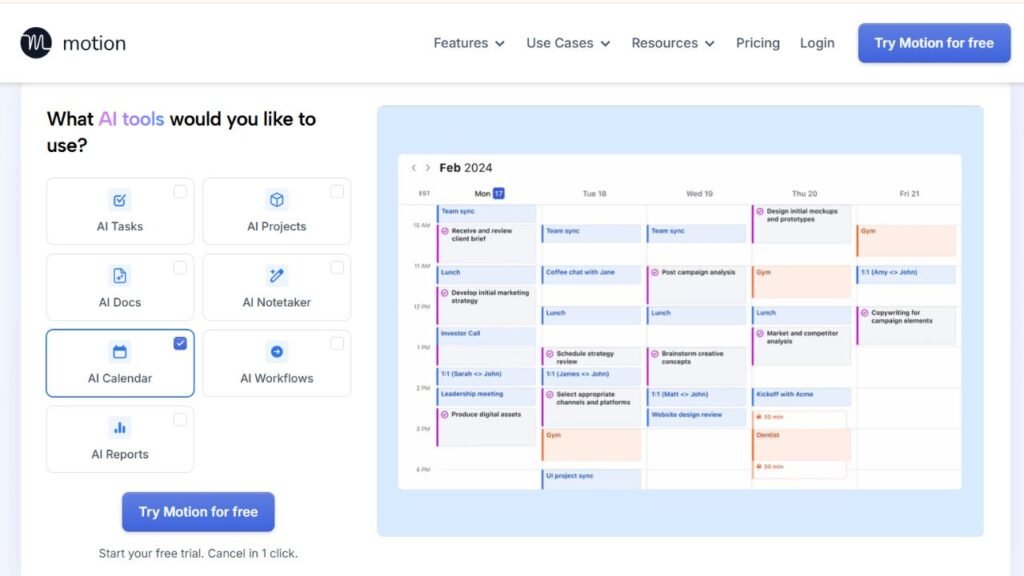
Motion is designed around the idea that a task list should not exist separately from your calendar.
You add tasks, deadlines, and other commitments, and Motion’s AI can organize work into the calendar. Its current individual Pro AI plan includes AI projects and tasks, an AI task planner, AI calendar and meetings, AI chat, documents and notes, integrations, and mobile and desktop applications.
Why Students Might Like It
Imagine you have three assignments due next week and an exam on Friday.
Instead of manually deciding where every study block belongs, Motion can use the information you’ve entered to help build a schedule around existing calendar commitments.
If something changes, the schedule can be adjusted rather than forcing you to rebuild the entire week manually.
Pricing
Motion currently lists its Pro AI plan at $19 per seat per month on its pricing page. It offers a free trial rather than a permanent free plan.
Strengths
- Strong automatic scheduling
- AI task planning
- Calendar and tasks together
- Desktop and mobile apps
- Useful for complicated schedules
Limitations
- No permanent free plan
- More expensive than basic task managers
- Requires accurate task information
- Can feel excessive for students with simple schedules
Best for: College students with complicated schedules who want AI to actively place work into their calendar.
Student Example
A student with classes, work shifts, a research paper, and an upcoming exam could use Motion to turn those commitments into a more structured weekly schedule.
Reclaim AI
Reclaim takes a calendar-first approach to time management.
Its AI scheduling system can protect focus time, schedule recurring habits, add buffer periods, and adapt activities around changing calendar events. Its current Lite plan is free for individual users, with restrictions on scheduling range and connected calendars.
Why It Stands Out
Reclaim is particularly useful when your schedule changes frequently.
A student might want three study sessions every week without wanting those sessions locked to the same three calendar slots.
Reclaim’s Habits feature is designed to find suitable time for recurring activities while adapting when other events appear.
Free Plan
Reclaim has a free Lite plan for individual users.
The free version includes core smart time-blocking functions, although paid plans provide more scheduling range, connected calendars, focus time and integrations.
Pricing
Reclaim’s Starter plan is currently listed at $12 per seat per month.
Strengths
- Automatic time blocking
- Focus Time
- Flexible recurring habits
- Calendar optimization
- Free individual plan
- Useful integrations
Limitations
- More calendar-focused than task-focused
- Advanced functionality is paid
- Requires a reasonably organized calendar
Best for: Students whose biggest problem is finding time for studying around an unpredictable schedule.
Student Example
A student who works three evenings a week but has changing shifts could create recurring study habits and allow Reclaim to find suitable calendar space.
Todoist
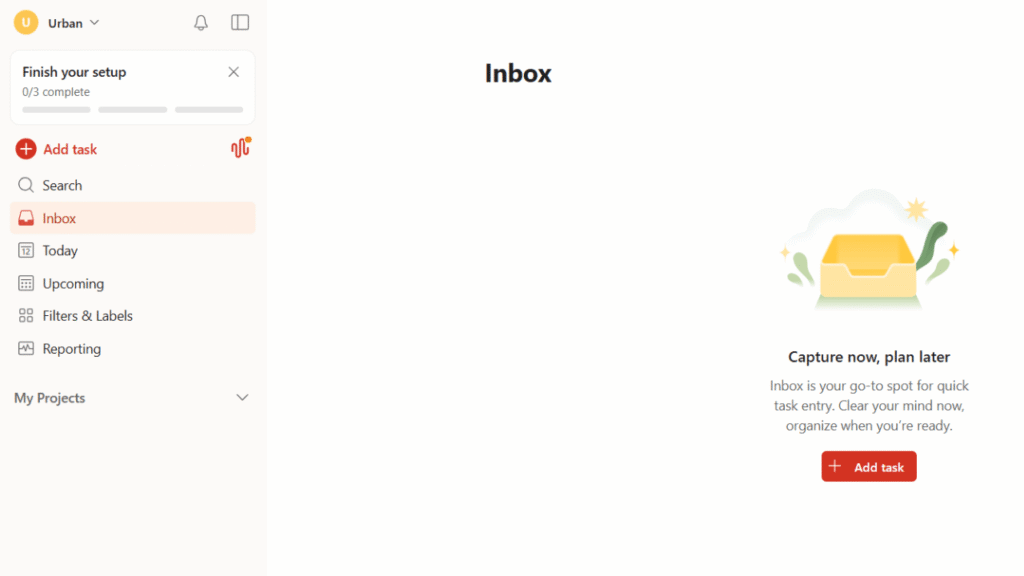
Todoist is a task manager first.
That simplicity is its biggest advantage.
Students can create projects for courses, add due dates, set recurring tasks, use priorities, and break large assignments into smaller actions. Recent AI features include AI-assisted voice task capture and automation features on paid plans.
AI Features
Todoist’s current AI features include:
- AI voice task capture
- Todoist Assist
- Email Assist
- Capturing tasks from text, images, and documents on supported paid plans
The free Beginner plan includes limited voice-based task capture.
Pricing
Todoist Pro currently costs $7 per month or $60 per year.
Free Plan
Yes.
The free Beginner plan is enough for students who primarily need basic task organization and reminders.
Strengths
- Easy to learn
- Strong task management
- Useful reminders
- Free plan
- Recurring tasks
- AI task capture
Limitations
- Not a full automatic scheduler
- Advanced AI features require paid access
- Less useful if your main problem is calendar optimization
Best for: Students who need a reliable assignment and deadline system without a complicated interface.
Student Example
Instead of one task called “Finish psychology paper,” create individual tasks for choosing the topic, finding sources, outlining, drafting, proofreading, and submitting.
TickTick
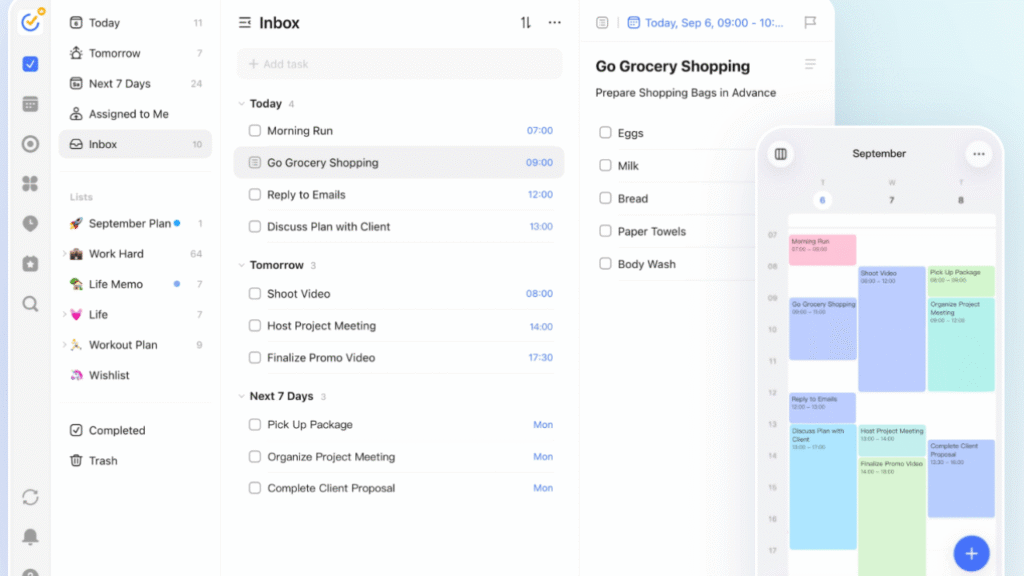
TickTick combines tasks, calendar planning, reminders, habits, focus tools, and other productivity features.
Its current AI features include AI Voice Add, which can recognize task details such as dates, times, lists, tags, and priorities from natural speech. It also supports AI-assisted transcription and summarization of recordings.
TickTick’s broader productivity system includes a Pomodoro timer, focus statistics, habits, countdowns, calendar views, and task prioritization.
Free Plan
TickTick offers a free version, while Premium unlocks additional calendar functions, filters, reminders, statistics, and other features.
Pricing
TickTick’s current pricing page displays an annual Premium price of $35.99, although promotional pricing can change.
Strengths
- Tasks and calendar
- Focus timer
- Habit tracking
- Strong reminders
- AI voice task capture
- Cross-platform support
Limitations
- Automatic AI scheduling is not its main strength
- Some calendar and productivity features require Premium
- Can provide more features than a student actually needs
Best for: Students who want tasks, reminders, habits, calendar planning, and focus features in one app.
Student Example
A student can say a task naturally, let AI identify its deadline and priority, then use TickTick’s calendar and focus tools to work through it.
Google Calendar
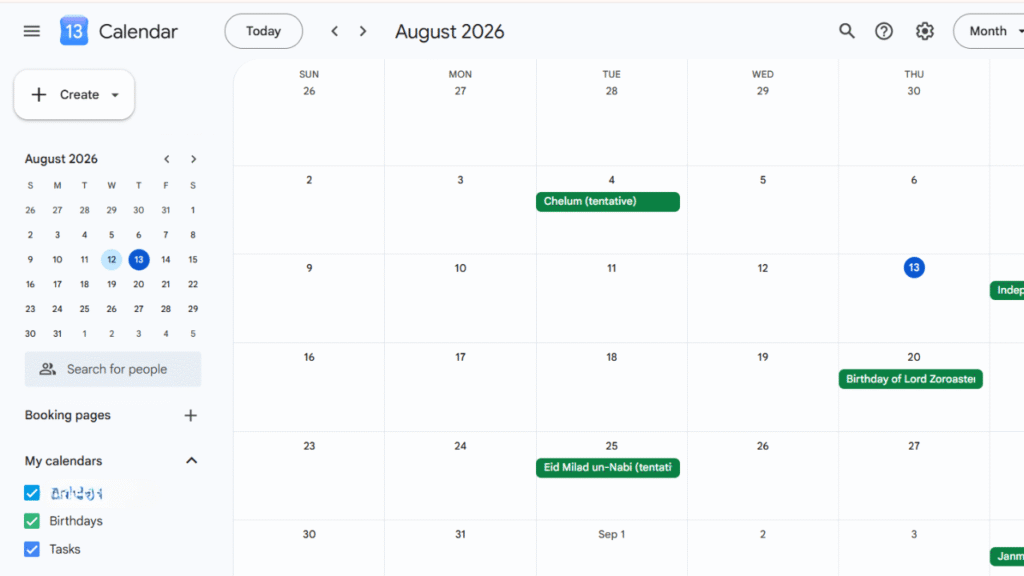
Google Calendar is different from Motion and Reclaim because it isn’t primarily an AI scheduling product.
Its strength is the calendar itself.
For students who already use Google accounts for school, Google Calendar can be a practical starting point for classes, exams, assignment deadlines, appointments, and study blocks.
Eligible Google Workspace users can also access Gemini features in Calendar for supported scheduling tasks.
Free Option
Google Calendar is available at no cost for personal Google accounts.
Some advanced Gemini functionality depends on the Google account or Google Workspace plan.
Strengths
- Familiar interface
- Excellent calendar foundation
- Free personal option
- Works well with other Google services
- Easy to share calendars
Limitations
- Less automatic task planning than dedicated AI schedulers
- Advanced AI features depend on eligibility
- Students may need a separate task manager
Best for: Students who want a straightforward calendar and don’t need aggressive AI scheduling.
Student Example
Create separate calendars for classes, exams, study blocks, work, and personal commitments. Use color coding to make conflicts easier to spot.
RescueTime
RescueTime approaches time management from the opposite direction.
Instead of primarily telling you what to do, it helps you understand where your time is actually going.
It can automatically track activity, identify idle periods, provide productivity information, and support Focus Sessions designed to reduce distractions.
Why This Matters for Students
Many students underestimate how much time disappears into websites, social media, messaging, and random browsing.
You cannot fix a time problem you haven’t measured.
Pricing
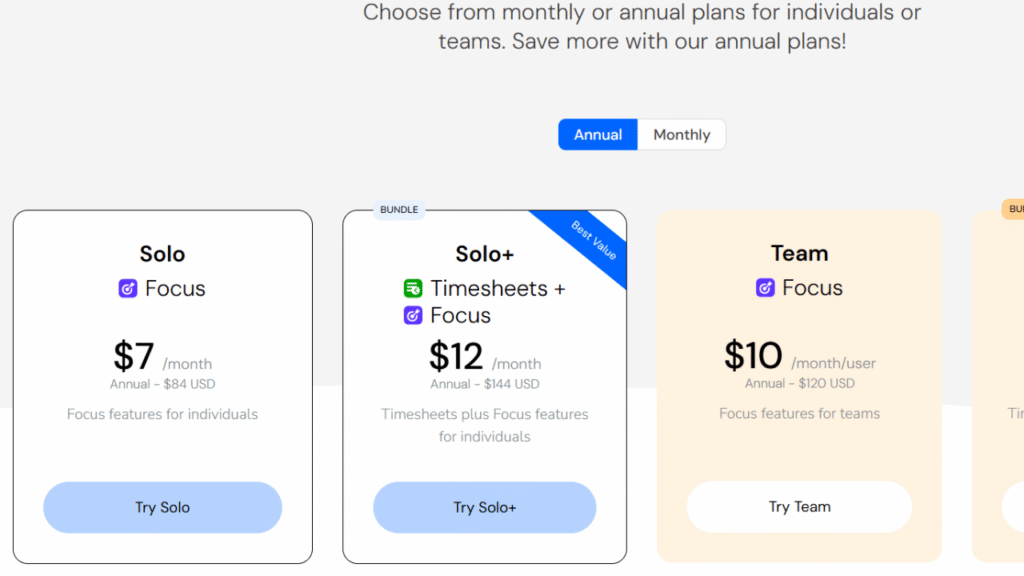
RescueTime’s current individual Focus plan starts at $7 per month when billed annually. Higher tiers add additional tracking and timesheet capabilities.
Strengths
- Automatic activity tracking
- Focus sessions
- Distraction blocking
- Goals and alerts
- Useful productivity data
Limitations
- Not primarily an AI calendar scheduler
- Tracking is more useful after enough data has been collected
- Advanced features require payment
Best for: Students who suspect distractions are consuming more time than they realize.
Student Example
A student could track computer activity for a week and discover that a supposedly one-hour study session regularly contains 20 minutes of unrelated browsing.
Sunsama
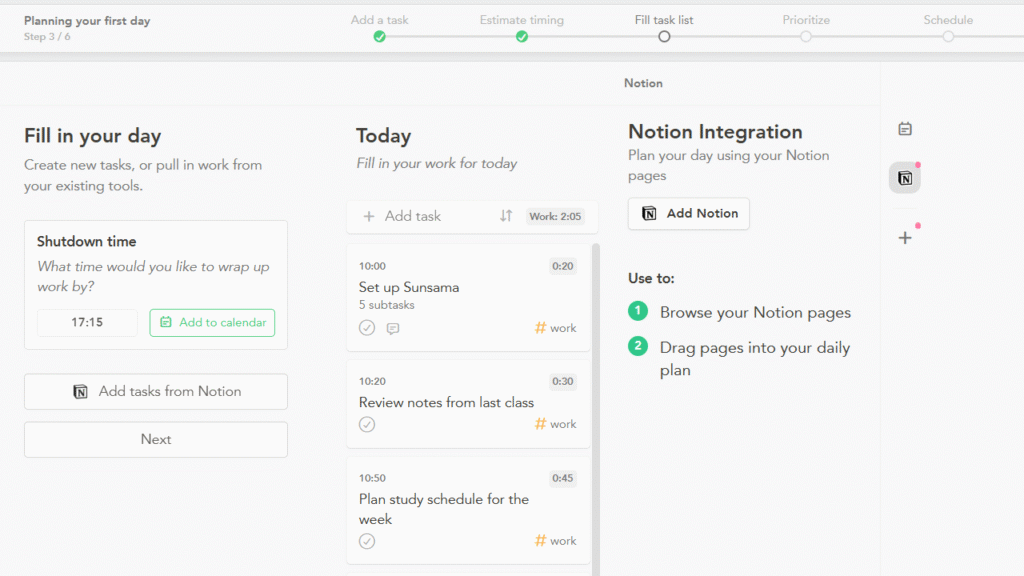
Sunsama is built around deliberate daily planning.
Instead of automatically filling every open calendar slot, it encourages users to decide what they realistically want to accomplish and plan the day around those priorities.
That makes it different from Motion and Reclaim.
Free Plan
Sunsama does not have a permanent free plan. It currently offers a 14-day free trial without requiring a credit card.
Pricing
Sunsama currently lists its Pro plan at $17 per month when billed yearly, with a monthly billing option also available.
Strengths
- Daily planning
- Calendar + tasks
- Realistic workload planning
- Integrations
- Focus on intentional scheduling
Limitations
- No permanent free plan
- Expensive compared with basic student task apps
- More useful for students who enjoy daily planning rituals
Best for: Students who frequently overload their daily task lists and need help creating realistic days.
Student Example
Instead of planning eight hours of study after class, a student might select three important tasks, assign realistic durations, schedule breaks, and leave the evening open.
Scheduling and Time-Blocking Comparison
| Tool | Automatic Scheduling | Time Blocking | Task Management | Focus Features | Calendar |
|---|---|---|---|---|---|
| Motion | Excellent | Excellent | Excellent | Moderate | Excellent |
| Reclaim AI | Excellent | Excellent | Strong | Strong | Excellent |
| Todoist | Limited | Moderate | Excellent | Limited | Strong |
| TickTick | Limited | Strong | Excellent | Excellent | Strong |
| Google Calendar | Limited | Excellent | Moderate | Limited | Excellent |
| RescueTime | No | Limited | Limited | Excellent | Limited |
| Sunsama | Assisted | Strong | Strong | Strong | Excellent |
A Student Time-Blocking Example
Imagine a college student named Alex.
Alex has two morning classes, a part-time job in the afternoon, a chemistry exam Friday, and a history paper due Thursday.
A realistic Wednesday might look like this:
| Time | Activity |
|---|---|
| 7:30–8:00 AM | Breakfast and preparation |
| 8:00–10:00 AM | Classes |
| 10:00–10:30 AM | Break |
| 10:30–11:30 AM | Chemistry review |
| 11:30 AM–12:30 PM | Lunch |
| 12:30–2:00 PM | History research |
| 2:00–6:00 PM | Part-time job |
| 6:00–7:00 PM | Dinner and rest |
| 7:00–8:00 PM | History outline |
| 8:00–8:20 PM | Break |
| 8:20–9:00 PM | Chemistry practice |
| 9:00 PM onward | Personal time |
An AI scheduling app can help find these work periods around fixed events.
But Alex should still review the result.
If chemistry requires more concentration than history, the longer study block might be better placed when Alex has more energy.
The software can organize the calendar. Alex makes the final decision.
Time Management vs. Productivity
These concepts are related but not identical.
Productivity is about getting meaningful work completed.
Time management is about deciding how your limited time is allocated.
A student can be extremely productive for four hours and still manage time badly.
For example, imagine spending an entire Saturday perfecting the formatting of a presentation while an important exam remains untouched.
A lot of work happened.
The wrong work received the time.
Good time management asks:
- What matters most?
- When should I do it?
- How long will it take?
- What can wait?
- Where should I leave buffer time?
- When am I most focused?
Productivity tools help execute the plan. Time-management tools help decide where the plan fits.
Free vs. Paid Time-Management Apps
Not every student needs an expensive AI scheduler.
A free calendar plus a free task manager can be enough if your schedule is relatively predictable.
| Tool | Free Option | Current Paid Starting Point | Who Should Pay? |
|---|---|---|---|
| Motion | Trial | $19/month | Students needing automatic scheduling |
| Reclaim | Yes | $12/month | Students needing advanced calendar automation |
| Todoist | Yes | $7/month | Students needing more advanced task features |
| TickTick | Yes | $35.99/year currently displayed | Students wanting advanced calendar/focus features |
| Google Calendar | Yes | Depends on Google Workspace/Gemini plan | Students needing basic calendar planning |
| RescueTime | Trial | $7/month annually | Students needing deeper time tracking |
| Sunsama | 14-day trial | $17/month annually | Students wanting structured daily planning |
When Free Is Enough
A free solution is usually enough when you need:
- Class schedules
- Assignment deadlines
- Basic reminders
- Simple study blocks
- A small task list
- Basic calendar organization
When Paid Makes Sense
Paying becomes more reasonable when you specifically need:
- Automatic scheduling
- Advanced time blocking
- Calendar optimization
- Detailed time tracking
- Advanced AI features
- Complex project management
- Larger-scale integrations
Don’t buy an app because it has more features.
Buy it because you have a problem those features solve.
Common Time-Management Mistakes
Over-Scheduling
Putting something in every empty calendar slot makes the schedule fragile.
Leave room for delays, travel, meals, conversations, and unexpected work.
No Buffer Time
If your class ends at 2 PM and your next activity starts at 2 PM, the schedule is already broken.
Give yourself transition time.
Scheduling Every Minute
You don’t need a calendar that tells you what to do every five minutes.
Block important work.
Leave smaller activities flexible.
Ignoring Energy Levels
A two-hour study block at 10 PM may look good on paper but fail in practice.
If you’re strongest in the morning, protect that period for difficult subjects.
Constantly Changing Systems
Switching from Notion to Todoist to TickTick to another planner every few days doesn’t solve a planning problem.
Give a system enough time to become a habit.
Using Too Many Apps
A calendar, task manager, notes app, habit tracker, focus timer, and AI assistant can easily become six places to maintain the same information.
Keep each tool’s job clear.
Trusting an AI Schedule Without Reviewing It
AI can make a technically valid schedule that is practically terrible.
If the system schedules four hours of difficult study immediately after a long class, change it.
Best Options by Student Type
High School Students
Best choices: Google Calendar, Todoist, TickTick
Most high school students don’t need enterprise-style project management.
A calendar combined with a simple task system can cover classes, homework, exams, sports, activities, and personal commitments.
College Students
Best choices: Motion, Reclaim, Todoist
College schedules tend to contain more independent work.
Motion and Reclaim are useful when students need to fit study sessions around classes, jobs, commuting, and changing commitments.
For students who mainly need deadline management, Todoist is simpler.
Students who want to build a broader academic system can also look at Best AI Productivity Apps for Students for tools that combine tasks, notes, projects, and other productivity functions.
Graduate Students
Best choices: Reclaim, Motion, Sunsama
Graduate students often have research, writing, meetings, teaching responsibilities, and long-term projects.
Calendar automation becomes more useful when the workload is difficult to fit into fixed weekly routines.
Students With Part-Time Jobs
Best choices: Reclaim or Motion
These students need schedules that can adapt.
If work shifts change, study sessions should not have to be rebuilt manually every week.
Students Preparing for Exams
Best choices: Motion, Reclaim, TickTick
Break exam preparation into smaller sessions rather than trying to study everything the night before.
Students who need broader academic scheduling can also use Best AI Study Planner Apps for Students to build study routines around exams and coursework.
Students Who Procrastinate
Best choices: Todoist, TickTick, RescueTime
Start by making tasks smaller.
Then use focus sessions and time tracking to understand where your attention disappears.
The app won’t eliminate procrastination, but it can make the next action clearer.
Students on a Budget
Best choices: Google Calendar, Todoist, Reclaim, TickTick
Start with free plans.
Only upgrade after identifying a specific limitation that is affecting your studies.
A Simple 7-Day Time-Management Experiment
You don’t need to buy an app immediately.
Try this seven-day experiment first.
Day 1 — Track Your Current Time
Don’t change your routine.
Write down what you actually do.
Include classes, studying, social media, commuting, meals, work, exercise, and downtime.
Day 2 — Find the Waste
Look for activities that take more time than expected.
Maybe a 30-minute break regularly becomes 90 minutes.
Maybe checking messages repeatedly interrupts studying.
Don’t judge yourself. Measure the pattern.
Day 3 — Set Priorities
Choose three important outcomes for the week.
For example:
- Finish chemistry assignment
- Prepare for Friday exam
- Complete history research
Everything else fits around these priorities.
Day 4 — Create Time Blocks
Reserve actual periods for important work.
Don’t write:
“Study chemistry.”
Write:
“Chemistry practice problems — 4:00–5:00 PM.”
Day 5 — Test AI Scheduling
Use Motion or Reclaim if you want automatic scheduling.
Give the system accurate task durations and deadlines.
Then inspect what it produces.
Day 6 — Adjust the Schedule
Look at what worked.
Maybe one-hour study sessions were too long.
Maybe mornings worked better than evenings.
Change the schedule based on reality.
Day 7 — Review
Ask:
- Did I finish the important work?
- Which tasks took longer?
- Which distractions appeared repeatedly?
- Which time blocks worked?
- Did I leave enough free time?
- What should change next week?
This seven-day experiment tells you more about your time-management problem than downloading ten productivity apps.
Frequently Asked Questions
What are the Best AI Time Management Apps for Students?
The right choice depends on the student’s problem. Motion and Reclaim are strong for automatic scheduling, Todoist and TickTick work well for task management, Google Calendar is useful for straightforward calendar planning, RescueTime focuses on time tracking, and Sunsama emphasizes deliberate daily planning.
Are AI time-management apps free?
Some offer permanent free plans, while others provide trials instead. Reclaim, Todoist, TickTick, and Google Calendar have free options, while Motion and Sunsama currently offer trials rather than permanent free plans.
Which AI app is best for automatic scheduling?
Motion and Reclaim are the strongest choices when automatic scheduling is the main requirement. Both are designed to organize work around existing calendar commitments rather than simply displaying a task list.
Can AI create a college study schedule?
Yes, AI can help create a study schedule based on deadlines, available time, and existing commitments. Students should review the result because the software may not understand personal energy levels, commuting time, or how difficult a particular course feels.
Is Google Calendar an AI time-management app?
Google Calendar is primarily a calendar application rather than a dedicated AI time-management product. Some eligible Google accounts can access Gemini features for supported calendar tasks, but the core calendar remains useful without those AI features.
Is Todoist good for students?
Yes. Todoist is particularly useful for students who need to manage assignments, deadlines, recurring tasks, priorities, and smaller actions within larger projects.
Which app is best for time blocking?
Motion and Reclaim are strong choices for automated time blocking. TickTick and Sunsama are also useful for students who prefer more direct control over how their time is organized.
Can AI stop students from procrastinating?
No app can guarantee that. AI can reduce friction by breaking work into smaller tasks, scheduling focus periods, and showing how time is being spent, but the student still has to begin the work.
How much time should students leave unscheduled?
There is no universal percentage that works for everyone. The key is leaving enough space for transitions, meals, unexpected work, rest, and tasks that take longer than expected.
Should students use both a task manager and calendar?
Often, yes. A calendar is better for answering when, while a task manager is better for answering what. The two systems work well together when they don’t duplicate the same information unnecessarily.
What is AI time blocking?
AI time blocking uses information about tasks, deadlines, calendar commitments, and available hours to help assign work to specific periods.
Instead of manually moving every task into the calendar, the software can automate some of that planning.
Which app is best for students with part-time jobs?
Motion and Reclaim are useful when work schedules change because both are designed to work around calendar commitments. A simpler option such as Google Calendar may be enough if shifts are predictable.
Is RescueTime useful for studying?
It can be useful when distraction is the main problem. RescueTime tracks activity and provides information about where computer time is going, which can help students identify habits that interfere with study sessions.
Should students pay for AI scheduling?
Only when automatic scheduling solves a real problem. If your classes and assignments fit comfortably into a simple calendar, paying for advanced automation may not provide enough value.
How many time-management apps should a student use?
Start with one calendar and one task system at most. Add another tool only when the existing setup has a clear limitation that needs solving.
Final Recommendations
The Best AI Time Management Apps for Students depend on how complicated your schedule is and what keeps going wrong.
Choose Motion if you want AI to actively organize tasks into your calendar. It’s the strongest fit for students with classes, work, projects, and changing commitments who don’t want to manually plan every study block.
Choose Reclaim AI if your life revolves around the calendar and you want flexible time blocking. Its focus time and recurring habit features make it particularly useful for students who need study sessions to move around other commitments.
Choose Todoist if your biggest problem is remembering and organizing assignments. It is easier to learn than a full AI scheduling platform and has a useful free plan.
Choose TickTick if you want tasks, reminders, calendar planning, habits, and focus tools in one application. It’s a good middle ground for students who want more than a basic task list.
Choose Google Calendar if you want a simple, familiar, free foundation. You may not need an advanced AI scheduler at all if your weekly commitments are predictable.
Choose RescueTime if you already know what you should be doing but keep losing hours to distractions. Tracking actual behavior can reveal problems that another task list won’t solve.
Choose Sunsama if you prefer planning each day deliberately and want a system that discourages unrealistic workloads. Its paid subscription makes more sense for students who genuinely like this style of planning.
The smartest approach is to start small.
Put fixed commitments into your calendar. Add real deadlines. Break large assignments into smaller tasks. Protect a few focused study blocks. Leave room for life.
Then let AI handle the repetitive parts of planning where it genuinely helps.
A good time-management system should make your week easier to understand, not give you another complicated project to maintain.