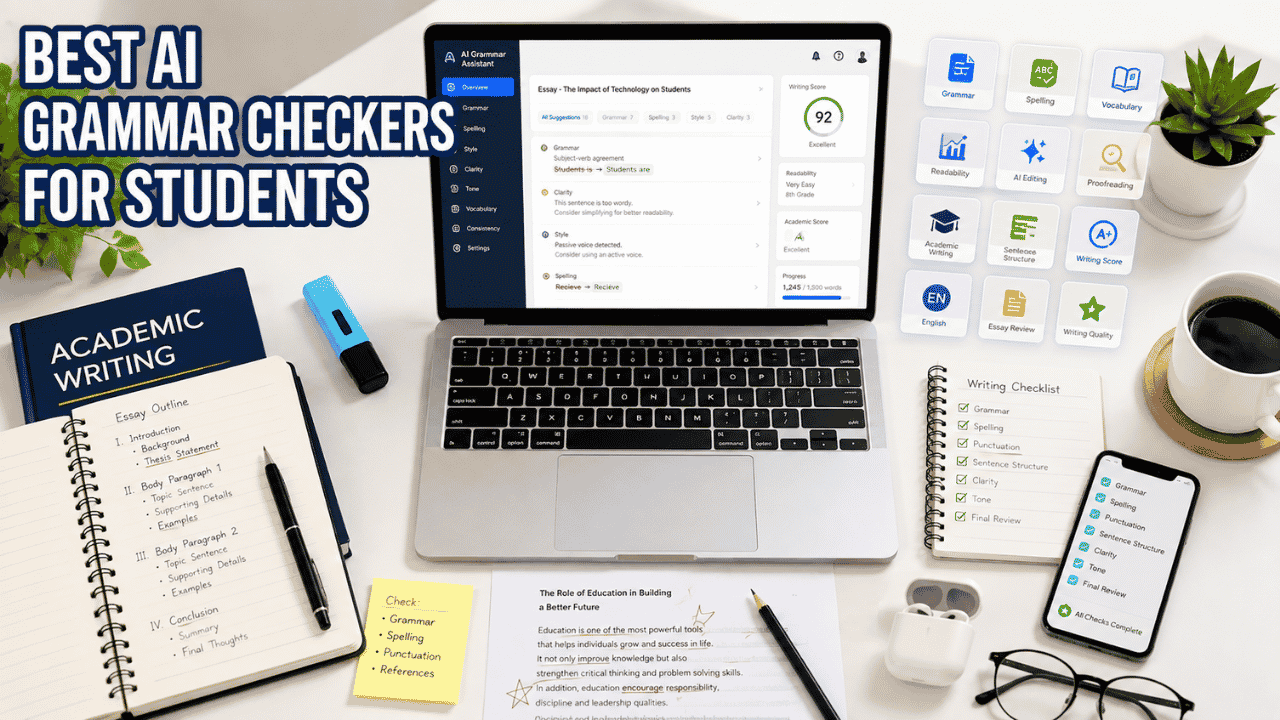
The Best AI Grammar Checkers for Students help identify grammar mistakes, improve sentence structure, enhance clarity, and polish academic writing before submission. Whether you’re writing essays, research papers, reports, or emails, these AI-powered proofreading tools can improve your writing while helping you learn from your mistakes.
Good writing isn’t only about having strong ideas. Even well-researched assignments can lose marks because of grammar mistakes, awkward sentences, punctuation errors, or unclear wording. That’s why the Best AI Grammar Checkers for Students have become an essential part of the writing process for high school, college, and university students.
Instead of correcting every mistake manually, AI grammar checkers analyze your writing within seconds and suggest improvements that make your work clearer, more professional, and easier to read.
Common Grammar Mistakes Students Make
Many grammar mistakes appear repeatedly in academic writing, regardless of the student’s education level.
Some of the most common issues include:
- Run-on sentences
- Sentence fragments
- Incorrect verb tenses
- Subject-verb disagreement
- Misplaced commas
- Repetitive wording
- Weak transitions
- Passive voice overuse
- Incorrect punctuation
- Wordy paragraphs
Even strong writers occasionally overlook these errors because they become familiar with their own writing after reading it multiple times.
AI proofreading tools provide a fresh review by identifying problems that are easy to miss during self-editing.
Why Grammar Matters in Academic Writing
Professors and teachers often judge writing quality before evaluating the strength of an argument.
Poor grammar can:
- Reduce readability.
- Make arguments less convincing.
- Create confusion.
- Lower assignment grades.
- Make research appear less credible.
Good grammar doesn’t necessarily make an essay smarter, but it helps readers understand your ideas without unnecessary distractions.
How AI Grammar Checkers Work
Modern AI grammar checkers do much more than identify spelling mistakes.
They analyze:
- Grammar
- Punctuation
- Sentence structure
- Tone
- Readability
- Word choice
- Writing style
- Clarity
- Consistency
Many tools now explain why a correction is suggested, helping students improve future writing instead of simply accepting edits without understanding them.
Some platforms also rewrite sentences to make them shorter, clearer, or more academic while preserving the original meaning.
What AI Grammar Checkers Cannot Do
Although AI has improved dramatically, it still has limitations.
Grammar checkers cannot always:
- Verify every factual statement.
- Confirm citations are correct.
- Understand assignment requirements.
- Replace critical thinking.
- Judge whether an argument is persuasive.
Students should always review AI suggestions instead of accepting every recommendation automatically.
Comparison Table
Before reviewing each platform individually, here’s a quick overview of the Best AI Grammar Checkers for Students.
| Tool | Best For | Free Plan | Grammar Accuracy | Style Suggestions | Overall |
|---|---|---|---|---|---|
| Grammarly | Academic writing | ✅ | ⭐⭐⭐⭐⭐ | ⭐⭐⭐⭐⭐ | ⭐⭐⭐⭐⭐ |
| LanguageTool | Multilingual writing | ✅ | ⭐⭐⭐⭐⭐ | ⭐⭐⭐⭐☆ | ⭐⭐⭐⭐⭐ |
| QuillBot | Rewriting | ✅ | ⭐⭐⭐⭐☆ | ⭐⭐⭐⭐⭐ | ⭐⭐⭐⭐⭐ |
| ProWritingAid | Deep editing | Trial | ⭐⭐⭐⭐⭐ | ⭐⭐⭐⭐⭐ | ⭐⭐⭐⭐☆ |
| Microsoft Editor | Office users | ✅ | ⭐⭐⭐⭐☆ | ⭐⭐⭐⭐☆ | ⭐⭐⭐⭐☆ |
| Hemingway Editor | Readability | ✅ | ⭐⭐⭐⭐☆ | ⭐⭐⭐⭐⭐ | ⭐⭐⭐⭐☆ |
| ChatGPT | Writing feedback | ✅ | ⭐⭐⭐⭐☆ | ⭐⭐⭐⭐⭐ | ⭐⭐⭐⭐☆ |
| Google Gemini | Writing improvement | ✅ | ⭐⭐⭐⭐☆ | ⭐⭐⭐⭐☆ | ⭐⭐⭐⭐☆ |
| Claude | Long-form editing | ✅ | ⭐⭐⭐⭐⭐ | ⭐⭐⭐⭐⭐ | ⭐⭐⭐⭐⭐ |
| Ginger Software | Grammar correction | ✅ | ⭐⭐⭐⭐☆ | ⭐⭐⭐⭐☆ | ⭐⭐⭐⭐☆ |
How We Tested These Grammar Tools
We evaluated every grammar checker using criteria that directly affect students writing academic assignments.
| Evaluation Criteria | Why It Matters |
|---|---|
| Grammar Accuracy | Corrects genuine grammar mistakes. |
| Writing Clarity | Improves readability without changing meaning. |
| Style Suggestions | Makes writing more natural. |
| Academic Writing Support | Suitable for essays and reports. |
| Free Features | Useful without paying. |
| Ease of Use | Simple enough for everyday editing. |
| Speed | Fast proofreading for large documents. |
| Value | Worth the subscription price. |
Instead of focusing only on the number of corrections each tool makes, we also considered whether those suggestions actually improved academic writing.
Detailed Reviews
Grammarly
Grammarly remains one of the most popular AI proofreading tools because it balances grammar correction, spelling, punctuation, readability, and tone analysis in a single platform. It works across browsers, Microsoft Word, Google Docs, and mobile devices, making it easy for students to edit assignments wherever they write.
Rather than highlighting only obvious mistakes, Grammarly also suggests ways to make writing clearer and more concise.
Key Features
- Grammar correction
- Spelling checker
- Tone detection
- Clarity suggestions
- Vocabulary improvements
- Plagiarism detection (Premium)
Accuracy
Excellent for academic writing, essays, emails, and reports.
Pricing
Free plan with Premium subscription.
Free Plan
Yes.
Pros
- Outstanding grammar accuracy
- Excellent readability suggestions
- Easy to use
- Works almost everywhere
Cons
- Premium features require payment.
- Some advanced suggestions may be unnecessary for shorter assignments.
Best For
- Essays
- Research papers
- College assignments
- Daily writing
Student Example
A university student proofreading a sociology essay can use Grammarly to correct punctuation, improve sentence clarity, and eliminate repetitive wording before submitting the assignment.
Students looking for more than grammar correction should also explore our guide to Best AI Writing Tools for Students, which compares AI assistants for drafting, editing, and improving academic writing.
LanguageTool
LanguageTool is an excellent choice for students who write in multiple languages or frequently switch between English and another language. Its grammar checking is highly accurate, and it provides natural writing suggestions without overwhelming users with unnecessary edits.
Unlike many grammar tools, LanguageTool supports dozens of languages while maintaining strong English proofreading capabilities.
Key Features
- Grammar correction
- Multilingual support
- Style suggestions
- Spell checking
- Browser extension
Accuracy
Excellent across English and many international languages.
Pricing
Free plan with Premium upgrade.
Free Plan
Yes.
Pros
- Supports many languages
- Strong grammar detection
- Easy interface
- Good browser extension
Cons
- Premium unlocks deeper analysis.
- Fewer advanced AI writing features than Grammarly.
Best For
- ESL students
- International students
- Multilingual writing
Student Example
An international business student writing assignments in English can improve grammar while maintaining natural sentence flow.
QuillBot
Although QuillBot is widely known as a paraphrasing tool, it also includes an effective grammar checker that helps students improve readability and eliminate writing mistakes. It works particularly well after completing a first draft.
Key Features
- Grammar correction
- Paraphrasing
- Summarizer
- Citation tools
- Writing modes
Accuracy
Very good for grammar and sentence improvement.
Pricing
Free version available with Premium plans.
Free Plan
Yes.
Pros
- Excellent rewriting
- Easy grammar corrections
- Helpful paraphrasing
- Fast editing
Cons
- Premium offers stronger rewriting modes.
- Grammar suggestions are less detailed than Grammarly.
Best For
- Editing essays
- Improving readability
- Rewriting paragraphs
Student Example
A history student can rewrite repetitive paragraphs into clearer academic English before submitting an assignment.
ProWritingAid
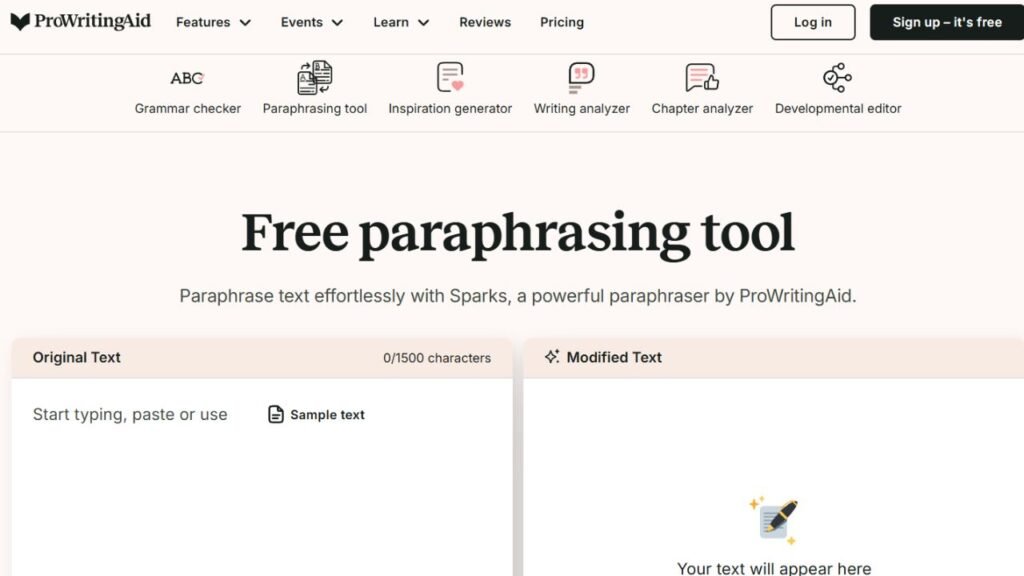
ProWritingAid goes beyond traditional grammar checking by offering detailed writing reports that analyze sentence variety, readability, pacing, repeated words, overused phrases, and overall writing style.
Students working on lengthy research papers often appreciate its deeper editorial feedback.
Key Features
- Grammar checking
- Style reports
- Readability analysis
- Writing statistics
- Sentence variety reports
Accuracy
Excellent for long-form editing.
Pricing
Free version with Premium plans.
Free Plan
Limited.
Pros
- Detailed editing reports
- Excellent for long essays
- Strong readability analysis
- Helpful writing statistics
Cons
- More complex than Grammarly.
- Full features require Premium.
Best For
- Research papers
- Thesis writing
- Graduate students
Student Example
A master’s student can analyze a dissertation chapter and identify repetitive wording, inconsistent sentence length, and readability issues before submitting a draft.
Microsoft Editor
Microsoft Editor is an AI-powered writing assistant built into Microsoft Word, Outlook, Edge, and other Microsoft 365 apps. It checks spelling, grammar, punctuation, clarity, and writing style while you work. Students who already use Microsoft Word for assignments will find it especially convenient because suggestions appear directly inside their documents.
Key Features
- Grammar and spelling correction
- Punctuation checking
- Style and clarity suggestions
- Vocabulary recommendations
- Microsoft Word, Outlook, and Edge integration
- Readability improvements
Accuracy
Very good for essays, reports, emails, and general academic writing. It performs best when used within the Microsoft 365 ecosystem.
Pricing
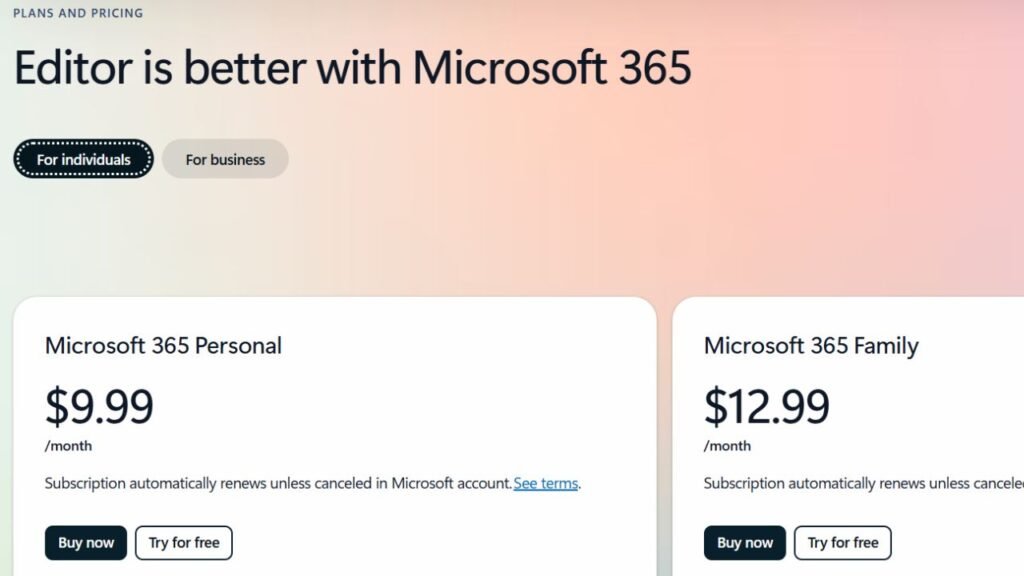
Microsoft Editor offers basic spelling and grammar checking for free with a Microsoft account. However, advanced grammar, clarity, style, and writing refinement features require a Microsoft 365 Personal or Family subscription.
Free Plan
Yes, but limited. The free version includes basic spelling and grammar corrections, while premium writing suggestions are available only with Microsoft 365.
Pros
- Seamless integration with Microsoft Word and Outlook
- Accurate grammar and spelling corrections
- Clean, beginner-friendly interface
- Works across multiple Microsoft applications
Cons
- Advanced writing suggestions require a Microsoft 365 subscription
- Best experience is limited to Microsoft’s ecosystem
Best For
- Students who write assignments in Microsoft Word
- College essays
- Reports
- Emails
- Everyday academic writing
Student Example
A college student writing a research paper in Microsoft Word can use Microsoft Editor to catch spelling and grammar mistakes for free, while Microsoft 365 subscribers also receive advanced suggestions to improve clarity, style, and overall writing quality before submitting the assignment.
Hemingway Editor
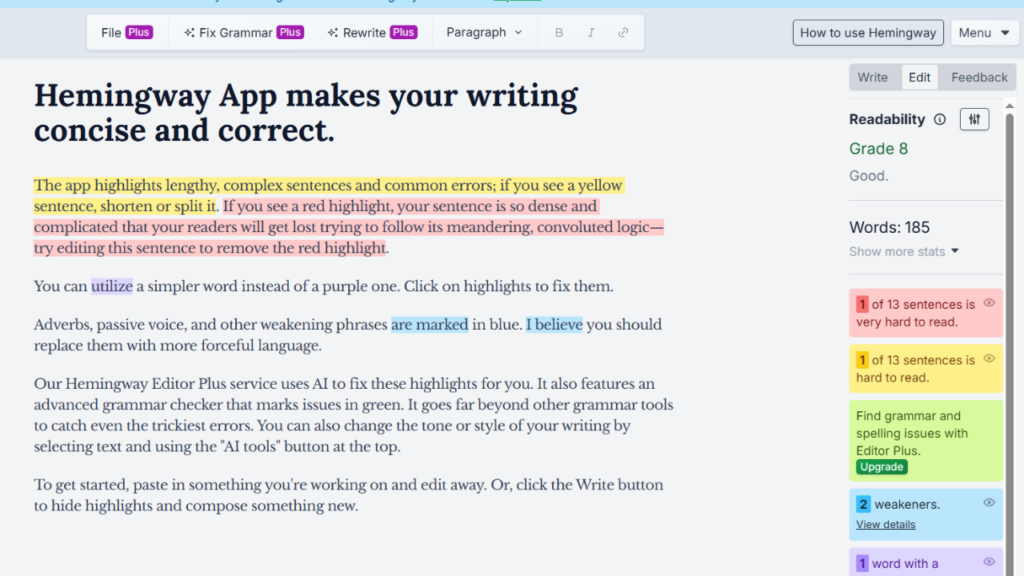
Hemingway Editor focuses on one goal: making your writing easier to read. Instead of concentrating primarily on grammar, it highlights long sentences, passive voice, unnecessary adverbs, and overly complex wording. Students who tend to write dense academic paragraphs often benefit from its straightforward editing approach.
Key Features
- Readability analysis
- Passive voice detection
- Sentence simplification
- Adverb detection
- Clarity scoring
Accuracy
Excellent for improving readability rather than correcting every grammar rule.
Pricing
Free online version with optional paid desktop app.
Free Plan
Yes.
Pros
- Extremely easy to use
- Improves clarity
- Great for shorter assignments
- Fast editing
Cons
- Limited grammar correction.
- No advanced AI writing assistance.
Best For
- Essay readability
- Personal statements
- Reports
- Blog writing
Student Example
A journalism student can shorten long paragraphs and improve readability before submitting a feature article.
ChatGPT
ChatGPT works differently from traditional grammar checkers. Instead of simply highlighting mistakes, it explains why a sentence sounds awkward and offers multiple ways to improve clarity, tone, and structure.
Key Features
- Grammar explanations
- Sentence rewriting
- Tone improvement
- Paragraph restructuring
- Academic writing assistance
Accuracy
Excellent when reviewing complete essays.
Pricing
Free version with premium subscription.
Free Plan
Yes.
Pros
- Explains corrections
- Multiple rewriting options
- Excellent writing coach
- Flexible editing
Cons
- Suggestions should always be reviewed.
- Not a dedicated grammar checker.
Best For
- Essay editing
- Learning grammar
- Academic writing
- Writing feedback
Student Example
A political science student can paste an essay draft and ask ChatGPT to explain grammar mistakes instead of simply correcting them.
Students working on complete essays often combine proofreading with drafting tools. Our guide to Best AI Essay Generators for Students compares AI platforms that help with brainstorming, outlining, and improving academic papers before the final grammar review.
Google Gemini
Google Gemini helps students improve grammar, sentence flow, and readability while working inside Google’s ecosystem. It can rewrite paragraphs, simplify difficult wording, and suggest more natural phrasing.
Key Features
- Grammar improvement
- Writing suggestions
- Paragraph rewriting
- Google Workspace integration
- Tone adjustments
Accuracy
Very good for general academic writing.
Pricing
Free version available with premium upgrades.
Free Plan
Yes.
Pros
- Easy to use
- Strong Google integration
- Helpful rewrites
- Fast responses
Cons
- Grammar analysis is less specialized than Grammarly.
- Academic edits still require review.
Best For
- Google Docs users
- Homework
- College assignments
Claude
Claude excels at reviewing longer documents while maintaining consistency across an entire essay or research paper. Rather than correcting isolated sentences, it evaluates the overall flow and organization of a document.
Key Features
- Long-document editing
- Grammar correction
- Style improvements
- Consistency checks
- Academic writing feedback
Accuracy
Excellent for long-form academic writing.
Pricing
Free version available with premium plans.
Free Plan
Yes.
Pros
- Excellent long-document editing
- Natural writing suggestions
- Strong reasoning
- Helpful explanations
Cons
- Grammar suggestions should still be reviewed.
- Advanced usage limits apply to free accounts.
Best For
- Research papers
- Theses
- Long essays
- Graduate students
Student Example
A graduate student reviewing a dissertation chapter can improve consistency, transitions, and overall readability before submission.
Ginger Software
Ginger Software has been helping students improve grammar for many years. It combines spelling correction, grammar checking, sentence rephrasing, and translation features into one writing assistant.
Key Features
- Grammar correction
- Spell checker
- Sentence rephrasing
- Translation
- Personal dictionary
Accuracy
Good for everyday academic writing.
Pricing
Free plan with premium upgrades.
Free Plan
Yes.
Pros
- Easy interface
- Helpful corrections
- Supports multiple languages
- Good sentence suggestions
Cons
- Smaller feature set than Grammarly.
- Premium required for advanced features.
Best For
- Everyday assignments
- ESL students
- General proofreading
Best Grammar Checker by Need
| Need | Recommended Tool |
|---|---|
| Essays | Grammarly |
| Emails | Microsoft Editor |
| Research Papers | Claude |
| ESL Students | LanguageTool |
| Free Users | Grammarly |
Grammar Improvement Workflow
The Best AI Grammar Checkers for Students work best when proofreading becomes the final step instead of the first.
Step 1: Draft
Write your ideas freely without worrying about grammar.
Step 2: Grammar Check
Use Grammarly, LanguageTool, or Microsoft Editor to identify spelling, grammar, and punctuation mistakes.
Step 3: Style Suggestions
Improve readability by shortening long sentences, replacing repetitive wording, and strengthening transitions.
Step 4: Fact Check
Confirm quotations, statistics, citations, and references independently.
Step 5: Final Proofread
Read the entire assignment aloud before submitting to catch any remaining mistakes.
Students writing research-heavy assignments should proofread only after verifying sources. Our guide to Best AI Research Tools for Students explains how AI can help organize reliable references before the editing stage.
Pricing Table
| Tool | Free Plan | Premium Available |
|---|---|---|
| Grammarly | ✅ | Yes |
| LanguageTool | ✅ | Yes |
| QuillBot | ✅ | Yes |
| ProWritingAid | Limited | Yes |
| Microsoft Editor | ✅ | Yes |
| Hemingway Editor | ✅ | Desktop App |
| ChatGPT | ✅ | Yes |
| Google Gemini | ✅ | Yes |
| Claude | ✅ | Yes |
| Ginger Software | ✅ | Yes |
Feature Comparison Table
| Tool | Grammar | Style | Rewriting | Readability | Multilingual |
|---|---|---|---|---|---|
| Grammarly | ✅ | ✅ | Limited | ✅ | Limited |
| LanguageTool | ✅ | ✅ | Limited | ✅ | ✅ |
| QuillBot | ✅ | ✅ | ✅ | ✅ | Limited |
| ProWritingAid | ✅ | ✅ | Limited | ✅ | ❌ |
| Microsoft Editor | ✅ | ✅ | Limited | Limited | Limited |
| Hemingway Editor | Limited | ✅ | ❌ | ✅ | ❌ |
| ChatGPT | ✅ | ✅ | ✅ | ✅ | Limited |
| Google Gemini | ✅ | ✅ | ✅ | Limited | Limited |
| Claude | ✅ | ✅ | ✅ | ✅ | Limited |
| Ginger Software | ✅ | Limited | ✅ | Limited | ✅ |
Pros & Cons Table
| Tool | Biggest Strength | Biggest Limitation |
|---|---|---|
| Grammarly | Best overall grammar accuracy | Premium features cost extra |
| LanguageTool | Excellent multilingual support | Fewer AI writing features |
| QuillBot | Outstanding paraphrasing | Less detailed grammar reports |
| ProWritingAid | Deep writing analysis | Learning curve for beginners |
| Microsoft Editor | Microsoft Word integration | Limited outside Microsoft ecosystem |
| Hemingway Editor | Improves readability | Limited grammar correction |
| ChatGPT | Explains corrections | Not a dedicated grammar checker |
| Google Gemini | Google Workspace integration | Less specialized editing |
| Claude | Excellent long-document editing | Usage limits on free plan |
| Ginger Software | Easy everyday proofreading | Smaller feature set |
Mistakes to Avoid
Avoid these common proofreading habits:
- Accepting every AI suggestion without reading it.
- Ignoring assignment instructions.
- Relying on grammar tools instead of proofreading yourself.
- Forgetting to verify AI-generated rewrites.
- Editing only the introduction.
- Submitting assignments without one final review.
- Assuming grammar correction also verifies facts.
Expert Writing Tips
Better grammar starts with better writing habits.
- Finish your draft before editing.
- Edit one paragraph at a time.
- Read your work aloud.
- Keep sentences concise.
- Use AI suggestions as learning opportunities.
- Compare multiple grammar checkers for important assignments.
- Leave time between writing and proofreading.
If you’re building a complete academic writing workflow instead of using only a grammar checker, our Best AI Tools for Students guide compares AI tools for writing, research, planning, coding, presentations, and productivity.
Frequently Asked Questions
1. What are the Best AI Grammar Checkers for Students?
Grammarly, LanguageTool, QuillBot, Claude, ChatGPT, Microsoft Editor, ProWritingAid, Hemingway Editor, Google Gemini, and Ginger Software are among the best AI grammar checkers for students.
2. Is Grammarly free?
Yes. Grammarly offers a free version with optional Premium features.
3. Which grammar checker is best for college essays?
Grammarly and Claude are excellent choices for reviewing college essays.
4. Is LanguageTool better for multilingual writing?
Yes. LanguageTool supports dozens of languages and is ideal for multilingual students.
5. Which AI grammar checker is best for research papers?
Claude and ProWritingAid perform particularly well with longer academic documents.
6. Can AI explain grammar mistakes?
Yes. ChatGPT and Claude can explain why corrections are suggested instead of only highlighting errors.
7. Which grammar checker works with Microsoft Word?
Microsoft Editor integrates directly with Microsoft Word, while Grammarly also offers Word support.
8. Is Hemingway Editor a grammar checker?
Not primarily. It focuses on readability, sentence structure, and writing clarity.
9. Can grammar checkers detect plagiarism?
Some premium tools, including Grammarly, offer plagiarism detection, but availability depends on the subscription plan.
10. Should I trust every AI correction?
No. Always review suggested changes to ensure they preserve your intended meaning.
11. Which grammar checker is best for ESL students?
LanguageTool and Ginger Software are both excellent choices for students learning English.
12. Can AI improve writing skills over time?
Yes. Reading explanations, reviewing corrections, and understanding grammar rules can gradually improve your writing.
Final Recommendations
The Best AI Grammar Checkers for Students each solve different writing challenges. Grammarly remains one of the strongest all-around options for proofreading essays, assignments, and emails, while LanguageTool is an excellent choice for multilingual students. ProWritingAid provides deeper editorial feedback for long academic papers, and QuillBot is especially useful when improving sentence flow and readability.
Students who write primarily in Microsoft Word may prefer Microsoft Editor, while Claude and ChatGPT offer detailed explanations that help users understand grammar rules instead of simply correcting mistakes. Hemingway Editor is ideal for simplifying complex writing, and Ginger Software remains a solid option for everyday proofreading.
The best results come from combining careful proofreading with your own judgment. Use AI to identify mistakes, improve clarity, and strengthen your writing—but always review the final document yourself before submitting any assignment.