Keeping organized notes has always been one of the biggest challenges for students. Between lectures, textbooks, assignments, and group projects, it’s easy for important information to become scattered across notebooks, PDFs, screenshots, and documents.
Today’s AI note-taking apps solve that problem by doing much more than storing notes. They can summarize lectures, organize ideas, answer questions from your own documents, generate study guides, create revision notes, and even transcribe classroom discussions automatically.
The challenge is choosing the right app. Some AI note-taking tools focus on lecture transcription, while others specialize in organizing knowledge or helping students study from their own materials.
This guide compares the Best AI Note-Taking Apps for Students, helping high school, college, and university students find the right solution for their study style.
For a complete comparison of AI software across every category, read our guide to Best AI Tools for Students.
If you’re searching for budget-friendly options, check out our guide to Best Free AI Tools for Students.
If your assignments also involve essays and reports, you’ll benefit from our guide to Best AI Writing Tools for Students.
What Are AI Note-Taking Apps?
AI note-taking apps help students capture, organize, summarize, and review information more efficiently. Instead of acting as simple digital notebooks, they use artificial intelligence to transform notes into searchable, interactive study resources.
Unlike traditional note-taking software, AI-powered apps can:
- Summarize lengthy lecture notes
- Answer questions about your study materials
- Organize information automatically
- Generate revision notes
- Create study guides
- Search handwritten and typed notes
- Transcribe lectures
- Highlight important topics
- Improve productivity throughout the semester
Whether you’re preparing for finals or managing multiple classes, the right AI note-taking app can save hours every week.
How We Evaluated These AI Note-Taking Apps
Every recommendation in this guide is based on practical value for students. We focused on apps that genuinely improve learning rather than simply storing notes.
We evaluated each app using the following criteria:
| Evaluation Factor | Why It Matters |
|---|---|
| AI Features | Smart summaries, organization, and search |
| Ease of Use | Beginner-friendly interface |
| Study Support | Helps with revision and learning |
| Free Plan | Useful without paying |
| Collaboration | Sharing notes with classmates |
| Device Compatibility | Works across multiple devices |
| Productivity | Saves time during studying |
Quick Comparison Table
| App | Best For | Free Plan | Overall Rating |
|---|---|---|---|
| NotebookLM | Studying your own materials | ✅ | ⭐⭐⭐⭐⭐ |
| Notion AI | Organization & coursework | Limited | ⭐⭐⭐⭐⭐ |
| Microsoft OneNote | Digital notebooks | ✅ | ⭐⭐⭐⭐☆ |
| Evernote | Long-term note organization | Limited | ⭐⭐⭐⭐☆ |
| Otter.ai | Lecture transcription | ✅ | ⭐⭐⭐⭐☆ |
| Google Keep | Quick notes | ✅ | ⭐⭐⭐⭐☆ |
| Apple Notes | Apple users | ✅ | ⭐⭐⭐⭐☆ |
| Obsidian | Knowledge management | ✅ | ⭐⭐⭐⭐☆ |
| Mem AI | AI organization | Limited | ⭐⭐⭐⭐☆ |
Best AI Note-Taking Apps for Students
The best AI note-taking apps help students organize information, review lecture material faster, and prepare for exams without wasting time searching through dozens of documents.
NotebookLM
Overview
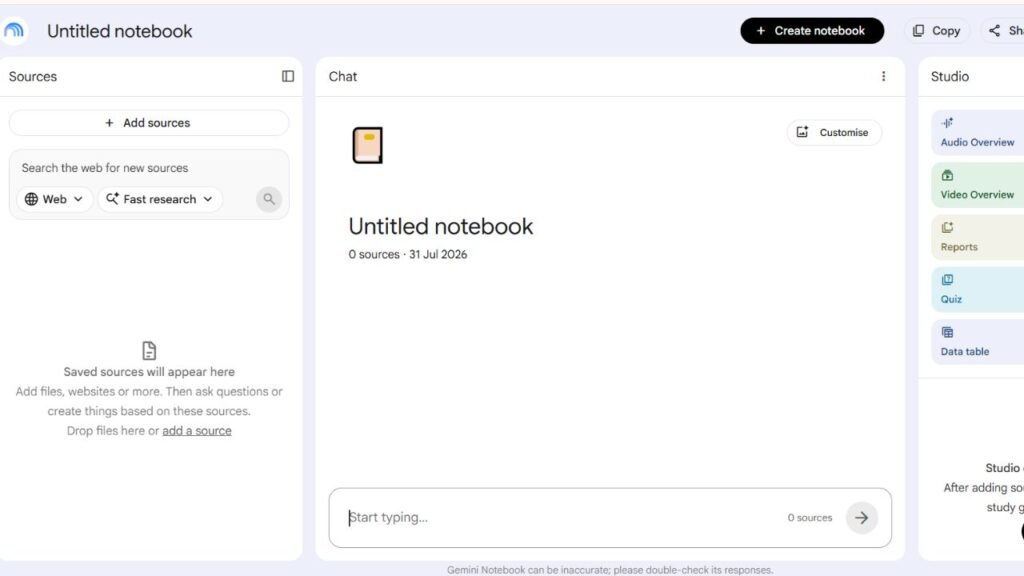
Developed by Google, NotebookLM has quickly become one of the most powerful AI study assistants available. Unlike general AI chatbots, it works primarily with your own documents, allowing students to upload lecture notes, textbooks, PDFs, presentations, research papers, and study guides before asking questions.
Because its answers are based on your uploaded materials, NotebookLM is especially useful for exam preparation and reviewing course content.
Key Features
- AI-powered study assistant
- Document-based question answering
- PDF summarization
- Lecture note organization
- Personalized study guides
- Smart search across uploaded files
Best For
- College students
- University students
- Exam preparation
- Research-heavy courses
- Reviewing lecture notes
Pricing
- Free plan available
- Additional features may expand over time
Free Plan
Students can use NotebookLM without paying, making it one of the strongest free AI study tools currently available.
Advantages
- Excellent document understanding
- Highly accurate when using uploaded materials
- Great for revision
- Easy to organize semester notes
- Saves time searching through PDFs
Limitations
- Requires uploading your own study material
- Not intended for general internet research
- Less useful without course documents
Student Use Cases
Students commonly use NotebookLM to:
- Review lecture slides before exams
- Search hundreds of pages of notes instantly
- Summarize textbooks
- Generate revision questions
- Prepare for quizzes
- Organize semester-long coursework
Why Choose NotebookLM?
Choose NotebookLM if your priority is learning directly from your own notes instead of relying on general AI responses.
Notion AI
Overview
Notion AI combines note-taking, project management, task tracking, and AI writing into one workspace. Students can organize courses, summarize lecture notes, create revision plans, manage assignments, and collaborate on projects from a single dashboard.
It is especially popular among college students managing multiple classes.
Key Features
- AI note summarization
- Assignment tracking
- Course organization
- Study planning
- Writing assistance
- Task management
Best For
- College students
- University students
- Long-term project management
- Research organization
Pricing
- Free workspace available
- AI features require additional access depending on the plan
Free Plan
Students can use Notion’s basic workspace for free, while expanded AI capabilities are available through paid options.
Advantages
- Extremely flexible
- Excellent organization
- Modern interface
- Combines notes and productivity
- Strong collaboration tools
Limitations
- Learning curve for beginners
- AI features may require a subscription
- Requires setup before becoming efficient
Student Use Cases
Students use Notion AI to:
- Organize courses
- Track assignments
- Summarize lecture notes
- Plan study schedules
- Build research databases
- Manage semester projects
Why Choose Notion AI?
Choose Notion AI if you want one workspace to manage notes, assignments, deadlines, and AI-powered writing assistance.
Microsoft OneNote
Overview
Microsoft OneNote has been one of the most trusted digital notebooks for years. Its notebook-style interface allows students to organize notes by subject, semester, or project while syncing across multiple devices.
When combined with Microsoft’s AI ecosystem, OneNote becomes an even more powerful study companion.
Key Features
- Digital notebooks
- Handwritten notes
- Audio recording
- Image support
- Cross-device syncing
- Microsoft integration
Best For
- Classroom notes
- Digital notebooks
- Windows users
- Tablet users
Pricing
Free with a Microsoft account.
Premium Microsoft 365 plans provide additional productivity features.
Free Plan
Most students can comfortably use OneNote without paying.
Advantages
- Familiar notebook structure
- Excellent handwriting support
- Strong organization
- Easy syncing
- Reliable performance
Limitations
- AI capabilities depend on Microsoft’s broader ecosystem
- Less advanced AI than NotebookLM
Student Use Cases
Students use OneNote to:
- Take lecture notes
- Organize subjects
- Store class handouts
- Draw diagrams
- Record lectures
- Sync notes across devices
Why Choose Microsoft OneNote?
Choose OneNote if you prefer a traditional notebook experience with digital flexibility.
Evernote
Overview
Evernote remains one of the best-known digital note-taking platforms. It focuses on organizing large collections of notes, web clippings, documents, and research into searchable notebooks.
Students working on long research projects often appreciate Evernote’s organizational capabilities.
Key Features
- Smart search
- Web clipping
- Document storage
- Notebook organization
- Task management
Best For
- Research projects
- Long-term note storage
- Organization
- Academic planning
Pricing
Free plan available with premium subscription options.
Free Plan
Students can begin using Evernote for note organization, although some advanced features require upgrading.
Advantages
- Excellent organization
- Powerful search
- Cross-device syncing
- Reliable note management
Limitations
- Free plan has usage limits
- Premium features provide the best experience
- Less AI-focused than newer competitors
Student Use Cases
Students use Evernote to:
- Save research
- Organize class notes
- Store PDFs
- Collect web articles
- Plan semester projects
Why Choose Evernote?
Choose Evernote if your main goal is keeping years of notes well organized and searchable.
Otter.ai
Overview
Otter.ai specializes in converting spoken lectures into searchable text. Instead of trying to write every word during class, students can focus on listening while the app creates an organized transcript for later review.
For many students, this makes revision much easier because every lecture becomes searchable.
Key Features
- Live transcription
- AI summaries
- Speaker recognition
- Searchable lecture notes
- Meeting recording
Best For
- Lecture transcription
- Online classes
- Study groups
- Recorded discussions
Pricing
Free version available with premium plans offering additional transcription capacity.
Free Plan
The free plan provides enough transcription for many students attending regular lectures.
Advantages
- Accurate transcription
- Saves note-taking time
- Searchable recordings
- Excellent for online learning
Limitations
- Recording policies vary by school
- Accuracy depends on audio quality
- Not a complete note-management system
Student Use Cases
Students use Otter.ai to:
- Record lectures
- Review class discussions
- Create searchable transcripts
- Capture online meetings
- Prepare exam notes
Why Choose Otter.ai?
Choose Otter.ai if lectures move too quickly to take complete notes manually.
Google Keep
Overview
Google Keep is a lightweight note-taking app that focuses on speed and simplicity. While it doesn’t include as many advanced AI features as NotebookLM or Notion AI, it works seamlessly with the Google ecosystem and is ideal for capturing ideas, reminders, checklists, and quick class notes.
Students who already use Google Docs, Google Drive, and Google Calendar will appreciate how easily Google Keep fits into their daily workflow.
Key Features
- Quick note creation
- Voice notes
- Image notes
- Checklists
- Color-coded labels
- Google account synchronization
Best For
- Quick lecture notes
- Homework reminders
- Study checklists
- Daily planning
Pricing
Free with a Google account.
Free Plan
Google Keep is completely free for personal use.
Advantages
- Extremely easy to use
- Fast synchronization
- Works on every device
- Simple organization
- No learning curve
Limitations
- Limited AI functionality
- Not designed for large research projects
- Fewer organization features than Notion AI or Evernote
Student Use Cases
Students use Google Keep to:
- Save quick ideas during lectures
- Create exam checklists
- Record voice reminders
- Organize homework tasks
- Store important links
Why Choose Google Keep?
Choose Google Keep if you want a fast, distraction-free note-taking app that integrates perfectly with Google services.
Apple Notes
Overview
Apple Notes is one of the best built-in note-taking apps for students using iPhones, iPads, and Macs. It supports handwritten notes, document scanning, folders, smart search, and synchronization across Apple devices.
For Apple users, it’s often the easiest solution because no additional setup is required.
Key Features
- Handwritten notes
- Document scanning
- Smart folders
- Cross-device sync
- Rich text formatting
- PDF support
Best For
- Apple users
- Handwritten notes
- Classroom organization
- Everyday studying
Pricing
Included free with Apple devices.
Free Plan
Fully available at no extra cost.
Advantages
- Excellent Apple integration
- Clean interface
- Reliable synchronization
- Great handwriting support
Limitations
- Limited outside the Apple ecosystem
- Fewer AI features than NotebookLM or Notion AI
Student Use Cases
Students commonly use Apple Notes to:
- Take handwritten lecture notes
- Scan printed worksheets
- Store research material
- Organize classes
- Review notes before exams
Why Choose Apple Notes?
Choose Apple Notes if you primarily study using Apple devices and want a simple, dependable note-taking experience.
Obsidian
Overview
Obsidian is a powerful knowledge management application designed for students who prefer building connected notes rather than isolated documents. It links related ideas together, making it particularly useful for research-intensive subjects.
Many university students and graduate researchers use Obsidian to organize complex information over long periods.
Key Features
- Linked notes
- Knowledge graphs
- Markdown editing
- Local file storage
- Extensive plugin support
Best For
- Research projects
- Medical students
- Law students
- Graduate students
- Long-term knowledge management
Pricing
Free for personal use.
Free Plan
Most students can use Obsidian without paying.
Advantages
- Outstanding organization
- Local file ownership
- Highly customizable
- Excellent for research
Limitations
- Learning curve for beginners
- Requires manual organization
- Limited built-in AI compared to newer platforms
Student Use Cases
Students use Obsidian to:
- Connect research topics
- Build literature reviews
- Organize thesis materials
- Track study progress
- Create knowledge databases
Why Choose Obsidian?
Choose Obsidian if you want complete control over your notes and enjoy building an interconnected knowledge base.
Mem AI
Overview
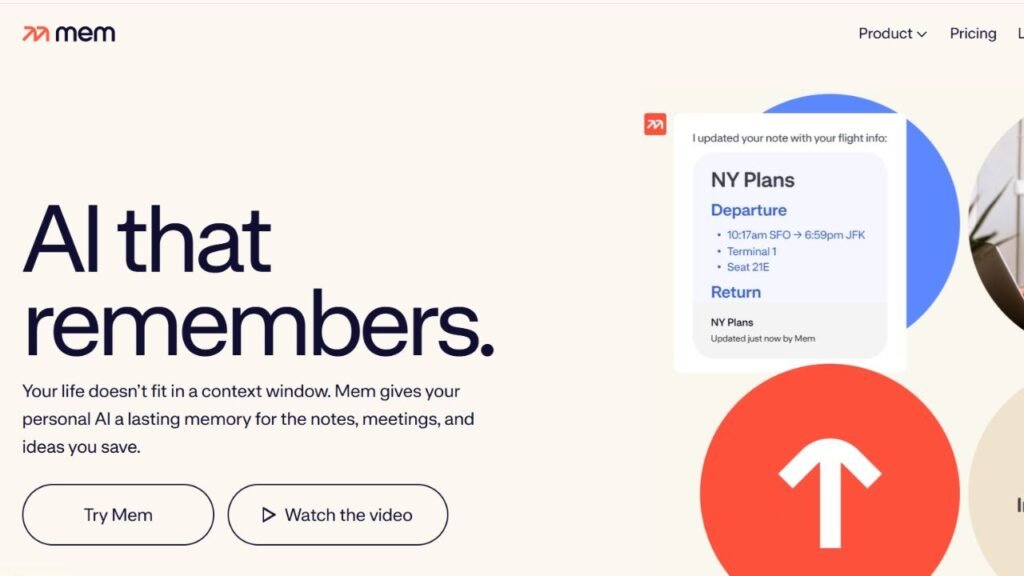
Mem AI is an intelligent note-taking platform that automatically organizes information using artificial intelligence. Instead of requiring students to manually sort everything into folders, Mem AI helps surface relevant notes whenever they’re needed.
Key Features
- AI-powered organization
- Smart search
- Automatic categorization
- Fast note capture
- Knowledge management
Best For
- Busy students
- Research organization
- Productivity
- Knowledge retrieval
Pricing
Free plan available with premium upgrades.
Free Plan
Students can explore the platform before deciding whether additional AI features are worth upgrading for.
Advantages
- Smart organization
- Excellent search
- Reduces manual sorting
- Clean interface
Limitations
- Premium features unlock the full experience
- Smaller user community than some competitors
Student Use Cases
Students use Mem AI to:
- Capture research ideas
- Organize semester notes
- Store project information
- Build personal knowledge libraries
Why Choose Mem AI?
Choose Mem AI if you want AI to organize your notes automatically instead of maintaining folders yourself.
Free vs Paid AI Note-Taking Apps
| Feature | Free Apps | Paid Plans |
|---|---|---|
| Basic Note-Taking | ✅ | ✅ |
| Cloud Sync | ✅ | ✅ |
| AI Summaries | Limited | ✅ |
| Lecture Transcription | Limited | ✅ |
| Smart Search | Limited | ✅ |
| Large Storage | Limited | ✅ |
| Advanced Collaboration | Limited | ✅ |
| Priority Features | ❌ | ✅ |
For most students, free plans provide enough functionality for lectures, homework, and everyday studying. Paid plans are generally worthwhile only if you need larger storage limits, extensive AI summaries, or advanced transcription features.
Which AI Note-Taking App Is Best?
| Student Need | Best App |
|---|---|
| Studying Personal Notes | NotebookLM |
| Course Organization | Notion AI |
| Digital Notebooks | Microsoft OneNote |
| Research Storage | Evernote |
| Lecture Recording | Otter.ai |
| Quick Notes | Google Keep |
| Apple Ecosystem | Apple Notes |
| Research Knowledge Base | Obsidian |
| Automatic Organization | Mem AI |
Expert Tips for Better Note-Taking
AI note-taking apps work best when they’re part of a consistent study routine rather than a replacement for active learning.
Follow these best practices:
- Review AI-generated summaries after every lecture.
- Organize notes by subject instead of keeping everything in one notebook.
- Upload lecture slides to NotebookLM before exams.
- Combine handwritten notes with digital summaries.
- Record lectures only when permitted by your school or university.
- Add your own observations instead of relying solely on AI summaries.
- Back up important notes regularly.
- Search your notes weekly to reinforce learning.
Common Mistakes Students Make
Avoid these common mistakes:
- Never reviewing AI-generated summaries.
- Recording lectures without permission.
- Saving all notes in one folder.
- Depending entirely on AI instead of attending lectures.
- Forgetting to back up important notes.
- Ignoring organization until exam week.
- Uploading sensitive personal information.
- Using too many note-taking apps at the same time.
Frequently Asked Questions
1. What is the best AI note-taking app for students?
NotebookLM is one of the best choices because it answers questions based on your own study materials and helps students review lecture notes more efficiently.
2. Which app is best for college students?
Notion AI, NotebookLM, Microsoft OneNote, and Otter.ai are excellent choices for college students managing multiple classes and assignments.
3. What is the best free AI note-taking app?
NotebookLM, Microsoft OneNote, Google Keep, Apple Notes, and Obsidian all offer strong free plans suitable for most students.
4. Can AI summarize lecture notes?
Yes. NotebookLM, Notion AI, and Otter.ai can summarize lecture content, helping students review important concepts more quickly.
5. Is Otter.ai good for lectures?
Yes. Otter.ai is one of the best tools for transcribing lectures and creating searchable notes, provided recording is allowed by your school or instructor.
6. Can AI organize my notes automatically?
Yes. Apps like Mem AI and Notion AI use artificial intelligence to organize notes, improve search, and surface relevant information when needed.
7. Which note-taking app is best for research?
Obsidian and Evernote are excellent choices for organizing research materials, while NotebookLM is ideal for studying documents you’ve uploaded.
8. Are AI note-taking apps safe to use?
Most reputable apps include privacy and security measures, but students should avoid uploading confidential or sensitive information and should review each platform’s privacy policy.
9. Can I use multiple AI note-taking apps?
Absolutely. Many students use NotebookLM for studying, Google Keep for quick reminders, and OneNote or Notion AI for organizing coursework.
10. Should I pay for an AI note-taking app?
Most students can meet their academic needs with free plans. Paid subscriptions are beneficial if you need advanced AI features, larger storage limits, or extended transcription capabilities.
Conclusion
The Best AI Note-Taking Apps for Students can make studying more organized, efficient, and less stressful. Whether you need to summarize lectures, organize semester-long projects, search hundreds of pages of notes, or record classroom discussions, there’s an app designed to simplify the process.
For most students, NotebookLM stands out for its ability to work with personal study materials, while Notion AI combines note-taking with productivity and project management. Microsoft OneNote remains a reliable digital notebook, Otter.ai excels at lecture transcription, and Evernote, Google Keep, Apple Notes, Obsidian, and Mem AI each offer unique strengths depending on your study habits.
The most effective approach isn’t choosing the app with the longest feature list—it’s selecting one that fits the way you learn. Use AI to organize information, speed up revision, and improve productivity, but continue taking an active role in learning by reviewing, questioning, and understanding your notes. That’s how these tools become genuine study partners rather than simple digital notebooks.