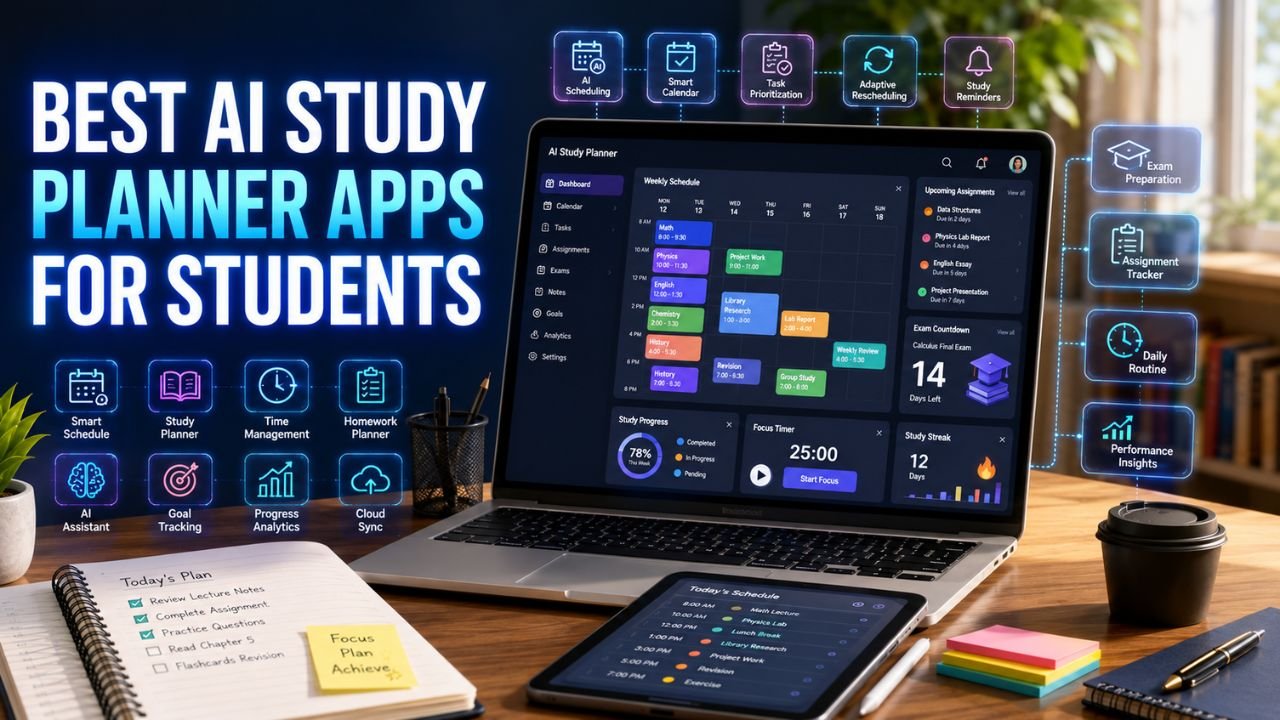
The Best AI Study Planner Apps for Students help organize assignments, exams, lectures, and daily study sessions using intelligent scheduling, reminders, and productivity features. Whether you’re a high school student managing homework or a college student balancing classes, projects, and part-time work, AI-powered planners can make studying more organized and less stressful.
Keeping track of classes isn’t usually the hardest part of school—keeping track of everything else is. Deadlines, homework, revision sessions, extracurricular activities, group projects, and personal commitments can quickly overwhelm even organized students. That’s why the Best AI Study Planner Apps for Students have become valuable tools for managing time more effectively.
Rather than simply creating a calendar, these apps analyze schedules, recommend study sessions, adjust plans when priorities change, and help students build consistent study habits throughout the semester.
Why Students Struggle With Study Planning
Many students don’t fail because they lack ability—they struggle because they don’t have a realistic study plan.
Some common planning mistakes include:
- Waiting until the night before exams.
- Forgetting assignment deadlines.
- Spending too much time on one subject.
- Ignoring difficult topics.
- Overloading weekends with revision.
- Not scheduling breaks.
These habits often create unnecessary stress, especially during midterms and final exams.
Traditional planners can help, but they depend entirely on manual updates. If one class gets canceled or a deadline changes, students often forget to adjust the rest of their schedule.
AI planners remove much of that manual work by automatically reorganizing study sessions when schedules change.
Common Time Management Problems
Students frequently deal with challenges like:
- Multiple assignments due in the same week.
- Balancing school with part-time jobs.
- Missing important reminders.
- Underestimating how long homework takes.
- Studying the wrong subjects first.
- Leaving revision until the final few days.
AI planning tools help prioritize tasks based on urgency instead of guesswork.
Can AI Actually Improve Time Management?
Yes—but only when students use AI to build better habits rather than expecting it to do the work for them.
A good AI study planner can:
- Automatically schedule revision sessions.
- Prioritize urgent assignments.
- Suggest the best times to study.
- Reschedule missed tasks.
- Balance school and personal commitments.
- Reduce procrastination through reminders.
Imagine a student with:
- Four college courses.
- Two weekly labs.
- A weekend job.
- Three assignments due next week.
- A calculus exam in ten days.
Instead of manually planning every study session, an AI planner can divide revision across the week, avoid scheduling conflicts, and leave enough time for breaks.
This makes studying feel much more manageable.
Example
Without AI:
Monday evening becomes overloaded with homework, while Wednesday remains almost empty.
With AI:
Study sessions are distributed evenly across the week, deadlines receive higher priority, and unfinished tasks automatically move to the next available time slot.
The result isn’t necessarily more study hours—it’s better use of the time already available.
Comparison Table
Before looking at each app in detail, here’s a quick overview of the Best AI Study Planner Apps for Students.
| App | Best For | Free Plan | AI Scheduling | Calendar Integration | Overall |
|---|---|---|---|---|---|
| Motion | Automatic scheduling | Trial | ⭐⭐⭐⭐⭐ | ✅ | ⭐⭐⭐⭐⭐ |
| Notion AI | Academic organization | Limited | ⭐⭐⭐⭐☆ | ✅ | ⭐⭐⭐⭐⭐ |
| Todoist | Task management | ✅ | ⭐⭐⭐⭐☆ | ✅ | ⭐⭐⭐⭐☆ |
| Google Calendar | Daily planning | ✅ | ⭐⭐⭐☆☆ | ✅ | ⭐⭐⭐⭐☆ |
| MyStudyLife | Students | ✅ | ⭐⭐⭐☆☆ | Limited | ⭐⭐⭐⭐☆ |
| Reclaim AI | Smart scheduling | ✅ | ⭐⭐⭐⭐⭐ | ✅ | ⭐⭐⭐⭐⭐ |
| TickTick | Personal productivity | ✅ | ⭐⭐⭐⭐☆ | ✅ | ⭐⭐⭐⭐☆ |
| ClickUp | Project planning | ✅ | ⭐⭐⭐⭐☆ | ✅ | ⭐⭐⭐⭐☆ |
| Sunsama | Daily planning | Trial | ⭐⭐⭐⭐⭐ | ✅ | ⭐⭐⭐⭐⭐ |
| Trello | Group projects | ✅ | ⭐⭐⭐☆☆ | Limited | ⭐⭐⭐⭐☆ |
| ChatGPT | Personalized study plans | ✅ | ⭐⭐⭐⭐☆ | ❌ | ⭐⭐⭐⭐☆ |
| Google Gemini | Planning assistance | ✅ | ⭐⭐⭐⭐☆ | Limited | ⭐⭐⭐⭐☆ |
How We Chose These Apps
Rather than ranking apps based only on popularity, we evaluated them using criteria that directly affect student productivity.
| Evaluation Criteria | Why It Matters |
|---|---|
| Scheduling Accuracy | Creates realistic study plans. |
| Ease of Use | Students should learn the app quickly. |
| Task Management | Keeps assignments organized. |
| AI Features | Automates planning and reminders. |
| Calendar Support | Syncs with existing schedules. |
| Free Features | Useful without expensive subscriptions. |
| Cross-Platform Access | Works across phones, tablets, and computers. |
We also looked at whether each app encourages consistent study habits instead of simply storing tasks.
Complete Reviews
Motion
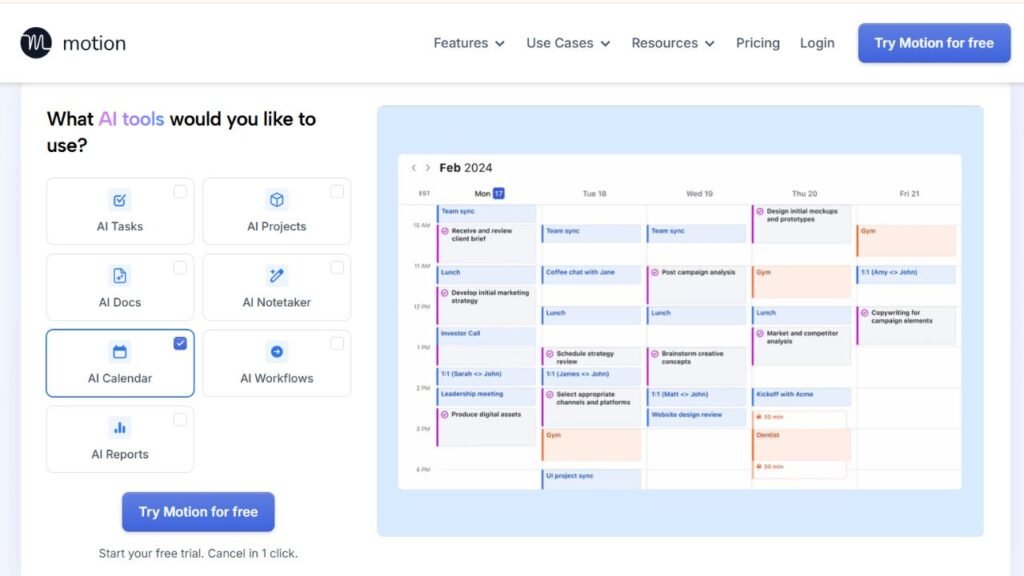
Motion is designed for people who struggle with planning their day manually. Instead of asking students to decide when every assignment should be completed, Motion automatically builds a personalized schedule based on deadlines, available study time, and existing calendar events.
When priorities change, Motion updates the schedule automatically without requiring students to reorganize everything themselves.
Key Features
- AI scheduling
- Automatic task prioritization
- Smart calendar
- Deadline management
- Focus sessions
- Daily planning
Pricing
Paid subscription with a free trial.
Free Plan
No permanent free plan.
Advantages
- Excellent automatic scheduling.
- Saves significant planning time.
- Adjusts plans automatically.
- Great for busy students.
Limitations
- Requires a subscription after the trial.
- More features than some students need.
Best For
- College students
- Heavy course loads
- Multiple deadlines
- Busy schedules
Real Student Scenario
A university student balancing five courses and a part-time job can let Motion reorganize study sessions automatically whenever a class, meeting, or work shift changes.
Notion AI
Notion AI combines note-taking, task management, project organization, and AI assistance in one workspace. Instead of switching between several apps, students can keep lecture notes, assignments, study plans, and revision schedules together.
It works especially well for semester-long planning where projects involve research, notes, and deadlines.
Key Features
- AI writing assistance
- Task management
- Databases
- Study dashboards
- Templates
- Calendar integration
Pricing
Free plan with paid upgrades.
Free Plan
Suitable for most individual students.
Advantages
- Extremely flexible.
- Excellent organization.
- Powerful templates.
- Combines planning and notes.
Limitations
- Initial setup takes time.
- AI features vary by subscription.
Best For
- College students
- Long-term planning
- Semester organization
- Project management
Real Student Scenario
A business student can organize lecture notes, assignment deadlines, internship applications, and exam schedules inside one Notion workspace instead of using multiple productivity apps.
Students who rely on detailed lecture summaries often get even more value from Notion after organizing their class materials first. Our guide to Best AI Note-Taking Apps for Students explains which AI tools work best for capturing and summarizing notes before adding them to a study planner.
Todoist
Todoist remains one of the most popular productivity apps because of its clean interface and reliable task management. While it isn’t built exclusively for students, it handles homework, assignments, revision goals, and recurring study sessions exceptionally well.
Its AI-assisted task suggestions and productivity tracking make it easy to stay on top of deadlines without feeling overwhelmed.
Key Features
- Task lists
- Recurring reminders
- Priority levels
- Labels
- Productivity tracking
- Calendar integration
Pricing
Free plan with premium upgrades.
Free Plan
Offers enough functionality for most students.
Advantages
- Easy to learn.
- Excellent reminders.
- Fast task creation.
- Works across all devices.
Limitations
- Less automation than Motion.
- Advanced productivity tools require upgrading.
Best For
- Daily planning
- Homework tracking
- Personal productivity
Real Student Scenario
A high school student can create recurring homework reminders, organize assignments by subject, and receive notifications before important deadlines.
Google Calendar
Google Calendar remains one of the simplest ways to manage classes, study sessions, exams, and personal events. While it isn’t a dedicated AI planner, it integrates with several AI productivity tools that automatically optimize schedules.
Students already using Gmail, Google Classroom, and Google Drive will appreciate how easily Calendar fits into their existing workflow.
Key Features
- Calendar scheduling
- Event reminders
- Shared calendars
- Color coding
- Multiple calendars
- Google integration
Pricing
Free.
Free Plan
Completely free.
Advantages
- Simple interface.
- Excellent synchronization.
- Reliable reminders.
- Works everywhere.
Limitations
- Limited built-in AI features.
- Manual planning required for many tasks.
Best For
- Daily schedules
- Class timetables
- Personal organization
Real Student Scenario
A college student can schedule lectures, labs, office hours, revision blocks, and extracurricular activities in one synchronized calendar that updates across every device.
MyStudyLife
Unlike general productivity apps, MyStudyLife was designed specifically for education. It focuses on managing classes, homework, exams, and academic schedules instead of business tasks.
This student-first approach makes it particularly appealing to high school and college students looking for a straightforward planning tool.
Key Features
- Class schedules
- Homework tracking
- Exam reminders
- Academic calendar
- Assignment organization
Pricing
Free.
Free Plan
Completely free for students.
Advantages
- Built specifically for education.
- Simple interface.
- Excellent homework management.
- Easy timetable creation.
Limitations
- Fewer AI features than newer productivity apps.
- Limited advanced automation.
Best For
- High school students
- College students
- Academic scheduling
- Homework organization
Real Student Scenario
A first-year college student can track weekly lectures, assignment deadlines, and exam dates without needing a complicated productivity system.
Reclaim AI
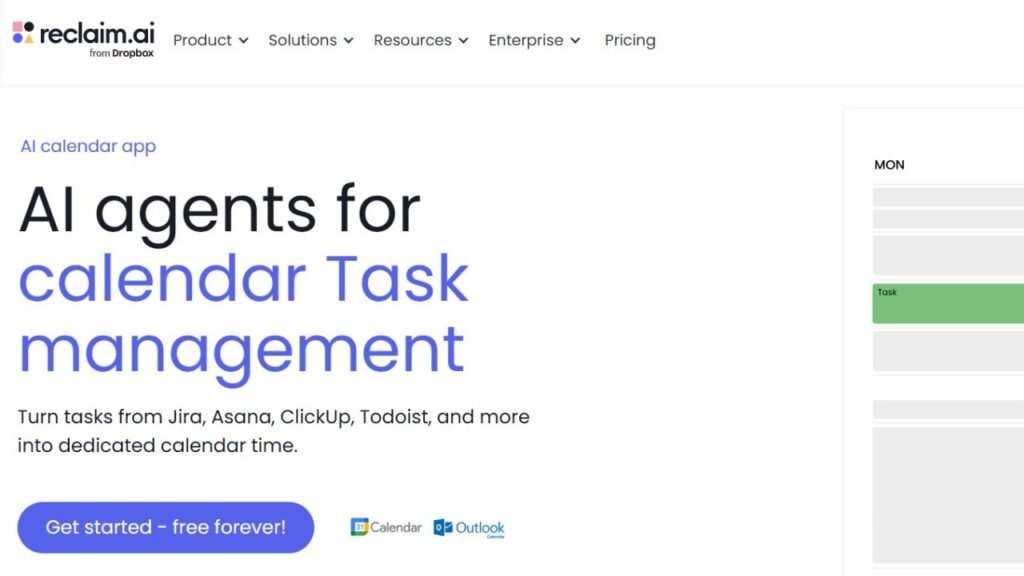
Reclaim AI is built for students whose schedules change frequently. Instead of requiring you to manually move study sessions every time a meeting, lecture, or personal commitment changes, Reclaim automatically finds new time blocks without disrupting your priorities.
This makes it particularly valuable during busy semesters when assignments and extracurricular activities often overlap.
Key Features
- AI calendar scheduling
- Automatic time blocking
- Smart habit planning
- Google Calendar integration
- Flexible task rescheduling
- Productivity analytics
Pricing
Free plan available with premium upgrades.
Free Plan
Yes.
Advantages
- Excellent automatic scheduling
- Saves planning time
- Great Google Calendar integration
- Adapts to changing schedules
Limitations
- Works best with Google Calendar.
- Some advanced features require a paid plan.
Best For
- Busy college students
- Students with part-time jobs
- Dynamic weekly schedules
Real Student Scenario
A student balancing classes, sports, and weekend work can let Reclaim automatically rearrange study sessions whenever their weekly calendar changes.
TickTick
TickTick combines task management, reminders, habit tracking, and calendar planning into one application. Students who want both daily planning and long-term productivity often find it easier to manage assignments without juggling multiple apps.
Key Features
- Smart task management
- Calendar view
- Habit tracking
- Focus timer
- Recurring reminders
- Cross-device sync
Pricing
Free plan available with premium upgrades.
Free Plan
Yes.
Advantages
- Clean interface
- Excellent reminder system
- Pomodoro timer included
- Great mobile experience
Limitations
- AI planning features are limited compared to Motion.
- Some customization requires premium access.
Best For
- Daily planning
- Personal productivity
- Assignment tracking
ClickUp
ClickUp is more than a task manager. It combines project management, AI assistance, document organization, calendars, and collaboration into a single platform.
Students working on research projects, capstone assignments, or group presentations often appreciate its flexibility.
Key Features
- AI writing assistance
- Project management
- Calendar planning
- Task automation
- Team collaboration
- Dashboards
Pricing
Free plan available with paid upgrades.
Free Plan
Yes.
Advantages
- Extremely customizable
- Excellent for group projects
- Powerful dashboards
- Strong collaboration features
Limitations
- Can feel overwhelming for new users.
- Many advanced AI tools require premium plans.
Best For
- University projects
- Team assignments
- Semester planning
Real Student Scenario
A group of engineering students can organize project milestones, meeting schedules, shared documents, and deadlines inside one ClickUp workspace.
Sunsama
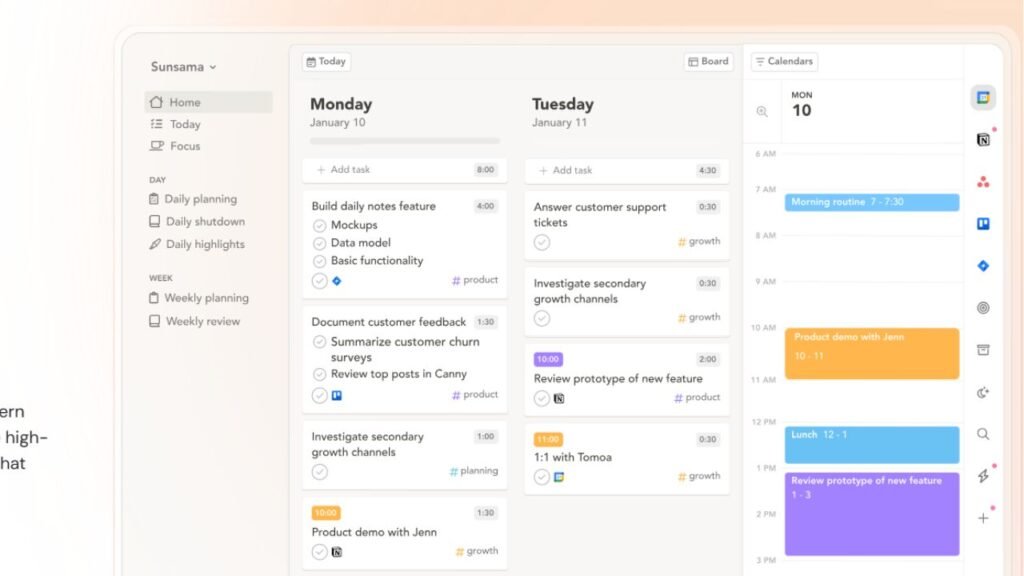
Sunsama focuses on mindful daily planning rather than overwhelming students with endless task lists. Every morning, it encourages users to build a realistic schedule that fits their available time.
Key Features
- Daily planning
- AI scheduling
- Calendar integration
- Time blocking
- Productivity tracking
- Focus planning
Pricing
Paid subscription with free trial.
Free Plan
Trial only.
Advantages
- Encourages realistic planning
- Beautiful interface
- Excellent daily workflow
- Easy calendar integration
Limitations
- No permanent free version.
- Better suited for serious planners.
Best For
- Daily planning
- Graduate students
- Busy professionals
Trello
Trello remains one of the easiest collaboration tools for students working on group assignments. Its board-and-card system makes it simple to divide tasks, assign responsibilities, and monitor project progress.
Key Features
- Kanban boards
- Team collaboration
- Task tracking
- Calendar view
- Due dates
- Checklists
Pricing
Free plan available with premium upgrades.
Free Plan
Yes.
Advantages
- Extremely simple
- Excellent collaboration
- Easy to learn
- Great visual workflow
Limitations
- Limited AI planning.
- Better for projects than personal scheduling.
Best For
- Group projects
- Team assignments
- Student organizations
ChatGPT
ChatGPT isn’t a dedicated planner, but it has become one of the most flexible AI study assistants available. Students can ask it to create personalized weekly schedules, exam revision plans, assignment timelines, and productivity routines based on their workload.
Key Features
- Personalized study schedules
- Revision planning
- Time management advice
- Assignment planning
- Productivity coaching
Pricing
Free version available with premium plans.
Free Plan
Yes.
Advantages
- Highly flexible
- Personalized schedules
- Supports every subject
- Excellent explanations
Limitations
- Doesn’t automatically manage calendars.
- Plans require occasional manual updates.
Students planning research-intensive semesters can pair ChatGPT with the tools in Best AI Research Tools for Students to organize literature reviews, research deadlines, and long-term academic projects more effectively.
Google Gemini
Google Gemini helps students organize study schedules, prioritize assignments, and generate personalized revision plans while integrating naturally with Google Workspace.
Key Features
- AI scheduling suggestions
- Study planning
- Task organization
- Google Workspace integration
- Productivity assistance
Pricing
Free version available with premium upgrades.
Free Plan
Yes.
Advantages
- Easy to use
- Strong Google integration
- Helpful planning suggestions
Limitations
- Limited dedicated planning features.
- Works best alongside Google Calendar.
Best Apps by Situation
| Situation | Recommended App |
|---|---|
| Best for Exam Preparation | Motion |
| Best for Daily Planning | TickTick |
| Best for College Students | Notion AI |
| Best Free Option | MyStudyLife |
| Best for Group Projects | ClickUp |
| Best Overall | Reclaim AI |
Example Weekly AI Study Plan
The Best AI Study Planner Apps for Students become even more effective when you follow a structured weekly routine instead of planning one day at a time.
| Day | Example Schedule |
|---|---|
| Monday | Review lectures, organize assignments, 2-hour study block |
| Tuesday | Homework, coding practice, revision session |
| Wednesday | Group project meeting, flashcard review, exercise |
| Thursday | Research, assignment writing, practice questions |
| Friday | Weekly review, finish pending work, organize next week |
| Saturday | Deep study session, mock tests, project work |
| Sunday | Weekly planning, light revision, personal time |
Students preparing for exams often combine a planner with spaced-repetition tools. If revision is your main priority, our guide to Best AI Flashcard Generators for Students covers AI apps that work well alongside a weekly study schedule.
Pricing Table
| App | Free Plan | Premium Available |
|---|---|---|
| Motion | Trial | Yes |
| Notion AI | Yes | Yes |
| Todoist | Yes | Yes |
| Google Calendar | Yes | No |
| MyStudyLife | Yes | No |
| Reclaim AI | Yes | Yes |
| TickTick | Yes | Yes |
| ClickUp | Yes | Yes |
| Sunsama | Trial | Yes |
| Trello | Yes | Yes |
| ChatGPT | Yes | Yes |
| Google Gemini | Yes | Yes |
Platform Support Table
| App | Windows | macOS | Android | iPhone | Web |
|---|---|---|---|---|---|
| Motion | ✅ | ✅ | ✅ | ✅ | ✅ |
| Notion AI | ✅ | ✅ | ✅ | ✅ | ✅ |
| Todoist | ✅ | ✅ | ✅ | ✅ | ✅ |
| Google Calendar | ✅ | ✅ | ✅ | ✅ | ✅ |
| MyStudyLife | ✅ | ✅ | ✅ | ✅ | ✅ |
| Reclaim AI | Web | Web | ✅ | ✅ | ✅ |
| TickTick | ✅ | ✅ | ✅ | ✅ | ✅ |
| ClickUp | ✅ | ✅ | ✅ | ✅ | ✅ |
| Sunsama | ✅ | ✅ | Limited | Limited | ✅ |
| Trello | ✅ | ✅ | ✅ | ✅ | ✅ |
Pros & Cons Table
| App | Biggest Strength | Main Limitation |
|---|---|---|
| Motion | Fully automated scheduling | Paid after trial |
| Notion AI | Complete academic workspace | Initial setup takes time |
| Todoist | Excellent task management | Limited AI automation |
| Google Calendar | Free and reliable | Mostly manual scheduling |
| MyStudyLife | Student-focused planning | Basic AI features |
| Reclaim AI | Intelligent calendar optimization | Best with Google Calendar |
| TickTick | Great reminders and habits | Fewer AI features |
| ClickUp | Powerful collaboration | Can be overwhelming |
| Sunsama | Mindful daily planning | No permanent free plan |
| Trello | Best for teamwork | Limited AI scheduling |
| ChatGPT | Personalized planning | No calendar automation |
| Google Gemini | Helpful planning assistance | Works best with Google apps |
Study Planning Mistakes to Avoid
Avoid these common habits if you want to stay productive throughout the semester:
- Planning every hour without leaving flexibility.
- Ignoring breaks between study sessions.
- Setting unrealistic daily goals.
- Forgetting to update completed tasks.
- Prioritizing easy subjects over difficult ones.
- Leaving revision until exam week.
- Not reviewing your schedule every weekend.
- Depending entirely on AI instead of adjusting plans yourself.
Students juggling assignments across multiple courses can make planning even easier by combining these apps with the tools in Best AI Homework Tools for Students, especially when tracking homework deadlines and project milestones.
Expert Productivity Tips
Small improvements to your routine often produce better results than adding more study hours.
- Schedule difficult subjects during your most productive hours.
- Break large assignments into smaller daily tasks.
- Review your planner every morning.
- Reserve one evening each week for planning.
- Turn off unnecessary notifications while studying.
- Keep your study planner updated immediately after every class.
- Use AI recommendations as guidance, not strict rules.
If you’re building a complete productivity system instead of relying on one app, start with our Best AI Tools for Students guide to see how planning, note-taking, writing, research, and revision tools work together.
Frequently Asked Questions
1. What are the Best AI Study Planner Apps for Students?
Motion, Reclaim AI, Notion AI, Todoist, MyStudyLife, Google Calendar, ClickUp, and TickTick are among the best options for organizing assignments, exams, and study schedules.
2. Can AI create a personalized study schedule?
Yes. Many AI planners can generate schedules based on your classes, deadlines, and available study time.
3. Which AI planner is best for college students?
Notion AI and Reclaim AI are excellent choices for managing complex college schedules.
4. Is there a free AI study planner?
Yes. MyStudyLife, Todoist, Google Calendar, TickTick, and Reclaim AI all offer free plans.
5. Which app is best for exam preparation?
Motion is one of the strongest options because it automatically prioritizes revision sessions.
6. Can AI reduce procrastination?
It can help by creating reminders, scheduling study blocks, and breaking large tasks into manageable steps.
7. Which planner works best with Google Calendar?
Reclaim AI integrates especially well with Google Calendar.
8. Are AI study planners suitable for high school students?
Yes. Apps like MyStudyLife and Todoist are simple enough for younger students while still offering useful planning features.
9. Can AI planners organize group projects?
Yes. ClickUp and Trello are particularly effective for collaborative assignments.
10. Should students rely entirely on AI planners?
No. AI should support your planning, but you should still review and adjust your schedule regularly.
11. Can ChatGPT create study plans?
Yes. ChatGPT can generate personalized revision schedules and assignment timelines based on your goals.
12. Do AI planners work on mobile devices?
Most leading study planner apps support Android, iPhone, and web access.
Final Recommendations
The Best AI Study Planner Apps for Students aren’t all built for the same type of learner. Motion is ideal for students who want fully automated scheduling, while Reclaim AI excels at managing constantly changing calendars. Notion AI works well for students who want to organize notes, assignments, and projects in one place, and Todoist remains one of the easiest options for everyday task management.
If you’re looking for a completely free planner, MyStudyLife is still an excellent choice for managing classes and homework. ClickUp and Trello are better suited to collaborative projects, while TickTick strikes a good balance between daily planning and habit building.
The best study planner is the one you’ll actually use every day. Build a realistic schedule, review it regularly, adjust it as priorities change, and let AI handle the repetitive planning so you can spend more time learning and less time organizing.