A student can start Monday with a clean calendar and still feel completely behind by Wednesday. One assignment is due tomorrow, a research paper needs sources, lecture notes are scattered across different apps, an exam is approaching, and personal tasks keep getting pushed to the weekend. The problem usually isn’t a lack of effort. It’s having too many things to remember at once.
The Best AI Productivity Apps for Students can reduce that mental load by helping organize tasks, schedule study sessions, summarize information, prioritize work and automate repetitive planning. But an AI productivity app isn’t automatically useful just because it has an AI button. Students need to match the tool to the actual problem they are trying to solve.
Some apps are excellent at automatic scheduling. Others are better for notes and organization, task management, project work or simple daily planning. This guide compares the strongest options and explains where each one makes sense for students.
What Counts as an AI Productivity App?
A traditional productivity app normally gives you a system and expects you to manage it.
You create a task, add a deadline, move it around, set a reminder and check it off.
An AI productivity app can take some of that work away.
For example, instead of manually turning a long sentence into several tasks, you might describe what you need to accomplish and let the app create the individual tasks. An AI scheduling tool can also look at your calendar and find available periods for focused work.
That doesn’t mean every AI productivity product does the same thing.
Task Managers
Todoist and ClickUp are examples of products where tasks are central. They are useful when a student has many assignments, projects and smaller action items to manage.
AI Scheduling Tools
Motion and Reclaim are more focused on calendars and automatically finding time for work.
If you have three assignments, two exams and several existing calendar commitments, an AI scheduler can help decide when the work should happen.
Workspace and Note Platforms
Notion combines documents, databases, projects, calendars and tasks. Its AI features can help students work with information already stored inside their workspace.
Project Management Platforms
ClickUp, Trello and Asana are useful when a project involves multiple steps or multiple people.
They’re especially helpful for group assignments where everyone needs to know who is responsible for what.
General AI Assistants
ChatGPT and Gemini can help students plan, prioritize and brainstorm, but they are not automatically a complete productivity system.
A chatbot can create a study schedule in seconds. The harder part is actually connecting that schedule to your calendar, tasks and reminders.
The 5 Student Productivity Problems AI Can Help With
AI is most useful when it removes a specific source of friction.
1. Forgetting Deadlines
Students often don’t forget that an assignment exists. They forget when they need to start working on it.
There is a big difference between:
Research paper due Friday.
and:
Monday: choose topic
Tuesday: find sources
Wednesday: outline
Thursday: draft
Friday: proofread and submit
AI can help turn a deadline into smaller actions.
The student still has to do the work, but the deadline becomes a plan instead of a warning.
2. Poor Scheduling
A calendar full of classes doesn’t automatically tell you when to study.
Suppose you have:
- Biology class Monday at 10 AM
- Math Tuesday at 2 PM
- A paper due Thursday
- A chemistry exam Friday
A simple calendar shows the events.
An AI scheduling tool can help identify open periods for research, writing and exam preparation.
That difference becomes more valuable when your schedule changes frequently.
3. Too Many Tasks
A list with 30 unchecked tasks can make everything look equally urgent.
AI can help categorize or prioritize tasks based on deadlines and context.
But don’t blindly accept every AI-generated priority. A tool doesn’t always know that your professor expects a draft tomorrow even though another assignment technically has an earlier deadline.
Use AI for organization, then apply your own judgment.
4. Disorganized Notes
Students collect information everywhere:
- Lecture notes
- PDFs
- Screenshots
- Google Docs
- Research papers
- Emails
- Assignment instructions
A workspace such as Notion can bring much of this information into one place, while AI can help summarize, organize and retrieve information.
If note organization is one of your biggest problems, our Best AI Note-Taking Apps for Students guide covers tools specifically designed around capturing and organizing class material.
5. Procrastination
AI cannot force you to work.
It can, however, make the first step smaller.
Instead of seeing:
“Complete history research paper”
you can turn it into:
- Open assignment instructions
- Choose research question
- Find three sources
- Read source one
- Take notes
- Create outline
Starting a five-minute task is easier than starting a vague three-hour project.
Choose the Tool Based on Your Problem
There isn’t one productivity app that makes sense for every student.
| If Your Problem Is… | Consider | Why |
|---|---|---|
| Automatic scheduling | Motion or Reclaim | Finds or protects time around existing commitments |
| Managing assignments | Todoist | Simple task management |
| Notes + tasks together | Notion | Combines workspace features |
| Complex projects | ClickUp | Detailed project and task management |
| Visual group projects | Trello | Board-based organization |
| Team assignments | Asana | Project and collaboration features |
| Daily planning | Sunsama | Combines tasks and calendar planning |
| Simple organization | Todoist | Less setup than larger workspaces |
The Best AI Productivity Apps for Students are easier to choose when you start with the problem rather than the brand.
If your calendar is chaotic, choose a scheduling tool.
If your assignments are scattered, choose a task manager.
If your notes and projects are mixed together, choose a workspace.
Main Productivity App Comparison
| Tool | Best For | AI Features | Free Option | Ease of Use |
|---|---|---|---|---|
| Notion | Notes + organization | AI writing, search, agents and workspace assistance | Yes, limited AI trial | Medium |
| Motion | Automatic scheduling | AI task planning, calendar and task management | Free trial | Medium |
| Todoist | Task management | AI task capture and automation features | Yes | Easy |
| Reclaim | Calendar optimization | AI scheduling, habits and focus time | Yes | Medium |
| ClickUp | Projects | ClickUp Brain and AI automation | Yes | Medium |
| Trello | Visual projects | AI on paid plans | Yes | Easy |
| Asana | Team projects | AI features on paid plans | Yes | Medium |
| Sunsama | Daily planning | AI and automation integrations | 14-day trial | Medium |
How the Leading Apps Work for Students
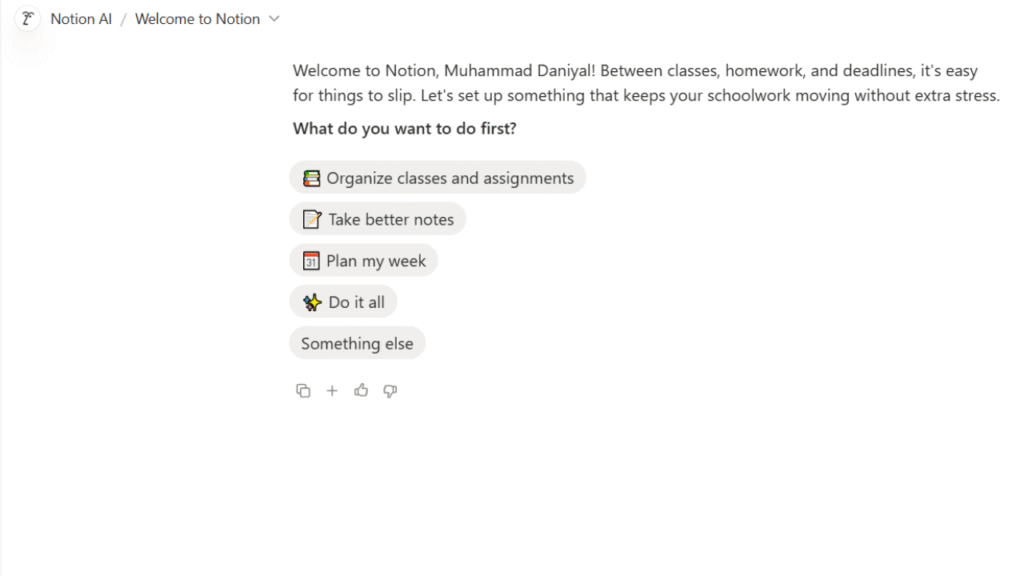
Notion AI
Notion is one of the most flexible options in this category because it isn’t limited to one productivity function.
A student can create a course dashboard containing assignments, lecture notes, project information, reading lists and deadlines. Databases can connect related information, while Notion Calendar can help manage time alongside tasks.
Notion AI can assist with writing, searching information within a workspace and handling content. Its newer agent capabilities are designed to perform multi-step work across a workspace and connected tools.
Student Use Case
Imagine you have a separate page for every course.
Your biology page contains lecture notes. Your history page contains research notes. Your computer science page contains project tasks.
You can build a central student dashboard that links everything together.
Free Plan
Notion has a Free plan. AI features are available to try, but ongoing AI usage requires a qualifying paid plan once complimentary usage is exhausted.
Pricing
Notion’s paid plans currently start at $10 per member per month for Plus when billed annually, while Business is listed at $20 per member per month.
Strengths
- Flexible workspace
- Notes and tasks together
- Databases
- Calendar integration
- AI assistance
- Useful for long-term organization
Limitations
- Can take time to set up
- Easy to overcomplicate
- Full AI capabilities require paid access
- Students may spend too much time designing their system
Best for: Students who want one central place for notes, projects and organization.
Motion
Motion is designed around automatically organizing work into a calendar.
Instead of treating a task list and calendar as separate systems, Motion connects tasks with scheduling.
Its current Pro AI plan includes AI chat, AI projects and tasks, AI calendar and meetings, AI task planning, documents, notes, integrations and mobile and desktop applications.
Student Use Case
Suppose you have a paper due Friday and an exam the following Monday.
You create the tasks and deadlines. Motion can then help schedule the work into available periods instead of leaving you to decide every study block manually.
That can be useful for students whose schedules change constantly.
Free Plan
Motion currently offers a free trial rather than a permanent free plan.
Pricing
Motion’s Pro AI plan is currently listed at $19 per seat per month when billed according to its displayed pricing option.
Strengths
- Automatic task planning
- Calendar integration
- AI scheduling
- Tasks and calendar in one system
- Useful for busy schedules
Limitations
- Paid after the trial
- More expensive than basic task managers
- Requires accurate deadlines and task estimates
- Can feel excessive for students with simple schedules
Best for: Students who struggle to decide when to do their work.
Todoist
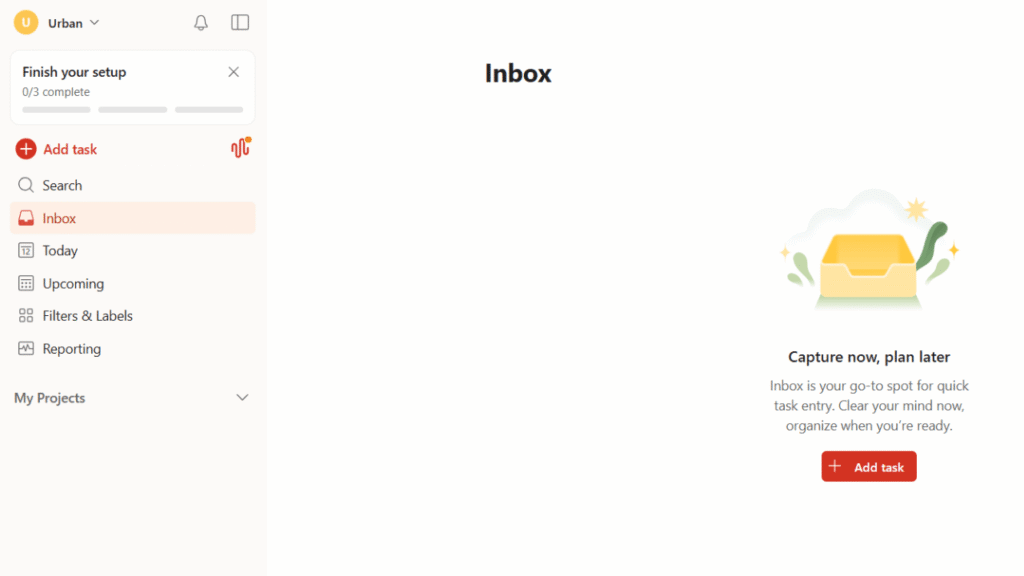
Todoist is a simpler alternative to larger productivity workspaces.
Its core strength is task management. You can create projects for different classes, add deadlines, use recurring tasks and organize assignments into manageable actions.
Its current plans include Beginner, Pro and Business. The Beginner plan is free, while Pro adds more capacity and AI features.
AI Features
Todoist currently includes features such as:
- Ramble voice-to-task capture
- Todoist Assist
- Email Assist
- Capturing tasks from text, images and documents on paid plans
The free Beginner plan includes limited Ramble access.
Student Use Case
Instead of creating one task called:
“Finish English assignment”
create:
- Read assignment instructions
- Choose topic
- Find two sources
- Write outline
- Draft introduction
- Complete first draft
- Proofread
- Submit
You can then assign dates to each step.
Free Plan
Yes. Todoist’s Beginner plan is free.
Pricing
Todoist Pro is currently $7 per month or $60 per year.
Strengths
- Easy to understand
- Strong task management
- Free plan
- Recurring tasks
- AI task capture
- Good across devices
Limitations
- Less suitable for large knowledge bases
- Automatic calendar scheduling isn’t its main strength
- Some AI features require Pro
Best for: Students who mainly need a clean assignment and task system.
Reclaim AI
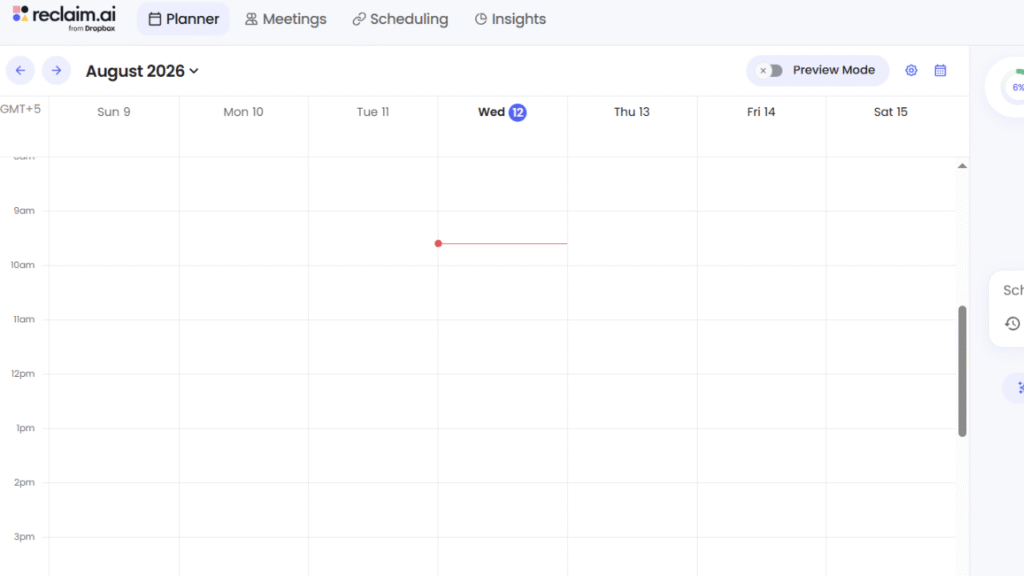
Reclaim is built around calendar optimization.
Rather than simply displaying your schedule, it uses AI to find time for focus work, habits, breaks and meetings.
Its Focus Time feature can protect time for important work, while Habits can create recurring activities that move around your existing calendar.
Student Use Case
A student might create a recurring habit for:
“Review chemistry for 45 minutes.”
Instead of permanently blocking the same time every Tuesday, Reclaim can find suitable time based on the student’s calendar.
This is particularly useful when class schedules, appointments and other commitments change.
Free Plan
Reclaim currently offers a Free plan with limited functionality.
Its free plan includes AI scheduling features such as Focus Time, Habits, Buffer Time and Smart Meetings, with limits compared with paid tiers.
Pricing
Reclaim’s Starter plan is currently listed at $12 per seat per month. Its Business plan is listed at $18 per seat per month.
Strengths
- Automatic calendar optimization
- Focus time
- Habits
- Scheduling
- Free plan
- Useful for changing schedules
Limitations
- More calendar-focused than note-focused
- Some advanced features require payment
- Requires an organized calendar to work well
Best for: Students who already rely heavily on a calendar.
ClickUp
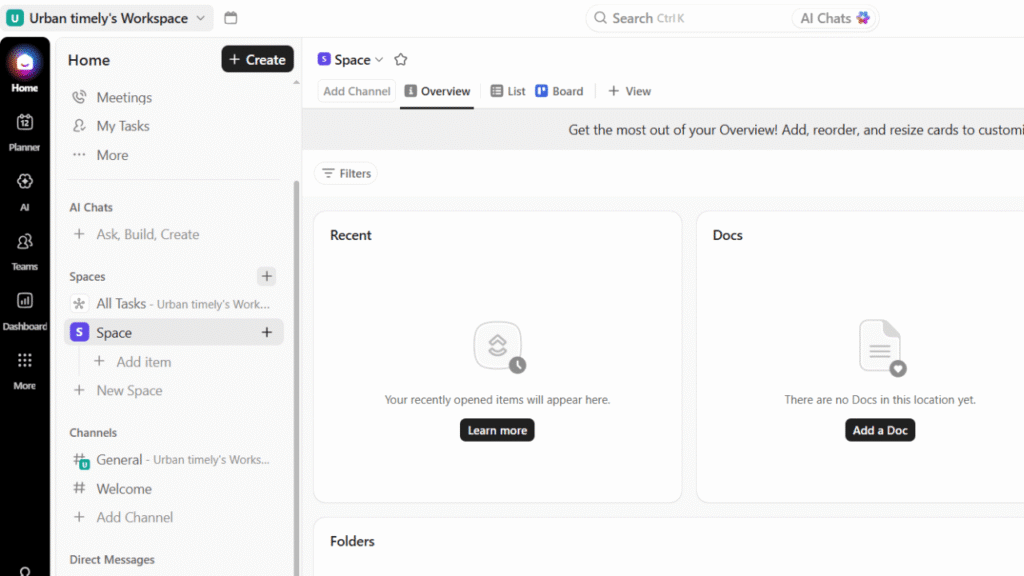
ClickUp is closer to a complete project-management platform.
It can handle tasks, documents, projects, collaboration, dashboards and automation. ClickUp Brain adds AI functionality, while newer AI features include automated workflows and AI-powered project capabilities.
Student Use Case
ClickUp becomes useful when an assignment is actually a project.
For example, a four-person marketing presentation might require:
- Research
- Competitor analysis
- Slide creation
- Data collection
- Presentation writing
- Design
- Rehearsal
Each task can have an owner and deadline.
Free Plan
ClickUp offers a Free Forever plan.
The free plan includes substantial project-management functionality, while AI features have usage limitations and some advanced AI functionality requires an AI add-on or paid plan.
Pricing
ClickUp’s Unlimited plan is currently listed at $7 per user per month when billed annually. Business is listed at $12 per user per month on annual billing.
Strengths
- Powerful project management
- Team collaboration
- Tasks and documents
- Automation
- AI capabilities
- Free starting option
Limitations
- More complicated than Todoist
- Can require setup
- Some advanced AI features cost extra
- May be excessive for simple personal tasks
Best for: Students working on complex projects or group assignments.
Trello
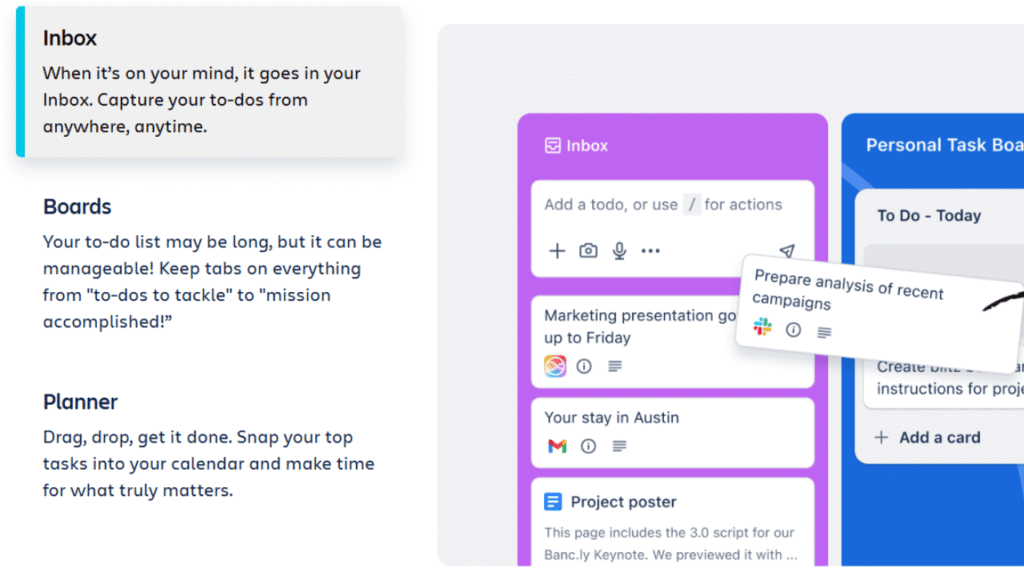
Trello uses boards, lists and cards to make project progress visual.
A simple board might contain:
To Do → Researching → Writing → Review → Completed
Each assignment becomes a card that can contain deadlines, checklists and other information.
Trello’s Premium plan adds AI capabilities alongside additional views and administration features.
Student Use Case
A student group preparing a presentation can create one card for each section. Each card can contain the responsible student, deadline, checklist and supporting files.
Everyone can see what remains unfinished.
Free Plan
Yes. Trello’s Free plan includes unlimited cards, up to 10 boards per Workspace, due dates, assignees, mobile apps and other core features.
Pricing
Trello Standard is currently $5 per user per month when billed annually, while Premium is $10 per user per month when billed annually. Premium adds AI and additional views.
Strengths
- Very visual
- Easy to understand
- Good for group projects
- Free plan
- Mobile apps
- Simple workflow
Limitations
- Less suitable for complex personal knowledge management
- Advanced AI features require Premium
- Large projects can become difficult to manage visually
Best for: Students who like visual boards and group workflows.
Asana
Asana is another project-management platform that works particularly well for collaborative assignments.
Students can break projects into tasks, assign responsibilities, create timelines and track progress.
Asana has also expanded its AI capabilities, with AI features available on qualifying paid plans.
Student Use Case
Imagine a group research project with five students.
Instead of relying on a group chat to remember everything, the project can contain tasks for:
- Research
- Source collection
- Data analysis
- Writing
- Editing
- Presentation
- Final submission
Each task can have a clear owner.
Free Plan
Asana offers a free Personal plan for basic task and project management.
Advanced AI capabilities are associated with paid plans.
Pricing
Asana’s paid plans vary by billing method and current offering. Its Starter plan has recently been listed at around $10.99 per user per month when billed annually.
Strengths
- Strong collaboration
- Project management
- Task ownership
- Timelines
- Useful for groups
Limitations
- AI features are not centered on the free plan
- Can be more than a solo student needs
- Some advanced project features require payment
Best for: Students managing collaborative assignments.
Sunsama
Sunsama takes a different approach.
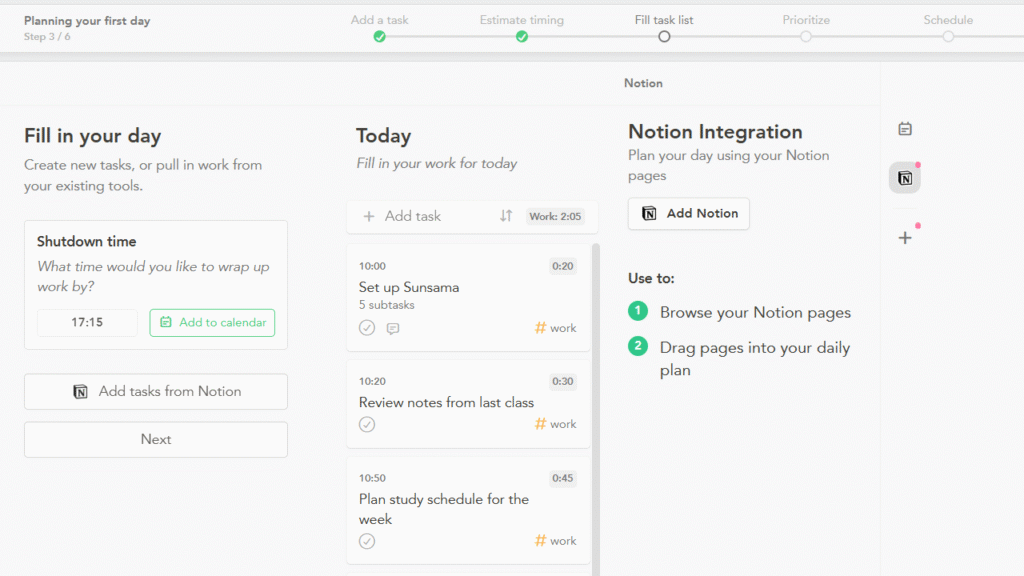
It combines tasks and calendar planning into a daily workflow and encourages users to deliberately plan the amount of work they can realistically complete.
This can be useful for students who repeatedly create unrealistic to-do lists.
Student Use Case
Instead of writing 15 tasks for Saturday, you can plan a smaller number of realistic tasks around your available time.
That can help prevent the common productivity mistake of confusing a long list with a productive day.
Free Plan
Sunsama does not currently offer a permanent free plan. It provides a 14-day free trial with access to the full product.
Pricing
Sunsama currently lists its Pro plan at $17 per month when billed annually, or $22 per month when billed monthly.
Strengths
- Daily planning
- Calendar + tasks
- Focus on realistic workloads
- Integrations
- AI and automation features
Limitations
- No permanent free plan
- Relatively expensive for students
- More useful for students who want deliberate daily planning than simple task capture
Best for: Students who need help turning large task lists into realistic days.
Task and Scheduling Comparison
| Tool | Task Management | Automatic Scheduling | Calendar | Collaboration | Notes |
|---|---|---|---|---|---|
| Notion | Strong | Moderate | Yes | Strong | Excellent |
| Motion | Strong | Excellent | Excellent | Moderate | Strong |
| Todoist | Excellent | Limited | Yes | Strong | Moderate |
| Reclaim | Moderate | Excellent | Excellent | Moderate | Limited |
| ClickUp | Excellent | Strong | Yes | Excellent | Excellent |
| Trello | Excellent | Moderate | Yes | Excellent | Moderate |
| Asana | Excellent | Strong | Yes | Excellent | Strong |
| Sunsama | Strong | Strong | Excellent | Moderate | Moderate |
Build a Student Productivity System
The biggest mistake students make is trying to use every productivity feature available.
You don’t need seven apps.
A simple system can look like this:
Calendar
↓
Tasks
↓
Notes
↓
Study blocks
↓
Reminders
↓
Weekly review
Step 1: Put Fixed Events on the Calendar
Start with things that cannot move:
- Classes
- Exams
- Appointments
- Work shifts
- Important meetings
Don’t start with study sessions.
Step 2: Add Deadlines
Next, add:
- Assignment due dates
- Project deadlines
- Exam dates
- Application deadlines
Step 3: Break Large Assignments Into Tasks
Don’t put “research paper” on your task list.
Break it into actions.
Step 4: Schedule Study Time
Now look for available periods.
This is where Motion or Reclaim can become particularly useful.
Step 5: Keep Notes Separate From Tasks
A task should tell you what to do.
A note should contain information you need.
Mixing the two can make both harder to manage.
Step 6: Review Every Week
Spend 15–20 minutes checking:
- What did I finish?
- What moved?
- What’s due next week?
- Which tasks are overdue?
- Do I have enough study time?
A productivity system that isn’t reviewed eventually becomes another source of clutter.
A Realistic Weekly Productivity Workflow
Here is an example of how a college student could use an AI productivity system.
Monday
Morning: Check classes and deadlines.
Afternoon: Review upcoming assignments and let the task system identify smaller actions.
Evening: Complete 45 minutes of exam preparation.
AI can help reorganize tasks if something unexpected changes the schedule.
Tuesday
Morning: Attend classes and capture important notes.
Afternoon: Work on research for an upcoming paper.
Evening: Complete homework.
The task manager should show only the actions relevant to Tuesday rather than the student’s entire semester.
Wednesday
Use the afternoon for a larger project.
For a group presentation, update task ownership and check which teammates have completed their work.
Thursday
Review upcoming deadlines.
If a Friday assignment isn’t finished, move the remaining work into available study periods rather than pretending the original schedule still works.
Friday
Submit completed assignments.
Spend a short session reviewing next week’s deadlines.
Don’t fill Friday night with unnecessary productivity tasks.
Saturday
Use the morning for deeper work such as research, coding or exam preparation.
Keep the afternoon flexible for personal activities.
Sunday
Perform a weekly review.
Check:
- Upcoming exams
- Assignment deadlines
- Unfinished tasks
- Class schedule
- Study requirements
Then create a realistic plan for the coming week.
The goal isn’t to schedule every minute.
The goal is to make sure important work has somewhere to happen.
Free vs. Paid Productivity Apps
Students often assume that paying automatically means better productivity.
It doesn’t.
A free task manager can be enough for someone who simply needs assignment reminders. Paying $20 per month for a sophisticated AI workspace won’t fix a student who doesn’t open the app.
| Tool | Free Plan | Paid Starting Point | Paid AI / Advanced Features |
|---|---|---|---|
| Notion | Yes | $10/month annually | More AI access and advanced workspace features |
| Motion | Trial | $19/month | AI scheduling and task planning |
| Todoist | Yes | $7/month | More AI features and capacity |
| Reclaim | Yes | $12/month | More scheduling and AI capacity |
| ClickUp | Yes | $7/user/month annually | Advanced AI available through paid options/add-ons |
| Trello | Yes | $5/user/month annually | AI available on Premium |
| Asana | Yes | About $10.99/user/month annually | Advanced AI on paid plans |
| Sunsama | Trial | $17/month annually | Full product and AI/integrations |
When Free Is Enough
Stay with a free plan if you need:
- Basic tasks
- Deadlines
- Simple reminders
- A small number of projects
- Basic organization
When Paid Makes Sense
Consider paying when you specifically need:
- Automatic scheduling
- Advanced AI
- More projects
- Collaboration features
- Advanced automation
- Larger storage
- Sophisticated project management
Don’t pay because the pricing page has more features.
Pay because you have a problem that the paid feature actually solves.
Productivity Mistakes to Avoid
Using Too Many Apps
One app for tasks, another for notes, another for calendar, another for habits and another for AI can quickly become a mess.
Every additional app creates another place to check.
Start with one core system.
Add something only when the existing system cannot handle a specific requirement.
Automating Everything
AI can schedule tasks, summarize notes and create plans.
That doesn’t mean you should automate every decision.
Some work requires judgment.
A student should decide that an exam is more important than cleaning up an old task list.
Creating Unrealistic Schedules
A calendar with 12 hours of focused study doesn’t make 12 hours of focused study possible.
Leave space for:
- Meals
- Travel
- Breaks
- Unexpected tasks
- Rest
An unrealistic schedule is not ambitious. It’s a schedule that will fail.
Ignoring Breaks
Students sometimes optimize their schedules until there is no room to recover.
That’s counterproductive.
A good productivity system should protect time for sleep, meals and personal activities.
Trusting AI Schedules Blindly
AI can make reasonable decisions from the information you provide.
It can also make poor decisions when the information is incomplete.
If your professor changes an assignment deadline, update your system.
Don’t assume the AI knows.
Constantly Reorganizing
Moving tasks between folders isn’t productivity.
Changing colors isn’t productivity.
Building a new dashboard every Sunday isn’t productivity.
The system exists to help you work.
Use it, then get back to the actual assignment.
Best Options by Student Type
High School Students
Best choices: Todoist, Notion and Trello
High school students often need straightforward assignment tracking rather than advanced project management.
Todoist is a good starting point for homework and deadlines. Notion works well for students who want notes and assignments together. Trello is useful for visual learners.
College Students
Best choices: Notion, Motion and Todoist
College schedules are usually more complicated.
Students may have multiple classes, research projects, extracurricular activities and part-time work.
Motion and Reclaim are particularly useful when calendar management becomes the main problem, while Notion can serve as a broader academic workspace.
Graduate Students
Best choices: Notion, ClickUp and Reclaim
Graduate students often manage research, reading, writing, meetings and long-term projects simultaneously.
A flexible workspace combined with calendar automation can make more sense than a simple to-do list.
Students With Many Assignments
Best choice: Todoist
When the main problem is simply keeping track of everything, a task manager can be more useful than a complex workspace.
Break assignments into small actions and give each one a realistic deadline.
Students Who Struggle With Time Management
Best choices: Motion or Reclaim
These tools are particularly useful when the student knows what needs to be done but doesn’t know when to do it.
The calendar becomes part of the planning system rather than just a place for classes.
Students Who Want a Simple System
Best choice: Todoist
If you don’t need databases, dashboards or complex workflows, don’t build them.
A clean task list can be enough.
Students on a Budget
Best choices: Todoist, Reclaim, Trello or Notion
These products provide free access that can cover basic student productivity needs.
Students looking for free resources across other academic tasks can also explore Best Free AI Tools for Students rather than paying separately for every category of software.
Frequently Asked Questions
What are the Best AI Productivity Apps for Students?
The strongest options depend on the student’s main problem. Motion and Reclaim are strong for automatic scheduling, Todoist for task management, Notion for notes and organization, ClickUp and Asana for projects, Trello for visual collaboration, and Sunsama for daily planning.
Are AI productivity apps free?
Some are. Notion, Todoist, Reclaim, ClickUp, Trello and Asana all offer free plans. Motion and Sunsama currently use trials rather than permanent free plans.
Free access varies significantly, so students should check which features are actually included before choosing a tool.
Which AI productivity app is best for scheduling?
Motion and Reclaim are particularly focused on AI-assisted scheduling. They are designed to work with calendars and find time for tasks or protect focus periods.
Is Notion good for college students?
Yes, especially for students who want notes, projects, databases and tasks in one workspace. The main drawback is that Notion can become complicated if you spend too much time customizing it.
Is Todoist good for homework?
Yes. Todoist works particularly well when students need to track assignments, deadlines, recurring study tasks and smaller steps within larger projects.
Which productivity app is best for group projects?
ClickUp, Trello and Asana are strong options for group projects because tasks can be assigned to people and tracked through project workflows.
Trello is especially easy to understand visually, while ClickUp and Asana provide more detailed project-management capabilities.
Should students pay for an AI productivity app?
Only if the paid feature solves a real problem.
For example, a student who repeatedly misses study sessions may benefit from AI scheduling. A student who only needs five homework reminders probably doesn’t need an expensive productivity subscription.
Can AI create my entire study schedule?
It can help create one, but students should review it before following it.
AI may not know how difficult an assignment is, how long commuting takes or how tired you are after a full day of classes.
Can AI productivity tools prevent procrastination?
They can reduce friction by breaking large tasks into smaller actions and putting work into a calendar.
They cannot guarantee that you’ll start working.
If procrastination is the problem, make the first task extremely specific and small.
Should I use Notion and Todoist together?
You can, but you may not need both.
Using two systems makes sense when they have clearly separate jobs, such as Notion for notes and Todoist for tasks.
If both apps contain the same assignments, the duplication can create more work.
Are AI productivity apps useful for high school students?
Yes, particularly for assignment tracking, reminders, study planning and organizing notes.
High school students should generally start with simpler tools before moving to complex project-management platforms.
Which AI productivity app is best for students on a budget?
Todoist, Notion, Reclaim, Trello and ClickUp all provide free options that can cover basic productivity needs.
The best free choice depends on whether the student needs tasks, notes, scheduling or project management.
Can AI productivity apps replace a calendar?
Some products combine calendars and tasks, but students still need a reliable view of fixed commitments.
AI scheduling works best when the underlying calendar is accurate.
How many productivity apps should a student use?
Start with one.
Two can make sense when they solve different problems, such as a task manager plus a note-taking workspace.
If you need five apps to remember how your five apps work, the system has become too complicated.
What is the biggest productivity mistake students make?
Trying to optimize the system instead of doing the work.
A simple task list that you actually use is more valuable than a beautiful dashboard that takes an hour every week to maintain.
Final Recommendations
The Best AI Productivity Apps for Students depend on the student’s workload, schedule and preferred way of working.
Choose Notion if you want a central academic workspace for notes, tasks, databases and projects. It’s powerful, but keep the setup simple.
Choose Motion if scheduling is your biggest problem. Its main advantage is connecting tasks with the calendar and helping decide when work should happen.
Choose Todoist if you want a straightforward task manager. It’s one of the easiest choices for homework, deadlines, recurring tasks and breaking large assignments into smaller actions.
Choose Reclaim if your calendar is constantly changing. Its AI scheduling approach is useful for protecting focus time and fitting recurring study habits around existing commitments.
Choose ClickUp for complex projects, especially when multiple students need to work together. It offers more project-management depth than a basic task manager.
Choose Trello if you prefer visual organization. Its boards and cards make it easy to see what needs to be done, what is currently being worked on and what has been completed.
Choose Asana when collaboration and project ownership matter. It’s a good fit for group assignments with multiple people and deadlines.
Choose Sunsama if you want a deliberate daily planning system and are willing to pay for it. Its approach is particularly useful for students who repeatedly create unrealistic daily task lists.
The best system doesn’t need to be complicated.
Start with your calendar, add your deadlines, break large assignments into smaller tasks and schedule realistic study periods. Then use AI to reduce the repetitive planning work.
If you’re building a broader academic system, Best AI Tools for Students can help you connect productivity with writing, research, homework, note-taking and other study tasks.
The point of productivity software isn’t to keep you busy organizing your life. It’s to make it easier to know what to do next and then get back to doing it.