Monday starts with an early lecture. Tuesday is filled with reading. By Wednesday, an assignment is due, a group project needs attention, and an exam is getting closer. Thursday disappears into research, Friday brings another deadline, and the weekend becomes a mix of studying, writing, and trying to catch up.
That is where the Best AI Tools for College Students can be useful. The right tools can help explain difficult concepts, organize research, improve writing, turn course material into practice questions, build presentations, assist with coding, and keep assignments organized.
The key is not using AI for everything. A good college AI toolkit should remove repetitive work while leaving the important thinking, learning, analysis, and decisions to the student.
The College Tasks AI Is Actually Good At
AI is most useful when it helps a student move through a difficult task without doing the entire academic job for them.
Understanding lectures and difficult concepts
College courses often introduce terminology faster than students can absorb it. An AI assistant can provide another explanation when the textbook or lecture notes are difficult to understand.
For example, a student studying economics could ask for:
- A simple explanation of a difficult concept
- A real-world example
- A comparison between two theories
- A step-by-step explanation of a formula
- Practice questions based on the topic
- A quiz that reveals answers only after an attempt
This makes AI more useful as a study partner than as an answer generator.
The student should still compare explanations with the course textbook, lecture slides, and professor’s material.
Academic research
Research assignments create a different challenge. Students have to find useful information, evaluate sources, understand academic material, and organize evidence before writing.
Perplexity can help students explore a topic and locate potentially useful sources, while NotebookLM is particularly useful when students already have PDFs, readings, lecture slides, or other source material they want to analyze.
For research-heavy courses, Best AI Research Tools for Students can also help students choose tools specifically designed for finding and working with academic information.
AI can speed up the discovery stage, but students should read the original sources before relying on important claims.
Writing and editing
AI writing tools are most valuable when the student already has ideas or a draft.
A student can use them to identify grammar problems, improve awkward sentences, brainstorm an outline, reorganize a paragraph, or find places where an argument needs stronger support.
Grammarly, for example, provides grammar and spelling assistance, tone suggestions, and AI-powered writing features. Its free plan provides basic writing assistance, while paid access adds more advanced rewriting and other features.
The best workflow is:
Write → Review → Get feedback → Revise → Proofread
Not:
Ask AI → Copy → Submit
Studying and exam preparation
AI can turn passive studying into active practice.
Instead of rereading 50 pages of notes, a student can ask an AI tool to create:
- Practice questions
- Multiple-choice questions
- Short-answer questions
- Flashcards
- Concept comparisons
- Definitions
- Mock exams
- Explanations for incorrect answers
Quizlet is particularly useful for students who prefer dedicated study sets, flashcards, and practice activities.
Students who want specialized flashcard tools can also explore Best AI Flashcard Generators for Students when building an exam-preparation system.
Presentations
Presentations require research, structure, visuals, and delivery.
Canva can help students create slides, diagrams, infographics, and other visual material. AI features can assist with parts of the design and content-development process, depending on the plan and available features.
A student can use AI to brainstorm a presentation structure and then use Canva to build the visual version.
The student should still verify statistics, quotations, sources, and academic claims before putting them on slides.
Coding
AI coding assistants can be useful for computer science and engineering students.
GitHub Copilot can provide code completions, explain code, assist with debugging, and work inside supported development environments. Verified students can access the GitHub Copilot Student plan at no cost.
The strongest use is not simply asking AI to build an entire assignment. Students can ask why an error occurs, request an explanation of a function, compare two approaches, or get help debugging code they have attempted themselves.
Quick “Best For” Map
The table below gives students a quick starting point before getting into the individual tools.
| College Need | Recommended Tool | Best Use |
|---|---|---|
| General academic assistance | ChatGPT | Explanations, brainstorming, analysis, study help |
| Research and web exploration | Perplexity | Research discovery and source-oriented answers |
| Course documents | NotebookLM | Working with uploaded readings and course material |
| Writing and editing | Grammarly | Grammar, clarity, tone, and revision |
| Studying and practice | Quizlet | Flashcards, practice, and retrieval |
| Notes and organization | Notion AI | Notes, databases, tasks, and organization |
| Presentations | Canva | Slides, graphics, and visual projects |
| Coding | GitHub Copilot | Coding, debugging, and explanations |
| Long-form analysis | Claude | Writing, analysis, and document-based work |
| Google-based workflows | Gemini | AI assistance across Google’s ecosystem |
You do not need every tool on this list. In most cases, two or three well-chosen tools are enough.
Tool Reviews by College Use Case
Research & Reading
NotebookLM
NotebookLM is particularly useful when a student’s work revolves around a specific collection of documents.
Instead of asking a general AI assistant about a subject, students can create a notebook around their own course material and then ask questions about the supplied sources.
This can be useful for:
- Research papers
- Lecture slides
- Assigned readings
- Study guides
- Research documents
- Course notes
- Multiple related sources
Students can ask questions about the uploaded material, request summaries, identify important concepts, and compare information across sources.
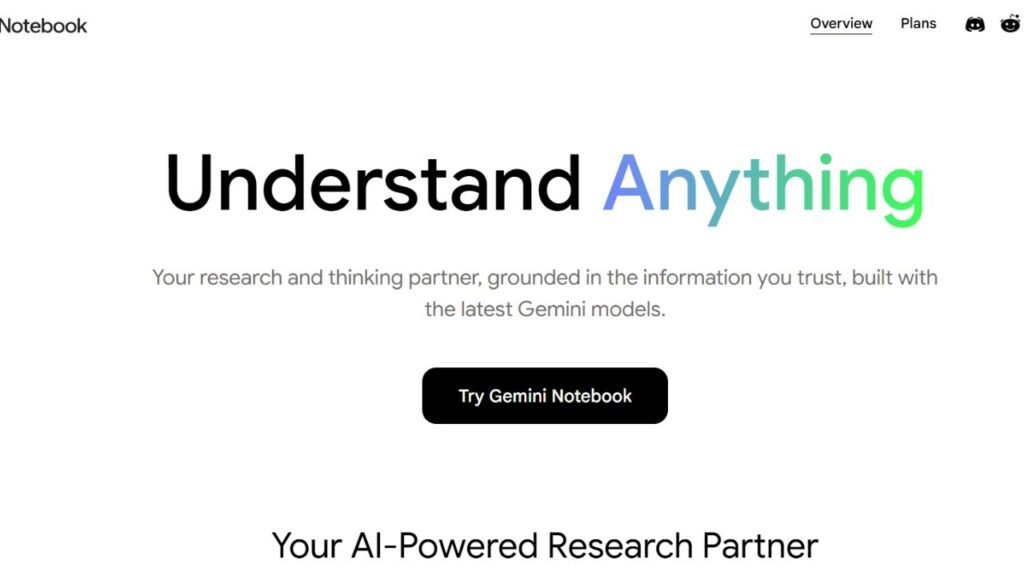
Best for: Students working with a large collection of course documents.
College example: A history student uploads several assigned readings and asks the tool to identify where the authors disagree about a particular event. The student then returns to the original passages to verify the comparison.
Main limitation: AI-generated summaries can leave out details. A summary should support reading, not automatically replace it.
Perplexity
Perplexity is useful when the student needs to investigate a topic and quickly explore information from the web.
It can be helpful during the early stages of a research project when a student is trying to understand:
- What has already been written about a topic
- Which organizations publish relevant information
- What terms should be used in further searches
- Which sources may be worth reading
- How different viewpoints compare
A student researching renewable energy, for example, could use it to identify important concepts and potential sources before moving into deeper academic research.
Best for: Research discovery and exploring unfamiliar topics.
Strength: It is designed around search and research rather than simply producing a conversational answer.
Limitation: Students should still open and evaluate the original sources. A search result or AI summary is not automatically a suitable academic citation.
ChatGPT
ChatGPT is one of the most flexible choices because it can support many different stages of college work.
Students can use it for:
- Explaining concepts
- Brainstorming
- Outlining
- Research assistance
- File analysis
- Coding
- Data analysis
- Practice questions
- Writing feedback
- Study planning
The free plan provides access to ChatGPT with limits on several advanced capabilities, while Plus expands access and usage limits. ChatGPT Plus is currently $20 per month.
Best for: Students who want one general-purpose AI assistant.
College example: A psychology student uploads course notes, asks for the five most important concepts, requests practice questions, and then asks for explanations of the questions they answered incorrectly.
Limitation: Students must verify important facts, calculations, citations, and academic claims.
Claude
Claude is another general-purpose AI assistant that can be useful for writing, analysis, coding, document work, and long-form conversations.
Its free plan provides access to core capabilities, while Claude Pro adds higher usage and additional features. The US monthly price for Pro is $20, with an annual billing option that works out to $17 per month when billed upfront.
Claude can be particularly useful when a student wants feedback on a long piece of writing or wants to challenge an argument.
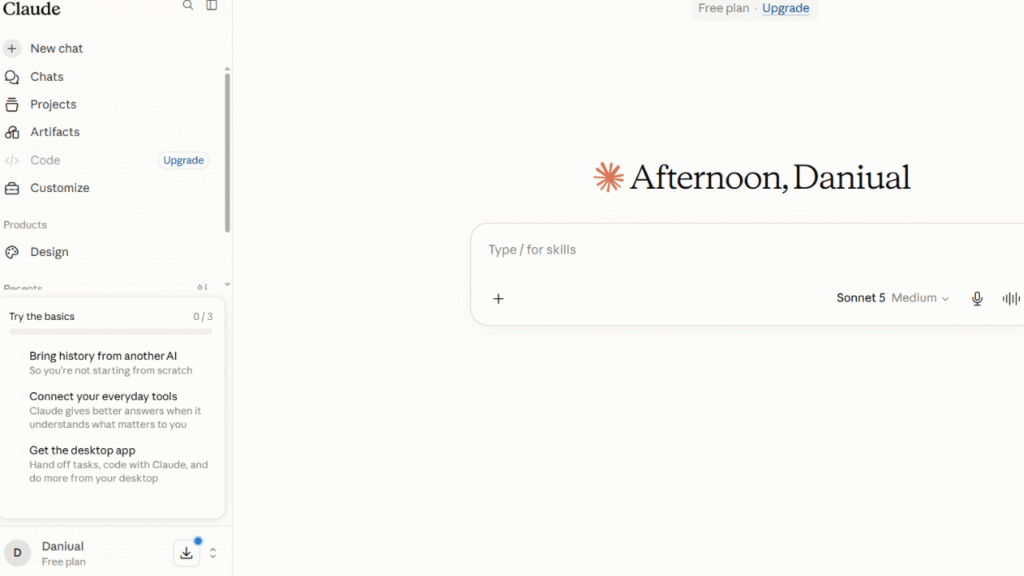
Best for: Long-form writing, analysis, brainstorming, and detailed revision.
College example: A student writes an essay argument and asks Claude to act as a critical reviewer by identifying unsupported assumptions and weak reasoning.
The student should make the final decisions about the argument rather than accepting every suggestion.
Writing & Editing
Grammarly
Grammarly is designed specifically around writing improvement.
College students can use it for:
- Essays
- Reports
- Emails
- Applications
- Research writing
- Sentence revision
- Grammar checking
- Clarity improvements
The free plan provides basic writing assistance. Paid plans provide additional AI writing and editing capabilities.
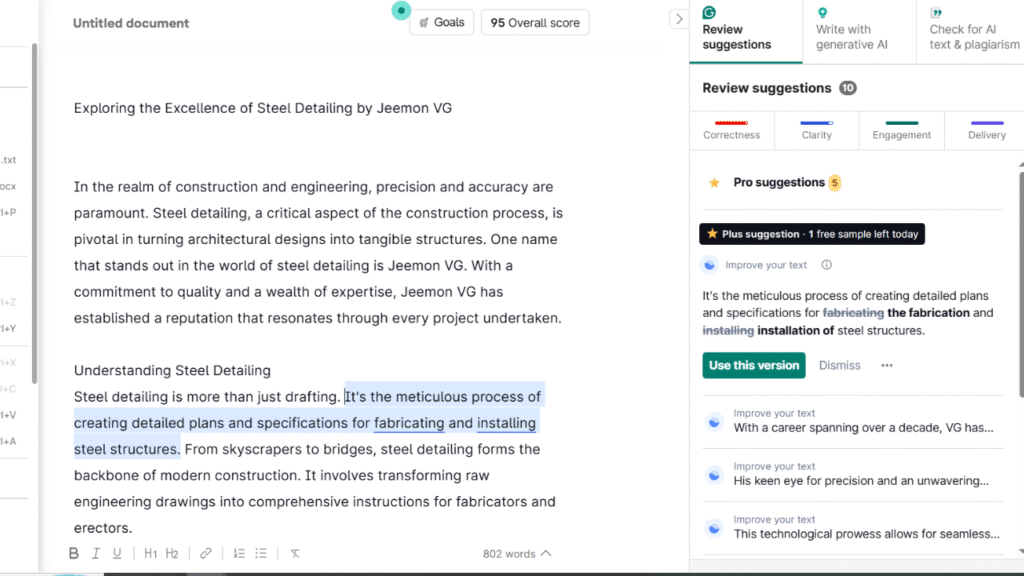
Best for: Students who already have a draft and want to improve its quality.
A useful workflow is to write the assignment independently and then use Grammarly to identify problems.
Students looking for broader writing assistance can also see Best AI Writing Tools for Students for other options.
Limitation: Better wording does not automatically mean better academic reasoning. A polished paragraph can still contain a weak argument.
Studying & Exams
Quizlet
Quizlet is a dedicated study platform rather than a general AI chatbot.
It is useful for:
- Flashcards
- Vocabulary
- Definitions
- Practice questions
- Exam preparation
- Retrieval practice
- Reviewing difficult terms
Quizlet offers free access, while its paid Plus plans add additional study and practice capabilities. Current paid options include Quizlet Plus and Quizlet Plus Unlimited.
Best for: Students who want a structured study platform.
College example: A biology student creates a study set containing important terminology and uses practice activities to identify weak areas before an exam.
The important part is active recall. Reading a flashcard is not studying nearly as effectively as attempting to answer it first.
Productivity & Organization
Notion AI
Notion combines notes, databases, tasks, project organization, calendars, and AI features in one workspace.
Students can use it to organize:
- Course notes
- Assignment deadlines
- Research
- Reading lists
- Project tasks
- Exam schedules
- Personal study plans
The Free plan is available at $0 and includes a trial of Notion AI capabilities. The Plus plan is currently $10 per member per month.
Best for: Students who want a central workspace for college organization.
College example: A student creates a separate course database containing assignments, due dates, lecture notes, readings, and project information.
Limitation: Notion can become a productivity distraction. Building a beautiful dashboard does not help if the assignment remains unfinished.
Presentations
Canva
Canva is a strong choice for students who frequently create presentations and visual assignments.
It can be used for:
- Class presentations
- Research posters
- Infographics
- Group projects
- Diagrams
- Visual reports
- Presentation graphics
The Free plan is available at no cost and includes a substantial collection of templates and design resources. Paid Pro access adds premium content and expanded AI capabilities.
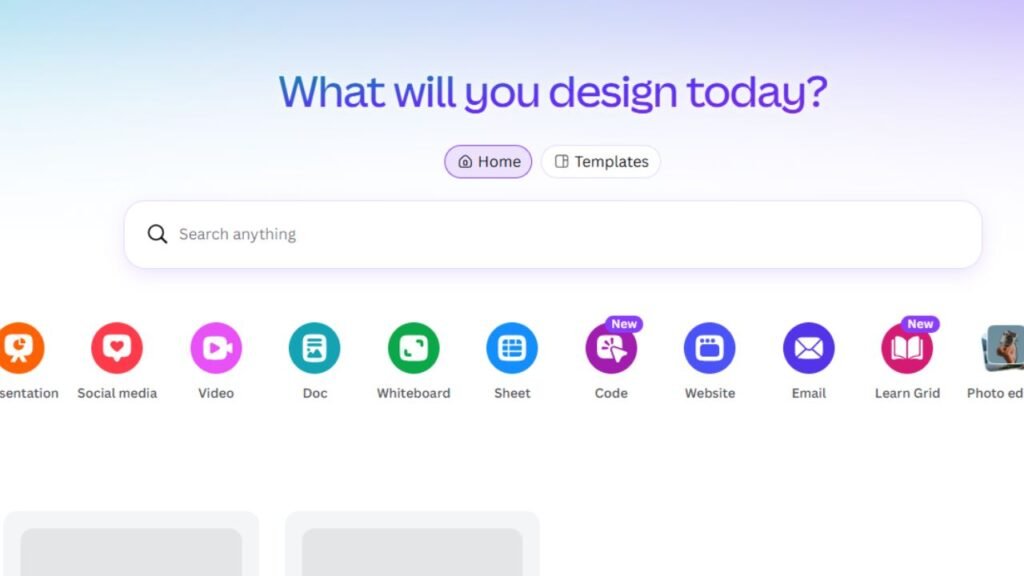
Best for: Visual assignments and presentations.
College example: A marketing student turns research findings into a presentation containing charts, concise text, supporting graphics, and a consistent design.
The tool can help make a presentation look better, but it cannot determine whether the underlying research is correct.
Coding
GitHub Copilot
GitHub Copilot is one of the most relevant AI tools for computer science students.
It works with supported development environments and can assist with:
- Code completion
- Debugging
- Code explanations
- Writing functions
- Refactoring
- Exploring programming approaches
- Working through coding problems
GitHub currently offers a free tier with limited usage, while verified students can access Copilot Student for free.
Best for: Computer science, software engineering, data science, and programming students.
College example: A student writes a Python function, receives an error, and uses Copilot to understand the cause. The student tests the suggested correction and then explains why the correction works.
That is a productive use of AI.
Having AI generate an entire graded programming assignment without understanding the code is not.
How to Build a College AI Toolkit
You do not need to subscribe to every AI platform.
A three-level approach works better.
Starter Toolkit
A beginner setup can contain:
- ChatGPT
- Grammarly
- Quizlet
- Your normal calendar
This covers general assistance, writing improvement, study practice, and scheduling.
Students can accomplish a surprising amount without paying for several premium AI services.
Intermediate Toolkit
Students who do more research can add:
- NotebookLM
- Perplexity
This creates a stronger research workflow:
General AI → Research → Source documents → Notes → Writing
Advanced Toolkit
Students with specialized requirements can add:
- Notion AI
- Canva
- GitHub Copilot
- Claude
The advanced setup makes sense when the student’s coursework actually requires those capabilities.
Do not pay for a tool just because it appears on a list of popular AI products.
Real College Workflows
Research Paper Workflow
Research Question
↓
Find Sources
↓
Read Sources
↓
Organize Evidence
↓
Create Outline
↓
Write Draft
↓
Verify Claims
↓
Check Citations
AI can help with brainstorming, research discovery, organization, and revision.
The student should still read the original sources and develop the argument independently.
Lecture Workflow
Attend Lecture
↓
Capture Notes
↓
Identify Confusing Topics
↓
Ask AI for Explanation
↓
Create Questions
↓
Test Yourself
↓
Review Weak Areas
If you need a dedicated system for organizing lectures, Best AI Note-Taking Apps for Students can help you compare specialized options.
The important step is attempting to remember the material before asking AI for the answer.
Exam Preparation Workflow
Syllabus
↓
Identify Topics
↓
Review Notes
↓
Create Practice Questions
↓
Attempt Questions
↓
Track Mistakes
↓
Review Weak Topics
AI can generate practice questions, but the student must actually attempt them.
A useful technique is to ask the AI to give only a hint when you are stuck rather than immediately showing the full solution.
Group Project Workflow
Project Brief
↓
Divide Tasks
↓
Research
↓
Shared Workspace
↓
Draft
↓
Review
↓
Presentation
AI can help brainstorm ideas, divide a large project into smaller tasks, organize information, and improve presentation structure.
Every group member should still understand the final work.
Presentation Workflow
Research
↓
Outline
↓
Build Story
↓
Create Slides
↓
Add Visuals
↓
Rehearse
AI can help with brainstorming and organization, while Canva can handle much of the visual design.
Before presenting, practice without reading directly from the slides.
Coding Project Workflow
Requirements
↓
Plan
↓
Write Code
↓
Test
↓
Debug
↓
Document
AI coding tools can assist throughout the process.
But testing is essential. Code that looks convincing can still contain logical errors.
What AI Should Not Do for You
The Best AI Tools for College Students should make learning easier, not remove the learning process.
Do not submit AI-generated essays unchanged
If the assignment asks for your analysis, submitting generated writing as your own can violate academic policies.
Use AI for brainstorming, feedback, editing, or practice only when those uses are permitted.
Do not fabricate citations
AI systems can sometimes generate references that look legitimate but cannot be verified.
Always check:
- Author
- Publication
- Date
- Title
- DOI
- URL
- Original source
Do not use AI to bypass graded work
If your professor expects you to solve a problem yourself, asking AI for the complete answer defeats the learning objective.
Ask for a hint or explanation instead.
Do not replace required reading with summaries
A summary can help you understand a chapter.
It cannot guarantee that you know the details your professor expects you to remember.
Do not ignore course policies
AI rules can differ between universities, departments, professors, and assignments.
Check the syllabus and assignment instructions before using AI.
Free vs Paid AI Tools
| Tool | Free Option | Paid Option | When Premium Makes Sense |
|---|---|---|---|
| ChatGPT | Yes | Plus and higher plans | Higher usage and advanced capabilities |
| Claude | Yes | Pro and higher plans | Frequent use and higher limits |
| NotebookLM | Yes | Higher-access options | Heavy document-based study |
| Perplexity | Yes | Pro | Frequent research and advanced features |
| Grammarly | Yes | Pro | More advanced writing assistance |
| Quizlet | Yes | Plus plans | More study and practice features |
| Notion | Yes | Plus and higher | Larger workflows and advanced collaboration |
| Canva | Yes | Pro | Premium assets and expanded AI access |
| GitHub Copilot | Yes | Paid plans; free Student plan for verified students | Advanced coding workflows |
For most college students, free plans should be the starting point.
Pay when a specific limitation repeatedly interferes with your coursework.
Best Tools by Major
| Major | Recommended Tools | Main Use |
|---|---|---|
| Computer Science | GitHub Copilot, ChatGPT | Coding, debugging, explanations |
| Business | ChatGPT, Perplexity, Canva | Research, analysis, presentations |
| Engineering | ChatGPT, GitHub Copilot | Technical explanations, coding, problem solving |
| Humanities | NotebookLM, Claude, Perplexity | Reading, research, writing |
| Social Sciences | NotebookLM, Perplexity, Grammarly | Research, source analysis, writing |
| STEM | ChatGPT, Quizlet, NotebookLM | Problem practice, revision, course material |
| Languages | ChatGPT, Quizlet, Grammarly | Vocabulary, practice, writing |
The major matters because the workflow matters.
A computer science student needs coding assistance. A history student may get far more value from document analysis and research tools.
A College Student’s AI Study System
A simple system can cover most academic work:
1. Capture
Save lecture notes, readings, assignment instructions, deadlines, and research material.
2. Organize
Keep each course separate. Store assignments, notes, and research where you can find them quickly.
3. Research
Use research tools to discover information, then open and evaluate the original sources.
4. Study
Ask AI to explain difficult concepts, create examples, and generate practice questions.
5. Practice
Use quizzes, flashcards, problem sets, and retrieval exercises.
6. Review
Keep track of mistakes. Spend more time on weak topics instead of repeatedly reviewing material you already understand.
7. Submit
Before submitting an assignment, check the requirements, citations, formatting, factual claims, and applicable AI rules.
Common Mistakes College Students Make With AI
Using too many tools
More apps do not automatically mean better productivity.
A student with ten AI tools may spend more time switching between them than studying.
Trusting AI blindly
AI can make mistakes.
Check important facts, calculations, citations, quotations, and technical information.
Copying generated work
If you cannot explain the submitted answer, you probably have not learned the material.
Ignoring course rules
Never assume an AI tool is acceptable just because it is available.
Using AI instead of learning
The fastest answer is not always the most useful answer.
Ask AI to explain the reasoning, give a hint, create a practice problem, or challenge your argument.
Paying for unnecessary subscriptions
Start with free options.
If a free tool solves the problem, there is no reason to upgrade.
FAQ
What are the Best AI Tools for College Students?
The best tool depends on the task. ChatGPT is a flexible general assistant, NotebookLM is useful for course documents, Perplexity works well for research discovery, Grammarly helps with writing, Quizlet supports studying, Canva handles visual projects, and GitHub Copilot is useful for programming.
Can college students use AI for assignments?
It depends on the course and assignment. Some instructors permit AI for brainstorming or editing, while others prohibit it completely. Students should always check their course policy before using AI on graded work.
Which AI tool is best for college research?
Perplexity is useful for exploring topics and finding potential sources, while NotebookLM is particularly useful when students already have academic documents they want to analyze. Neither eliminates the need to read and evaluate original sources.
Is ChatGPT free for college students?
ChatGPT has a free plan with limited access to some advanced capabilities. Paid plans provide higher usage limits and additional features. College students can use the free version without purchasing a subscription.
Can AI help students prepare for exams?
Yes. Students can use AI to create practice questions, explain difficult topics, generate examples, identify weak areas, and build revision exercises. The most effective approach is to attempt questions before viewing AI-generated answers.
Is Quizlet free for college students?
Quizlet offers free access, while paid Plus plans provide additional study and practice capabilities. Students can start with the free version and upgrade only if they need its premium features.
Which AI tool is best for computer science students?
GitHub Copilot is a strong specialist option for coding because it works inside development environments and can assist with code completion and debugging. ChatGPT can complement it by explaining programming concepts and helping students reason through problems.
Can AI write a college essay?
AI can help brainstorm, outline, revise, and provide feedback. Whether it can generate the actual submitted essay depends on the rules for the specific assignment. Students should not assume that generated writing is automatically permitted.
Which AI tool is best for lecture notes?
NotebookLM can be useful when students have lecture slides, documents, or notes they want to analyze. Dedicated note-taking applications can be better when the primary requirement is capturing live lectures and organizing them.
Are AI-generated citations safe to use?
They should never be accepted without verification. Check the original source, author, publication date, title, DOI or URL, and other bibliographic details before using a citation in academic work.
Should college students pay for multiple AI subscriptions?
Usually not. Start with free plans and identify which tool actually solves a recurring problem. Upgrade only when a premium feature or higher usage limit provides a clear benefit.
Can AI replace a college professor?
No. AI can explain concepts and provide practice, but professors provide course-specific instruction, grading, feedback, mentorship, and academic judgment.
What is the biggest mistake students make with AI?
Using AI to avoid thinking. Asking for the answer is easy. Asking for a hint, attempting the problem, checking your reasoning, and correcting mistakes produces much more learning.
Which AI tool is useful for college presentations?
Canva is particularly useful for presentation design and visual assignments. A general AI assistant can help with brainstorming and structure. Students should independently verify all statistics, sources, and factual claims.
Are free AI tools enough for college?
For many students, yes. A combination of free AI tools can handle explanations, basic research, writing feedback, studying, and organization. Premium subscriptions become more useful when a student has higher usage needs or requires specific advanced features.
Final Recommendations
The Best AI Tools for College Students are not necessarily the platforms with the largest feature lists. They are the tools that solve a student’s actual academic problems.
For general academic assistance: ChatGPT is the strongest starting point because it can handle explanations, brainstorming, file analysis, research assistance, writing support, coding, and study practice.
For research discovery: Perplexity is a useful option for exploring unfamiliar topics and finding potential sources.
For course documents: NotebookLM is a strong choice when the student needs to work directly with readings, lecture material, research papers, or other supplied sources.
For writing: Grammarly is useful for checking and improving a student’s own draft, while Claude can be valuable for longer-form analysis and revision.
For exam preparation: Quizlet is a practical choice for flashcards, practice questions, and retrieval-based studying.
For organization: Notion can bring notes, tasks, databases, and planning into one workspace.
For presentations: Canva is a strong specialist option for visual assignments and class presentations.
For coding: GitHub Copilot is particularly useful for computer science and engineering students, and verified students can access its Student plan for free.
The smartest approach is to start small. A student might need only one general AI assistant, one study or research tool, and one specialized tool for their major.
Do not build an AI collection just because a tool is popular.
Build a system that helps you understand, research, practice, write, organize, and review. The technology should support the college experience—not replace the work that actually makes you better at your subject.