Artificial intelligence has become one of the most valuable study companions for students. Whether you’re preparing for exams, writing essays, solving math problems, organizing lecture notes, or conducting academic research, the right AI tool can save hours while helping you understand concepts more effectively.
The challenge isn’t finding an AI tool—it’s choosing the right one. Hundreds of AI apps claim to improve learning, but many offer overlapping features, inconsistent results, or information that needs careful verification.
This guide compares the Best AI Tools for Students based on their practical value for high school students, college students, university students, teachers, and parents. Instead of simply listing features, you’ll learn where each tool excels, where it falls short, who should use it, and when another option is a better fit.
You’ll also discover the Best Free AI Tools for Students, explore specialized tools for writing, research, note-taking, coding, presentations, and homework, and understand how to use AI responsibly without compromising academic integrity.
What Are AI Tools for Students?
AI tools for students are software applications that use artificial intelligence to help with studying, writing, research, coding, note-taking, presentations, and academic productivity. The best tools assist students in learning faster rather than simply generating answers.
Unlike traditional educational software, modern AI platforms understand natural language. Students can ask questions conversationally, upload documents, summarize lengthy textbooks, generate practice quizzes, solve equations, organize notes, or receive writing feedback within seconds.
Today’s leading AI learning tools include:
- AI writing assistants
- AI research assistants
- AI homework tools
- AI note-taking apps
- AI flashcard generators
- AI math solvers
- AI coding assistants
- AI presentation makers
- AI productivity apps
The most effective students rarely rely on one application. Instead, they combine multiple AI tools to create an efficient study workflow tailored to different subjects and assignments.
How We Evaluated These AI Tools
Every recommendation in this guide is based on the factors students care about most: accuracy, learning value, ease of use, pricing, and real academic usefulness—not just feature lists.
Our evaluation considered:
| Evaluation Factor | Why It Matters |
|---|---|
| Accuracy | Incorrect information can hurt assignments and exam preparation. |
| Ease of Use | Students need quick answers without a steep learning curve. |
| Learning Value | Good AI explains concepts instead of completing work blindly. |
| Research Support | Reliable sources and citations are essential for academic work. |
| Free Plan | Many students need useful free options before upgrading. |
| Productivity | Time saved on studying, writing, and organization. |
| Subject Coverage | Support for writing, STEM, research, presentations, and coding. |
We also considered common concerns raised by students:
- AI hallucinations
- Incorrect citations
- Privacy concerns
- Academic honesty
- Mobile accessibility
- Overall value for money
Rather than recommending every popular AI app, we’ve focused on tools that consistently provide meaningful educational benefits.
Quick Comparison Table
| Tool | Best For | Free Plan | Paid Plan | Overall Rating |
|---|---|---|---|---|
| ChatGPT | General studying | Yes | Yes | ⭐⭐⭐⭐⭐ |
| Google Gemini | Google Workspace users | Yes | Yes | ⭐⭐⭐⭐⭐ |
| Claude | Reading long PDFs | Yes | Yes | ⭐⭐⭐⭐⭐ |
| Perplexity AI | Research | Yes | Yes | ⭐⭐⭐⭐⭐ |
| Grammarly | Writing improvement | Yes | Yes | ⭐⭐⭐⭐☆ |
| NotebookLM | Personal study materials | Yes | Yes | ⭐⭐⭐⭐⭐ |
| Notion AI | Organization | Yes | Yes | ⭐⭐⭐⭐☆ |
| Canva Magic Studio | Presentations | Yes | Yes | ⭐⭐⭐⭐☆ |
| GitHub Copilot | Programming | Limited | Yes | ⭐⭐⭐⭐⭐ |
| Wolfram Alpha | Mathematics | Yes | Yes | ⭐⭐⭐⭐⭐ |
Best Overall AI Tools for Students
The best overall AI tools combine accuracy, flexibility, ease of use, and strong educational value. Among today’s options, ChatGPT, Google Gemini, Claude, and Perplexity AI consistently stand out because they support multiple subjects and learning styles.
These four platforms cover nearly every academic task, making them an excellent starting point for most students.
ChatGPT
Best For
- Homework help
- Essay brainstorming
- Study plans
- Exam preparation
- Learning difficult concepts
- General academic assistance
What ChatGPT Does
Developed by OpenAI, ChatGPT is one of the most versatile AI tools available. It can explain complex topics, answer questions, summarize information, generate practice quizzes, assist with writing, and provide personalized learning support.
Students often use it as an AI tutor rather than a simple answer generator.
Who Should Use It
Ideal for:
- High school students
- College students
- University students
- Self-learners
- Teachers preparing classroom resources
Who Should Avoid It
Students writing research papers that require verified academic citations should avoid relying solely on ChatGPT. Like other large language models, it can occasionally generate inaccurate or fabricated references.
Key Strengths
- Excellent explanations
- Natural conversations
- Helps simplify difficult subjects
- Supports dozens of academic topics
- Useful for brainstorming ideas
- Can generate practice questions
Weaknesses
- May produce incorrect citations
- Information should always be verified
- Not a replacement for academic sources
Free Plan
Yes.
The free version is suitable for most everyday study tasks.
Paid Version
Paid plans provide access to more advanced models, higher usage limits, and additional capabilities.
Real Student Use Cases
Students commonly use ChatGPT to:
- Create revision schedules
- Rewrite confusing textbook explanations
- Generate quiz questions
- Practice interview answers
- Learn programming concepts
- Improve essay structure
Best Alternatives
- Claude
- Google Gemini
- Perplexity AI
Pros
- Easy to use
- Excellent explanations
- Works across almost every subject
- Helpful for brainstorming
Cons
- Needs fact-checking
- Cannot replace scholarly research
- Should not be used to complete assignments without understanding the material
Google Gemini
Best For
- Google Workspace users
- Research assistance
- Productivity
- Classroom collaboration
- Google Docs integration
What Gemini Does
Built by Google, Gemini combines conversational AI with Google’s ecosystem. Students already using Google Docs, Google Drive, Gmail, and Google Classroom may find Gemini particularly convenient because it integrates naturally into familiar workflows.
It can summarize documents, assist with writing, explain concepts, and help organize projects.
Who Should Use It
Recommended for:
- Chromebook users
- Google Workspace users
- Students collaborating on group assignments
- Teachers creating educational materials
Who Should Avoid It
Students looking primarily for source-backed academic research may prefer Perplexity AI or specialized research platforms.
Key Strengths
- Strong Google integration
- Helpful writing assistance
- Fast responses
- Supports collaborative work
Weaknesses
- Still requires verification
- Research quality depends on prompts
- Academic citations should be checked
Free Plan
Yes.
Most students can begin using Gemini without paying.
Paid Version
Advanced features are available through Google’s premium offerings.
Real Student Use Cases
Gemini works well for:
- Drafting outlines
- Summarizing lecture notes
- Organizing study schedules
- Brainstorming presentation topics
- Improving Google Docs content
Best Alternatives
- ChatGPT
- Claude
- Microsoft Copilot
Pros
- Excellent productivity features
- Strong integration with Google services
- Simple interface
Cons
- Not the strongest dedicated research assistant
- Requires careful verification of generated information
Claude
Best For
- Reading lengthy PDFs
- Essay feedback
- Literature reviews
- Academic writing
- Long-form document analysis
What Claude Does
Created by Anthropic, Claude is known for handling large documents and producing thoughtful, detailed responses. Students working with journal articles, research papers, textbooks, or long reports often prefer Claude because it performs well with extended content.
It focuses more on explanation than simply generating answers.
Who Should Use It
Best suited for:
- University students
- Graduate students
- Researchers
- Students reviewing lengthy reading materials
Who Should Avoid It
Students seeking quick homework answers may find ChatGPT or Gemini more convenient for everyday questions.
Key Strengths
- Excellent with long documents
- Detailed explanations
- Strong writing support
- Helpful for academic editing
Weaknesses
- May still generate inaccurate information
- Citations require independent verification
- Free usage may have limits
Free Plan
Yes.
The free version provides enough functionality for many students.
Paid Version
Paid subscriptions increase usage limits and unlock more advanced capabilities.
Real Student Use Cases
Students frequently use Claude to:
- Review research papers
- Analyze PDFs
- Improve essays
- Summarize lecture notes
- Explain difficult academic concepts
Best Alternatives
- ChatGPT
- NotebookLM
- Perplexity AI
Pros
- Outstanding long-document analysis
- Excellent writing suggestions
- Clear explanations
Cons
- Verification is still necessary
- Less focused on quick productivity tasks than some competitors
Perplexity AI
Best For
- Academic research
- Finding sources
- Fact checking
- Literature exploration
- Learning from referenced material
What Perplexity AI Does
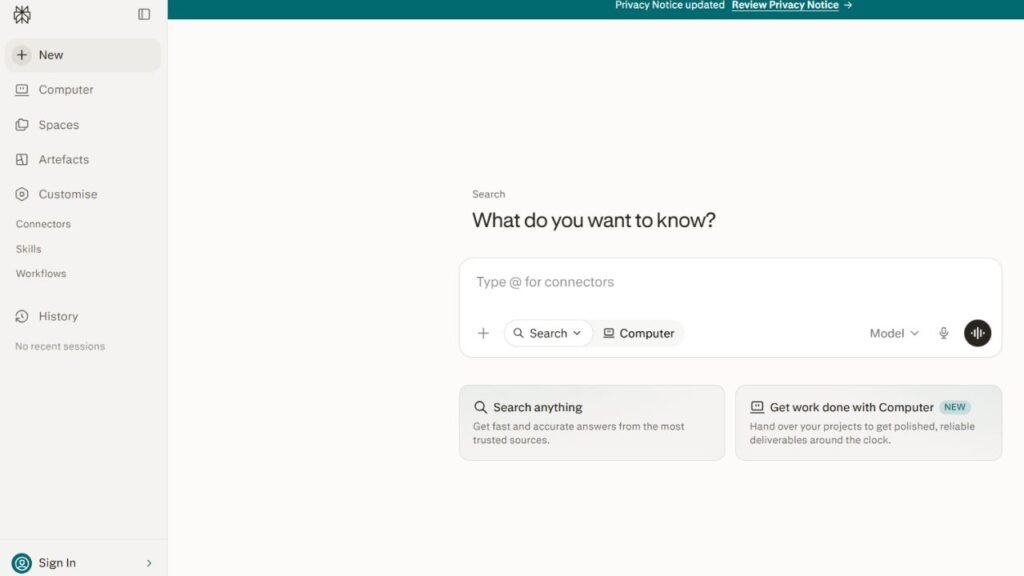
Perplexity AI has become one of the most popular AI research assistants because it emphasizes source-backed answers. Instead of responding without references, it typically includes links to supporting material, making it easier for students to verify information.
This makes it particularly useful during the research phase of assignments.
Who Should Use It
Ideal for:
- College students
- University students
- Researchers
- Students writing essays
- Anyone gathering information from multiple sources
Who Should Avoid It
Students looking for creative writing assistance or extended tutoring may find ChatGPT or Claude more versatile.
Key Strengths
- Source-backed responses
- Fast research
- Easy fact-checking
- Strong search capabilities
- Helpful for discovering additional reading
Weaknesses
- Sources should still be evaluated for credibility
- Not every answer includes peer-reviewed material
- Less conversational than general-purpose AI assistants
Free Plan
Yes.
The free version is sufficient for many research tasks, while paid plans provide expanded capabilities and higher usage limits.
Real Student Use Cases
Students use Perplexity AI to:
- Find background information for essays
- Compare viewpoints across multiple sources
- Explore unfamiliar topics before reading textbooks
- Verify claims generated by other AI tools
- Build a starting point for academic research
Best Alternatives
- Claude
- ChatGPT
- Elicit
- NotebookLM
Pros
- Excellent for research
- References included with many answers
- Saves time finding information
- Easy to verify facts
Cons
- Not a substitute for scholarly databases
- Students should always review original sources before citing them
Best AI Writing Tools for Students
The best AI writing tools help students improve clarity, grammar, structure, and originality without replacing critical thinking. They work best as writing assistants that refine your ideas rather than generating complete assignments.
Whether you’re writing a high school essay, a college research paper, or a university report, these tools can speed up editing and help you communicate your ideas more effectively.
Grammarly
Best For
- Grammar checking
- Essay editing
- Email writing
- Academic proofreading
- Improving writing style
What Grammarly Does
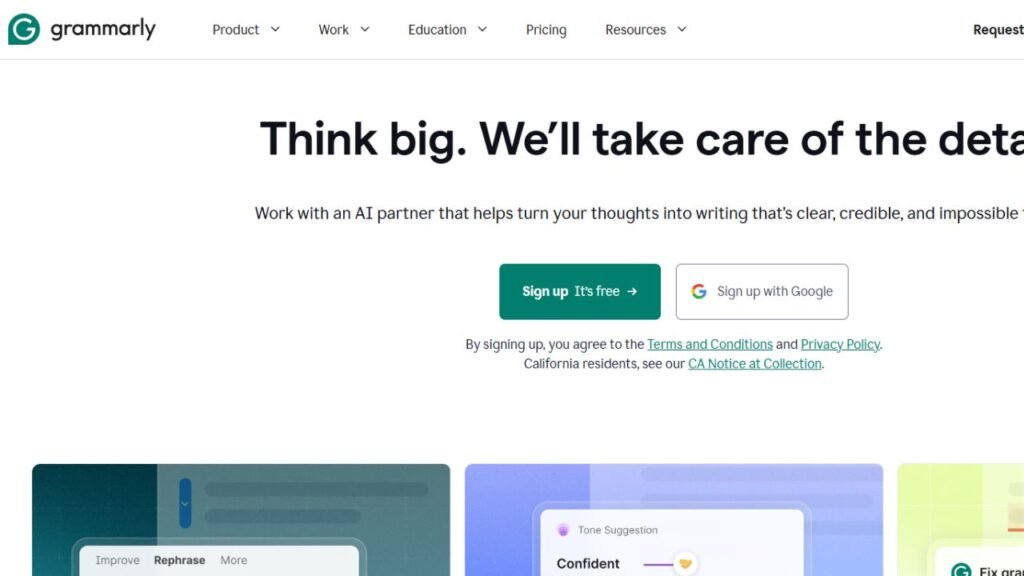
Grammarly is one of the most trusted AI writing assistants available today. It checks grammar, spelling, punctuation, sentence clarity, and tone while suggesting improvements that make your writing easier to read.
Unlike AI chatbots that generate entire responses, Grammarly focuses on improving the work you’ve already written.
Who Should Use It
- High school students
- College students
- University students
- Teachers
- Anyone writing academic papers
Who Should Avoid It
Students expecting Grammarly to conduct research or generate complete assignments should choose ChatGPT or Claude instead.
Key Strengths
- Excellent grammar correction
- Improves readability
- Detects awkward sentences
- Easy integration with browsers and Microsoft 365
- Helpful plagiarism features in premium plans
Weaknesses
- Limited research capabilities
- Premium features require a subscription
- Doesn’t replace proper academic editing
Free Plan
Yes.
The free version includes grammar and spelling corrections that are sufficient for many students.
Real Student Use Cases
Students commonly use Grammarly to:
- Proofread essays
- Improve scholarship applications
- Edit emails to professors
- Polish resumes
- Improve assignment clarity
Best Alternatives
- QuillBot
- ChatGPT
- Claude
Pros
- Extremely easy to use
- Accurate grammar suggestions
- Supports multiple writing platforms
Cons
- Premium features can be expensive
- Doesn’t generate research-based content
QuillBot
Best For
- Paraphrasing
- Sentence rewriting
- Summarizing articles
- Improving readability
What QuillBot Does
QuillBot specializes in rewriting text while maintaining its original meaning. Students often use it to improve sentence flow, shorten paragraphs, or better understand complex passages.
It also includes grammar checking and summarization features.
Who Should Use It
- Students editing essays
- English language learners
- Anyone simplifying complicated writing
Who Should Avoid It
Students should never use QuillBot to disguise copied work or bypass plagiarism policies.
Key Strengths
- Excellent paraphrasing
- Easy-to-use interface
- Multiple writing modes
- Helpful summarization
Weaknesses
- Can occasionally change meaning
- Requires manual review
- Limited advanced features in the free version
Free Plan
Yes.
Best Alternatives
- Grammarly
- Claude
- ChatGPT
Pros
- Great for rewriting drafts
- Saves editing time
- Improves readability
Cons
- Human review remains essential
- Not designed for academic research
Best AI Research Tools for Students
AI research tools help students find information faster, summarize academic material, and organise references. They should support research—not replace reading original sources or verifying citations.
Finding trustworthy information is often the hardest part of an assignment. The tools below reduce research time while encouraging students to verify every important claim.
Perplexity AI
Already covered as one of the best overall AI tools, Perplexity remains one of the strongest choices for research because it provides source-backed responses that make fact-checking much easier.
It is especially useful when:
- Starting research
- Comparing viewpoints
- Finding reliable background information
- Discovering additional resources
Elicit
Best For
- Literature reviews
- Academic research
- Research paper discovery
What Elicit Does
Elicit is designed specifically for academic research. It helps students locate relevant research papers, compare findings, and organise information from scientific publications.
Unlike general AI chatbots, Elicit focuses on scholarly content.
Who Should Use It
- University students
- Graduate students
- Researchers
Who Should Avoid It
High school students working on basic homework may find general AI assistants easier to use.
Key Strengths
- Research-focused
- Academic paper discovery
- Literature review assistance
Weaknesses
- Learning curve for beginners
- Better suited to advanced research
Best Alternatives
- Perplexity AI
- Claude
- Consensus
Consensus
Best For
- Evidence-based answers
- Scientific questions
- Research verification
What Consensus Does
Consensus searches scientific research rather than the wider internet. This makes it useful when students need evidence-supported answers instead of opinions.
It is particularly valuable in subjects such as:
- Psychology
- Medicine
- Biology
- Education
- Health sciences
Pros
- Focuses on research papers
- Reduces misinformation
- Easy to search
Cons
- Limited outside academic topics
- Not designed for creative writing
Best AI Note-Taking Apps for Students
AI note-taking tools help students organise lectures, summarise textbooks, and review information more efficiently. The best apps turn scattered notes into searchable study resources.
Instead of manually searching through hundreds of pages of notes, AI can highlight important concepts and generate study materials automatically.
NotebookLM
Best For
- Studying from your own notes
- PDF summarisation
- Lecture revision
- Personal knowledge management
What NotebookLM Does
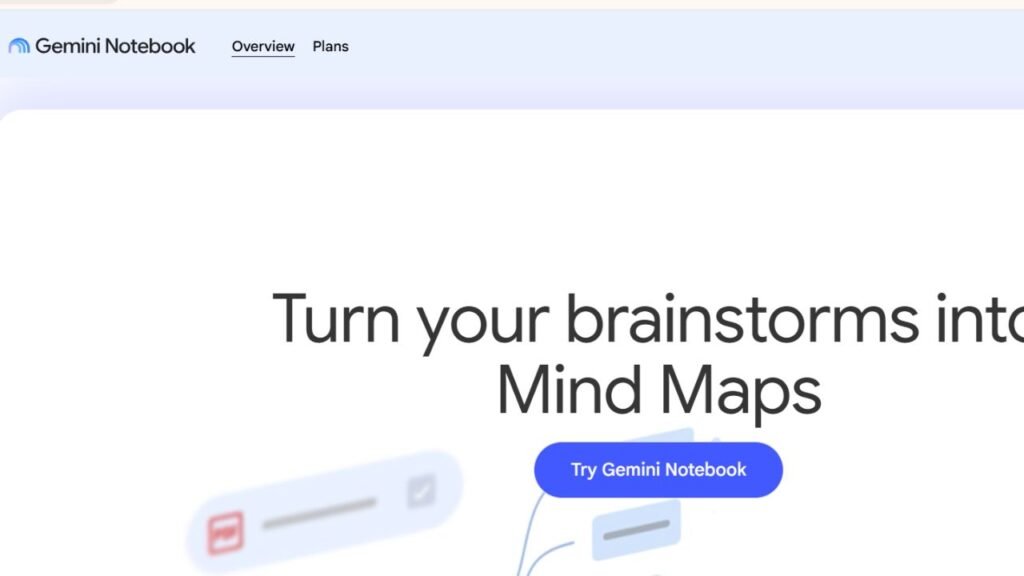
NotebookLM allows students to upload their own documents, lecture notes, PDFs, presentations, and study materials before asking questions about them.
This approach reduces the risk of receiving unrelated information because responses are based primarily on the uploaded sources.
Who Should Use It
- College students
- University students
- Exam preparation
- Research projects
Key Strengths
- Works with personal study material
- Excellent document understanding
- Strong revision support
Weaknesses
- Requires students to upload content first
- Not designed as a general-purpose chatbot
Free Plan
Yes.
Best Alternatives
- Claude
- ChatGPT
- Notion AI
Pros
- Great for exam preparation
- Accurate document summaries
- Excellent organisation
Cons
- Less useful without uploaded materials
Notion AI
Best For
- Course organisation
- Study planning
- Assignment tracking
- Project management
What Notion AI Does
Notion AI combines note-taking with productivity features. Students can organise coursework, manage deadlines, create revision plans, summarise notes, and draft study materials within a single workspace.
It is particularly useful for students managing multiple subjects at once.
Key Strengths
- Excellent organisation
- Built-in productivity features
- AI writing assistance
- Flexible workspace
Weaknesses
- Requires setup
- Can feel overwhelming for new users
Best Alternatives
- NotebookLM
- Microsoft OneNote
- ChatGPT
Otter.ai
Best For
- Lecture transcription
- Meeting notes
- Group study sessions
What Otter.ai Does
Otter.ai automatically converts spoken lectures into searchable text, making it easier to review classes without taking detailed notes during every minute of the lecture.
Students should always confirm whether recording lectures is permitted by their school or university before using transcription tools.
Pros
- Accurate transcription
- Saves note-taking time
- Searchable lecture records
Cons
- Recording policies vary by institution
- Accuracy depends on audio quality
Best AI Math Tools for Students
The best AI math tools explain how problems are solved instead of simply displaying the final answer. Understanding the process helps students build long-term problem-solving skills.
Wolfram Alpha
Best For
- Algebra
- Calculus
- Statistics
- Engineering
- Science
What Wolfram Alpha Does
Wolfram Alpha has long been one of the most respected computational tools available. It solves mathematical problems while providing detailed steps, formulas, graphs, and explanations.
It supports subjects including:
- Algebra
- Geometry
- Calculus
- Linear algebra
- Statistics
- Physics
- Chemistry
Key Strengths
- Highly accurate mathematics
- Step-by-step solutions
- Excellent STEM support
Weaknesses
- Interface can appear technical
- Some advanced features require payment
Free Plan
Yes.
Best Alternatives
- Photomath
- Symbolab
- ChatGPT
Photomath
Best For
- Homework
- Algebra
- High school mathematics
- Quick problem solving
What Photomath Does
Photomath lets students scan handwritten or printed equations using a smartphone camera. It then explains each step involved in solving the problem.
Rather than copying answers, students should study each solution to understand the underlying concepts.
Pros
- Extremely easy to use
- Fast equation recognition
- Helpful explanations
Cons
- Limited outside mathematics
- Doesn’t replace classroom learning
Symbolab
Best For
- Advanced mathematics
- College STEM courses
- Engineering students
Symbolab provides detailed mathematical solutions across a wide range of topics, making it a valuable companion for students tackling more advanced coursework.
Best AI Coding Tools for Students
AI coding tools help students learn programming faster by explaining code, identifying errors, suggesting improvements, and generating examples. They are most valuable when used to understand programming concepts instead of copying complete solutions.
Whether you’re taking your first Python class or building advanced software projects, AI can reduce debugging time and make complex concepts easier to understand.
GitHub Copilot
Best For
- Programming assignments
- Learning new programming languages
- Debugging code
- Software development projects
What GitHub Copilot Does
Developed by GitHub in collaboration with OpenAI, GitHub Copilot is an AI-powered coding assistant that suggests code as you type. It supports dozens of programming languages, including Python, Java, JavaScript, C++, C#, Go, PHP, Ruby, and SQL.
Rather than searching online for every syntax question, students can receive intelligent code suggestions directly inside their code editor.
Who Should Use It
- Computer science students
- Software engineering students
- Coding bootcamp learners
- Programming beginners looking for guidance
Who Should Avoid It
Students learning programming fundamentals should avoid relying on Copilot for every assignment. Writing code yourself remains the best way to develop problem-solving skills.
Key Strengths
- Fast code suggestions
- Supports many programming languages
- Speeds up debugging
- Improves productivity
- Integrates with popular IDEs
Weaknesses
- Can suggest inefficient code
- Requires reviewing every recommendation
- Doesn’t replace learning algorithms or programming logic
Free Plan
Limited free access is available for eligible users, while additional features are offered through paid plans.
Real Student Use Cases
Students commonly use GitHub Copilot to:
- Complete programming exercises
- Learn unfamiliar syntax
- Debug coding errors
- Generate test cases
- Build portfolio projects
Best Alternatives
- ChatGPT
- Google Gemini
- Replit AI
- Cursor
Pros
- Saves development time
- Excellent coding assistant
- Great for learning syntax
Cons
- Suggestions still require testing
- Should never replace understanding the code
Cursor
Best For
- AI-assisted programming
- Code explanation
- Large coding projects
Cursor is an AI-powered code editor designed to help developers understand, edit, and improve software projects. Students working on semester-long programming assignments often appreciate its intelligent code navigation and debugging assistance.
Replit AI
Best For
- Beginners
- Learning programming online
- Classroom coding exercises
Replit AI combines an online coding environment with AI assistance, allowing students to write, run, and improve code without installing software locally. It is particularly useful for collaborative coding projects and introductory programming courses.
Best AI Presentation Makers for Students
AI presentation makers save hours by generating slide outlines, designing layouts, suggesting visuals, and organizing information into professional presentations. Students should still review and customize every slide before presenting.
Creating presentations often takes longer than researching the topic itself. AI presentation tools help reduce that workload.
Gamma
Best For
- Class presentations
- Project reports
- Research summaries
- Group assignments
What Gamma Does
Gamma transforms written content into attractive presentations with minimal manual formatting. Students can generate structured slides from outlines, notes, or documents in minutes.
Key Strengths
- Professional layouts
- Fast presentation generation
- Easy editing
- Modern designs
Weaknesses
- Requires manual customization
- Generic designs may need personal touches
Free Plan
Yes.
Best Alternatives
- Canva Magic Studio
- Microsoft PowerPoint
- Google Slides
Pros
- Saves significant design time
- Clean presentation templates
- Simple interface
Cons
- AI-generated slides should always be reviewed
Canva Magic Studio
Best For
- Creative presentations
- Infographics
- Posters
- Classroom projects
What Canva Magic Studio Does
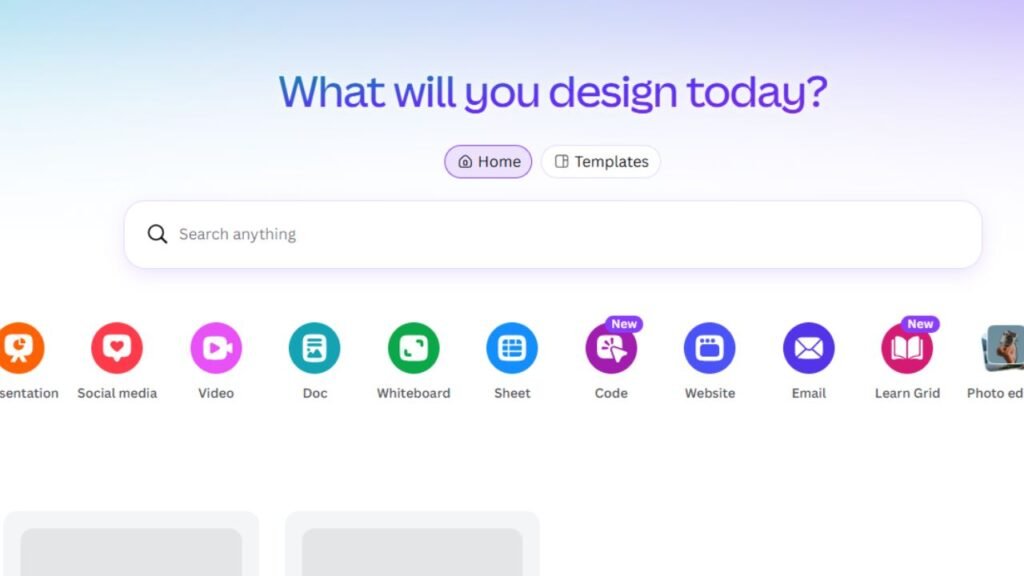
Canva Magic Studio uses AI to generate presentation designs, edit images, create graphics, and produce visual content quickly. Students with limited design experience can build polished presentations without starting from scratch.
Key Strengths
- Excellent templates
- AI image tools
- Easy drag-and-drop editing
- Great for visual learners
Weaknesses
- Advanced features require premium access
- AI-generated graphics sometimes need refinement
Best Alternatives
- Gamma
- Microsoft PowerPoint
- Google Slides
Best Free AI Tools for Students
Students don’t need expensive subscriptions to benefit from AI. Several free tools provide excellent support for studying, writing, research, coding, and productivity.
| Tool | Free Version | Best For |
|---|---|---|
| ChatGPT | ✅ | Homework, studying, brainstorming |
| Google Gemini | ✅ | Productivity, writing |
| Claude | ✅ | Reading PDFs |
| Perplexity AI | ✅ | Research |
| NotebookLM | ✅ | Study materials |
| Grammarly | ✅ | Grammar checking |
| Canva | ✅ | Presentations |
| Wolfram Alpha | ✅ | Mathematics |
| Photomath | ✅ | Homework |
| Notion AI | Limited | Organization |
If you’re on a tight budget, combining free versions of these tools can cover nearly every academic need.
If you’re looking for even more recommendations, our guides on Best Free AI Tools for Students, Best AI Productivity Tools for Students, and AI Tools Every Student Should Know explore additional free options in greater detail.
Which AI Tool Is Best for Different Students?
| Student Type | Recommended AI Tool |
|---|---|
| High School Students | ChatGPT, Photomath, Grammarly |
| College Students | ChatGPT, Claude, Perplexity AI |
| University Students | Claude, Perplexity AI, NotebookLM |
| STEM Students | Wolfram Alpha, GitHub Copilot |
| Research Students | Elicit, Consensus, Perplexity AI |
| Creative Students | Canva Magic Studio, Gamma |
| Programming Students | GitHub Copilot, Cursor |
| Teachers | Gemini, ChatGPT, Canva |
Students interested in more specialized recommendations can also explore Best AI Tools for College Students, Best AI Tools for High School Students, Best AI Writing Tools for Students, Best AI Note-Taking Apps for Students, Best AI Homework Tools, Best AI Research Tools for Students, Best AI Math Tools for Students, Best AI Presentation Makers for Students, Best AI Flashcard Generators, Best AI Coding Tools for Students, Best AI Study Planner Apps, Best AI Citation Generators, Best AI Grammar Checkers for Students, Best AI PDF Summarizers, and Best AI Tools for Online Learning.
ChatGPT vs Gemini vs Claude: Which Should You Choose?
Choosing between ChatGPT, Google Gemini, and Claude depends on what you’re trying to accomplish.
| Feature | ChatGPT | Gemini | Claude |
|---|---|---|---|
| Homework Help | ⭐⭐⭐⭐⭐ | ⭐⭐⭐⭐☆ | ⭐⭐⭐⭐☆ |
| Essay Writing | ⭐⭐⭐⭐⭐ | ⭐⭐⭐⭐☆ | ⭐⭐⭐⭐⭐ |
| Research | ⭐⭐⭐⭐☆ | ⭐⭐⭐⭐☆ | ⭐⭐⭐⭐⭐ |
| Long PDFs | ⭐⭐⭐⭐☆ | ⭐⭐⭐⭐☆ | ⭐⭐⭐⭐⭐ |
| Coding | ⭐⭐⭐⭐⭐ | ⭐⭐⭐⭐☆ | ⭐⭐⭐⭐☆ |
| Productivity | ⭐⭐⭐⭐☆ | ⭐⭐⭐⭐⭐ | ⭐⭐⭐⭐☆ |
| Beginner Friendly | ⭐⭐⭐⭐⭐ | ⭐⭐⭐⭐⭐ | ⭐⭐⭐⭐☆ |
If you want a deeper comparison, see our dedicated guides on ChatGPT vs Gemini for Students and Claude vs ChatGPT for Students.
Responsible AI Use in School
AI should support learning—not replace it. Students gain the most value when AI helps them understand concepts, improve their work, and organize information instead of completing assignments automatically.
Follow these best practices:
- Verify important facts using reliable sources.
- Never submit AI-generated work without reviewing it.
- Check every citation before including it in assignments.
- Follow your school’s AI usage policy.
- Use AI to learn concepts rather than copy answers.
- Rewrite explanations in your own words.
- Protect personal information when using AI platforms.
- Combine AI with textbooks, lectures, and academic databases.
Remember that AI systems can occasionally produce inaccurate information or fabricated references. Treat every AI response as a starting point for learning rather than the final answer.
Common Mistakes Students Make with AI
Avoid these common errors:
- Trusting every AI response without verification.
- Copying assignments directly from AI.
- Using AI-generated citations without checking them.
- Ignoring instructor policies on AI use.
- Depending on one AI tool for every task.
- Skipping textbooks and lecture notes.
- Sharing sensitive personal or academic information.
- Forgetting to proofread AI-generated content.
Expert Tips for Using AI More Effectively
- Ask specific questions instead of vague prompts.
- Break large assignments into smaller tasks.
- Compare answers from more than one AI tool.
- Use Perplexity AI or academic databases for research.
- Use NotebookLM to study your own materials.
- Let Grammarly polish your final draft.
- Review every AI-generated presentation before class.
- Practice solving problems yourself before asking AI for help.
Frequently Asked Questions
1. What is the best AI tool for students?
ChatGPT is the best all-around option because it supports homework, writing, studying, brainstorming, and exam preparation. Students with specialized needs may benefit from Claude for long documents or Perplexity AI for research.
2. Which AI is best for homework?
ChatGPT, Google Gemini, and Photomath are excellent homework assistants, depending on the subject.
3. Which AI tool is best for research?
Perplexity AI, Elicit, Consensus, and NotebookLM are among the strongest research-focused options because they help students locate and organize information efficiently.
4. Is ChatGPT good for studying?
Yes. It can explain difficult concepts, generate quizzes, create study plans, and answer follow-up questions in a conversational format.
5. Which AI summarizes PDFs?
Claude and NotebookLM are especially useful for reading and summarizing lengthy PDFs and lecture materials.
6. What is the best AI for math?
Wolfram Alpha remains one of the best choices for advanced mathematics, while Photomath is ideal for many high school math problems.
7. Can AI help students learn coding?
Yes. GitHub Copilot, Cursor, ChatGPT, and Replit AI can explain code, identify bugs, and demonstrate programming concepts.
8. Are AI tools free for students?
Many leading AI platforms offer free plans with enough functionality for everyday studying. Premium subscriptions typically provide higher usage limits and advanced features.
9. Can students use AI legally?
In most cases, yes. Students should always follow their school’s academic integrity policies and use AI responsibly.
10. Can AI replace teachers?
No. AI is a learning assistant, not a replacement for teachers. Human instruction, feedback, and classroom discussion remain essential.
11. Which AI tool is best for writing essays?
ChatGPT, Claude, Grammarly, and QuillBot each serve different purposes. ChatGPT and Claude help develop ideas, while Grammarly and QuillBot improve clarity and writing quality.
12. Should students verify AI-generated citations?
Absolutely. AI systems can generate incorrect or fabricated references, so students should always confirm citations using trusted academic sources.
Conclusion
The Best AI Tools for Students can save time, improve productivity, and make learning more engaging when used responsibly. Rather than relying on a single platform, consider building a toolkit that matches your academic needs.
For everyday study support, ChatGPT remains one of the most versatile choices. Claude excels at analyzing long documents, Perplexity AI simplifies research with source-backed answers, NotebookLM helps students study their own materials, and Google Gemini integrates well with the Google ecosystem. Specialized tools like Grammarly, Wolfram Alpha, GitHub Copilot, Canva Magic Studio, and Gamma further enhance writing, mathematics, coding, and presentations.
The most successful students don’t use AI to avoid learning—they use it to learn more efficiently. By combining AI with textbooks, classroom instruction, critical thinking, and careful fact-checking, you can improve your academic performance while developing skills that remain valuable long after graduation.
Helpful write-up. Link for related guide: https://demo-links.info/64401 [TKwb4u4xwZ7h1x]